Personal System/2 Model 95 Information and Software
System Type: 9595
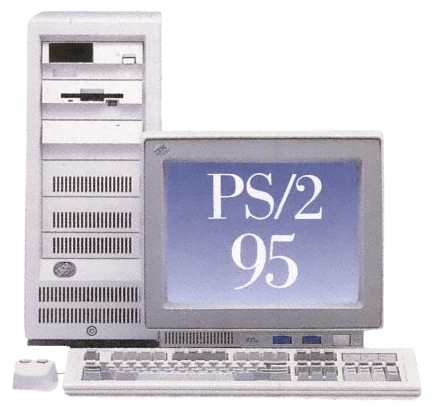
The IBM PS/2 Model 95 was released in 1991 (one of the first machines to use the high powered 486 CPUs according to IBM). Like the model 80, these were workstation oriented computers; not all systems were given the 'server' designation. The Type 4 Pentium-based complexes will give these machines a 'server' designation but these machines never shipped with Pentiums originally.
In lieu of that, some Model 95s were still used as servers such as in the telephony realm. Generally a lot of telephone systems were set up with special MCA / ISA cards running a version of OS/2 to operate the voice mail. IBM did sell some Model 95s with a 'server' annotation on their badges if a client needed it as such.
These machines are unique for the fact the CPU resides on a complex card that can be swapped out with some complexes sporting a completely different architecture (ranging from a 386, 486, to Pentiums both in socket 4 and socket 5). There are no socket 7 complexes. MMX can be achieved by using an overdrive in a socket 5. Precaution must be taken when using an overdrive Pentium in a P90 complex as it can stress the VRM, upgrading the heatsinks or VRM itself will be required-- or rebuilding it entirely.
Downloads
Manuals
Firmware, Drivers, & Software
- Reference Diskette (Type 1 Processor Complex) v1.31 (11-02-92, 1.44MB)
- Reference Diskette (Type 1 Processor Complex) v1.03 (13F9789) Outdated version
- Reference Diskette (Type 1 Processor Complex) v1.02 (85F1414) Outdated version
- Reference Diskette (Type 2 Processor Complex) v1.21 (11-03-92, 1.44MB)
- Reference Diskette (Type 2 Processor Complex) v1.10 (41G8386) Outdated version
- Reference Diskette (Type 3 Processor Complex) v1.11 (11-03-92, 1.44MB)
- Reference Diskette (Type 3 Processor Complex) v1.10 (42G2119) Outdated version
- Reference Diskette (Type 4 Processor Complex) v1.34 (11-13-95, 1.44MB)
- Diagnostic Diskette (Type 1 ~ 4 Processor Complex) v2.33 (08-25-95, 1.44MB)
- Flash BIOS Update Diskette for Type 4 Processor Complex (revision 10) v1.28 (04-30-99, 1.44MB)
- Flash BIOS Update Diskette for Type 4 Processor Complex (revision 09) v1.27 (1.44MB)
- Flash BIOS Update Diskette for Type 4 Processor Complex (revision 08) v1.26 (01-16-96, 1.44MB)
- Flash BIOS Update Diskette for Type 4 Processor Complex (revision 05) (03-22-95, 1.44MB)
- Flash BIOS Update Diskette for Type 4 Processor Complex (revision 03) v1.20 (02-23-94, 1.44MB)
- Flash BIOS Update Diskette for Type 4 Processor Complex (revision 02) v1.10 (02-23-94, 1.44MB)
- IBM SCSI-2 Fast/Wide Adapter/A "Corvette" Firmware Upgrade v7.1 (01-19-96, 1.44MB)
- SVGA Device Driver Diskette v1.10 (03-10-93, 1.44MB)
- SCSI Resector Tool
Model Differences
There are two major variants of the Model 95 PS/2s:
First generation Model 95s: they can either be a system 8595 with a 9595 planar installed, or came from the factory as a 9595. They have the power button on the RIGHT and lack a discreet HDD LED.
Second generation Model 95s: these are indicated by being a 9595A. They have an updated system board for better bus speed, but can only handle type 4 complexes. They have the power button on the RIGHT and have a HDD LED beside the power one. Note: IBM reused the 9595A motherboard on the PC Server 500 but bundled it exclusively with superior Pentium complexes.
Regardless of generation, both systems can hold up to 256 MB of RAM that's fully cacheable thanks to the discreet chips on the complex card: using a rather expensive Intel-designed memory controller. A lot of Pentium machines such as with the Triton II chipset cannot cache RAM beyond 64MB unless they have the 11-bit ram tag (and many manufactures declined to do this and never mentioned the huge performance hit going beyond the cacheable 64). Despite Intel's strange decisions on their memory controllers--that continue to this day with the Core i7--, socket 4 had the ability to cache beyond 64 MB way before socket 7 existed.
There's a myth circling around that 9595A PS/2s cannot handle 486 complexes. ALL Model 95s were shipped with 486es; Pentium complexes were primarily sold with Server 500. With that said, the 386 complex was only meant for the Model 85, and will require some modding to get working on a model 95 platform--if it's even possible. Also the 9595As shipped with later Type 4 486 complexes omit "server" on the splash screen. I believe the 9595A might not be able to handle *Type 3* 486 complexes, but I have not tested this.
Like most later Personal System/2s, they have 2.88 MB floppy disk drives installed. Useful if you can find higher density diskettes. However, you will still need 1.44 diskettes for the reference diskette, diagnostics diskette, and any boot diskettes to initiate booting into the CD-ROM drive. I wish IBM would have combined the diagnostics and reference diskette into one 2.88 for these since they could have... but they never did.
There's not a whole lot of Model 95 PS/2s left because the businesses that they were sold to have since long recycled the majority of these machines and very few home users bought them from the $14K price tag. As IBM computers generally always had a business niche, this also means they are prone to being recycled frequently due to businesses continuously upgrading.
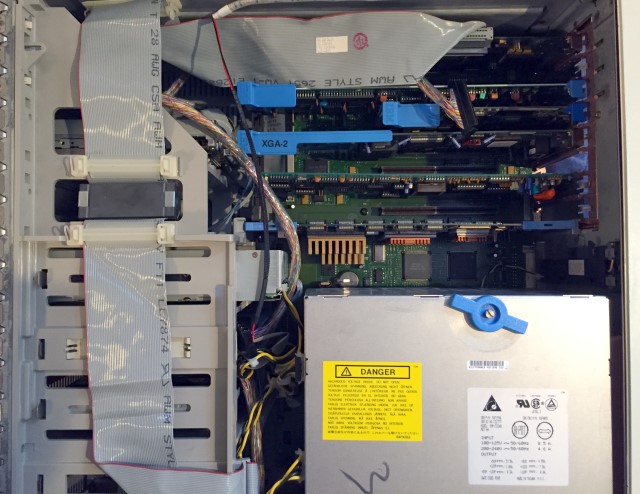
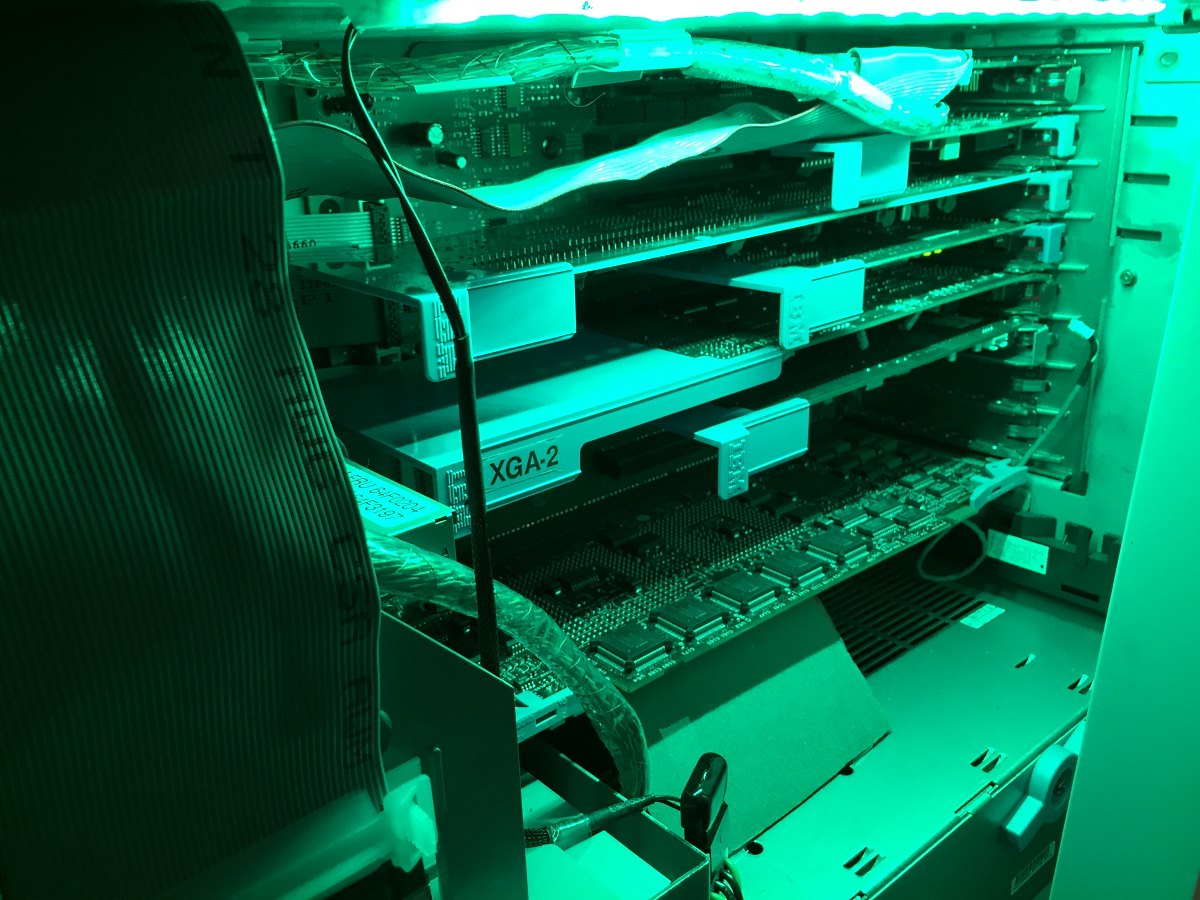
Inside the Personal System/2 Model 95.
IBM SynchroStream Controller
The later Pentium complex cards use a proprietary IBM IC to perform its SynchroStream operations. Basically SynchroStream allows all operations to become more unified and increase bandwidth as a result. SynchroStream can also predict what hardware will request data in the cache memory.
According to IBM's own documentation regarding SynchroStream:
High server performance increases end-user productivity. For this reason, IBM developed the SynchroStream controller, a single chip that controls and optimizes performance of key server components. SynchroStream combined with leading Pentium technology and Fast/Wide SCSI-2 ensures balanced, scalable performance that allows more users on the LAN and maintains system performance.
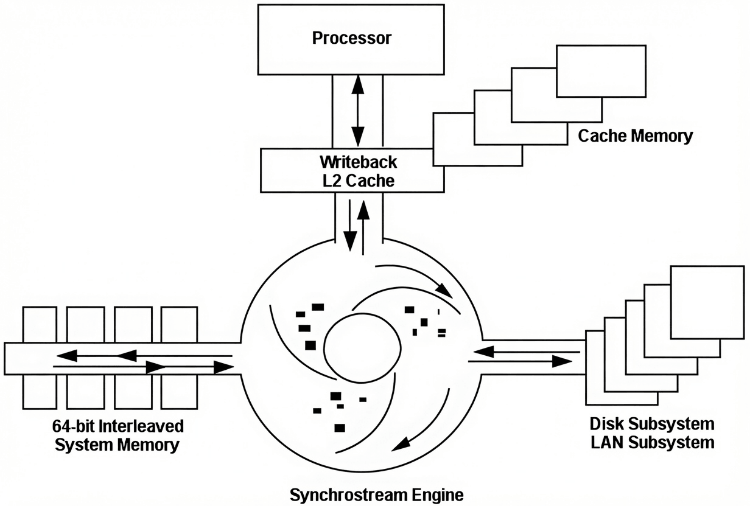
SynchroStream can also allow MCA to reach 40 MBps supposedly.
Tangential Fan
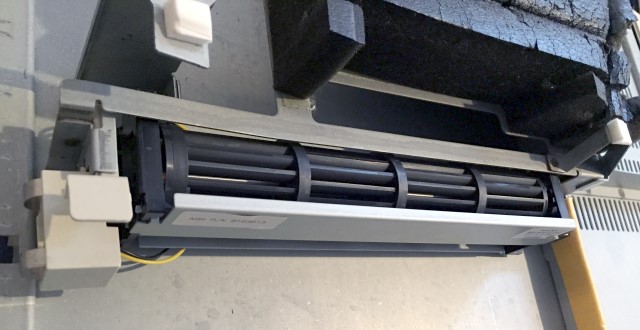
Mounted on the side panel of the Model 95's door is a tangential fan which has two contacts that supply power once the door is slid back on. There has been a lot of debate for the orientation of the fan, it can just be oriented like the one in the photo. This fan helps airflow (presumably) over the MCA cards and into the bottom PSU. But some have been mounted in the inverse manner.
The Model 95 'Convenience Partition' via Type 4 Complex
When the Model 95 is fitted with a Type 4 complex containing its own flash memory, the IML 'Initial Machine Load' partition is deployed as a 'Convenience Partition' (in that it's not like the usual 'System Partition' where vital BIOS features are stored). The system uses this as a reference and can be operated without it. But it's not a good idea, and it will repeatedly warn about it each time it is booted on.
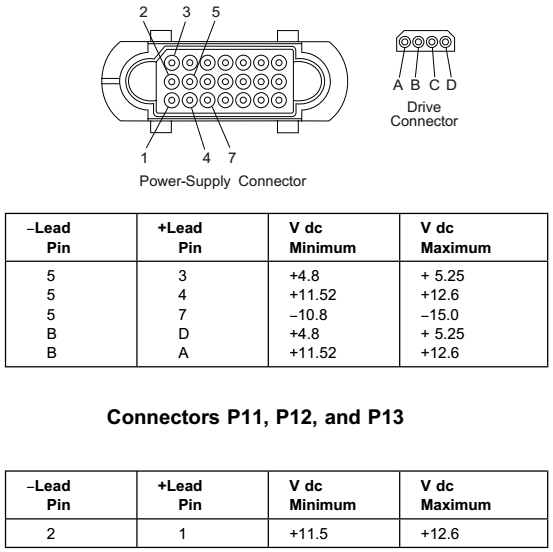
Power Supply
SCSI "Corvette" card
(FRU: 11H3600, 06H6159, 92F0160)
The IBM Corvette SCSI card is probably the best card to use with the 9595s. If your system never came with a SCSI cable for it, you'll need to get a standard U320 SCSI cable and crimp on a male mini-centronics connector. I took an existing SCSI cable, removed the normal connector, and with a rubber mallet, "crimped" it on the existing cable. It worked on the first try and I'm glad it did because there's only so many times you can retry if you're using an existing cable to do this. Why did IBM do this? I have no idea... they continued this practise even on their System x servers, so it is not limited to PS/2 SCSI cards.
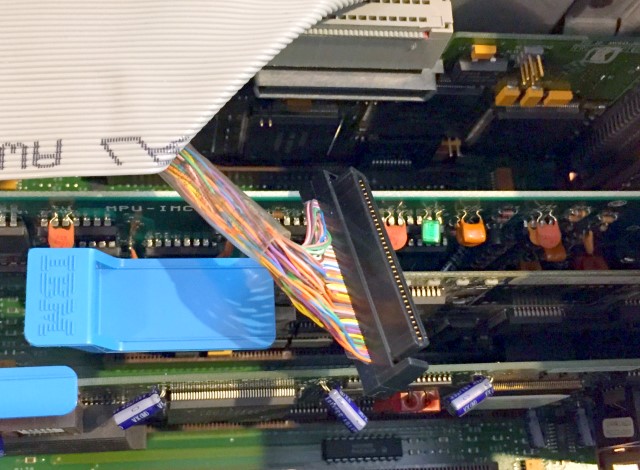
Note: it's necessary to use an IBM designed MCA SCSI card if you're intending to use a single SCSI card in your 9595. This is because the IBM MCA SCSI cards send special instructions for the IML partition (the BIOS which is deployed via diskette). The model 95 however stores its BIOS in flash on the complex card: but it uses the IML partition as a 'reference' when it needs it. Therefore the IML partition isn't actually mandatory to operate the system, but you'll get a lot of irritating nag screens.
Even though the more common (and used) SPOCK SCSI controller has cache*, it's 50-pin and much slower. Just stick with the corvette. SPOCK works well on a Model 80 though.
It's come to my attention that my 'Uncle' Neozeed discovered the SPOCK SCSI cards with cache are actually slower than the cacheless ones when you load them up with as many disks as possible. So... there's probably no real good reason to use a SPOCK as far as performance is concerned...
SCSI "Corvette Turbo" card
(FRU: 52G3380)
This is basically the same as the regular Corvette, but uses 0.03% more CPU, allows slightly faster speeds, and is much longer. First generation PS/2 95s won't be able to utilise as much of the bandwidth that would be possible on a later board. Supposedly. No tests have been done to compare a 9595 and 9595A board side-by-side running it. Given that "SPOCK" is slower than the cacheless cards it really makes you wonder.
Installing Windows 9x
To install Windows 9x, the best way is to simply put the OS on the hard drive beforehand because getting the correct SCSI CD-ROM driver and getting it to work takes more effort than it's worth; also ironic in that once Windows is installed it sees the SCSI CD-ROM drive just fine. To do so, a special procedure will need to be performed (the PS/2 must deploy the IML partition, and then you must create volume to deploy the OS to). Using a boot diskette you can start the installer.
Caveats for the PS/2 Model 95
Upon building my PS/2 model 95 and doing a lot of trial-error scenarios, I came across a few caveats you may not be aware that these systems are restricted with.
- A HDD no greater than 3.94 GB in size is required to deploy the system partition via the reference diskette. This is most likely false, and even if it wasn't, you could just partition the disk. You can remap the sectors of any U320 SCSI drive if needed: 3.94 GB equates to 8069120 sectors. The SCSI Resectoring tool is provided at the top in the downloads section. On that note because Windows 95 is so horrible with large disks, resectoring a 'modern' 60+ GB U320 drive isn't such a bad idea.
- A SCSI MCA card is required for said deployment of the BIOS (although the non-IBM SCSI cards are far less featureful and limited, so best just to use a Corvette SCSI card)
- You (supposedly) cannot boot to the CD-ROM drive without a boot diskette. Although my 2x IBM SCSI CD-ROM drive attempts to boot from the drive and states invalid boot record when it knows it's not a bootable disc, so this is most likely a PS/2 myth or applies to certain drives.
- The Socket 4 Pentium P60/P66 complex cards cannot be flashed with the Revision 10 BIOS (only revision 8). Revision 10 is reserved for socket 5 complex cards.
- Standard issue XGA-2 can procure odd flickering of certain sprites in particular DOS games. To get around that, use a non-XGA MCA graphics card. The Orchid Prodesigner 2 would probably be the best, but MCA versions are rare. Heck, the ISA cards are hard enough to find. Go with the MCA Cirrus "delivery boys 2.0" if you need non-XGA (which are also rare, sadly).
- The MPU-IMC cannot run *all* games with flawless MT-32 support on the Model 95 running Pentium complexes (perhaps this is solved on 386/486 complexes?); and has issues running in the MIDI mapper.
Common (useful) FRUs
Pentium Complex FRUs:
- 52G9362 ← Pentium 60 Mhz FRU FDIV
- 92F0120 ← pentium 66 Mhz FRU FDIV
- 06H3739 ← pentium 90 Mhz FRU bugged P90
- 06H7095 ← Pentium 90 Mhz FRU non-bugged P90
- 06H8589 ← Pentium 90 Mhz FRU non-bugged P90 (presumably last FRU made)
RAM FRUs:
- 8MB simm: 92G7208. FRU: 92F0098
- 16MB simm: 92G7209. FRU: 96F9100
- 32MB simm: 92G7210. FRU: 73G3136 (Note: the Kingston KTM-9595 SIMMs are the same part as FRU 92G7210)
2.88 FDD FRUs:
- 64F4148 (Mitsubishi blue button)
- 72X6101 (Sony blue button)
- 82G1888/13H8640 (Mitsubishi white button non-internal)
SCSI CD-ROM FRUs:
- 75H9067 ← 2x Possibly the CR-503-B Matsushita
- 88G4917 ← 4x
In the year of 2026 these FRUs are getting harder to find. I wrote this a long time ago when I was a teenager, still useful if you're trying to find something but as the years go on what was common/easier to find, becomes rarer and rarer. Parts wear out, too.
My Model 95 (not that anyone cares)
My Model 95 was not a "server" variant (even though the Wikipedia editors falsely list it as a Server 95, and even though it was technically used as a server with some phone 'voice' stuff, running OS/2). I grabbed a P60 complex (with mandatory FDIV bug--yes I wanted one with FDIV specifically) so it's been upgraded far beyond its original means. It has two sound cards so I can get both OPL2 and OPL3, and while I had the RAM configured to 128 MB, I brought it back down to 64 MB because: 1) Windows 95 is horrible with anything more, 2) the Complex demands doing a "long test" every time you boot it up. The two people in the world with 9595s configured to 256 MB are going to be waiting for a real long time. Years ago shortly after I bought mine (I think I paid something like $250 for it), there was one configured to 256 MB for $1000 on ebay. Eventually someone did buy it... I was tempted, but I already have too many IBMs. Maybe the solution should have been to get more of my friends using Model 95s. :p
I did use the Model 95 as a Sim City 2000 Network Edition server once when troubleshooting (which you're free to download the latest patches and try it out for yourself). It was fun to discover that Windows 95 has to reboot to change IPv4 settings. *le sigh*
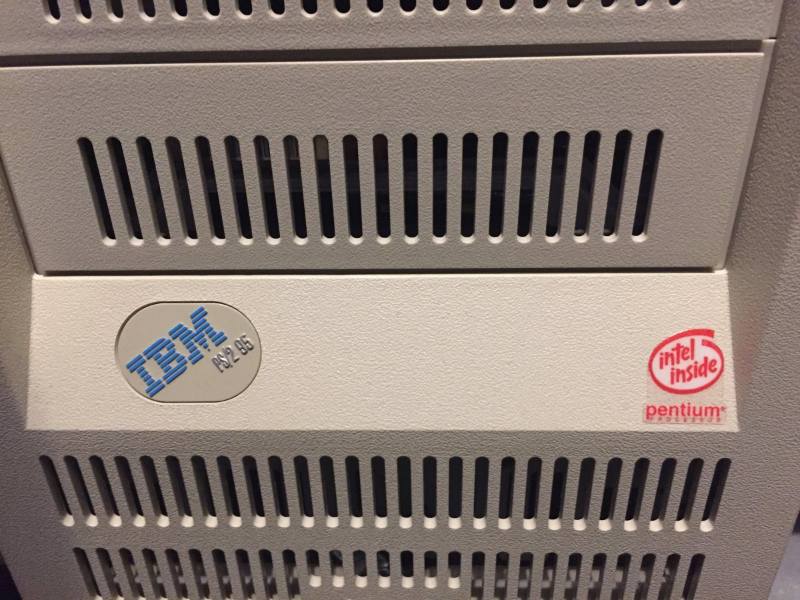
Proof that it's not a "server" variant (it has the nice 'blue' style badge). I also added that NOS red "intel inside" Pentium sticker since I've always liked the look of those (found on early Pentium machines). I don't believe IBM put Intel stickers on PS/2s, and even if they did, this thing never started its life out as a Pentium but as a cacheless 486. It was crazy the difference the Complex upgrade made.
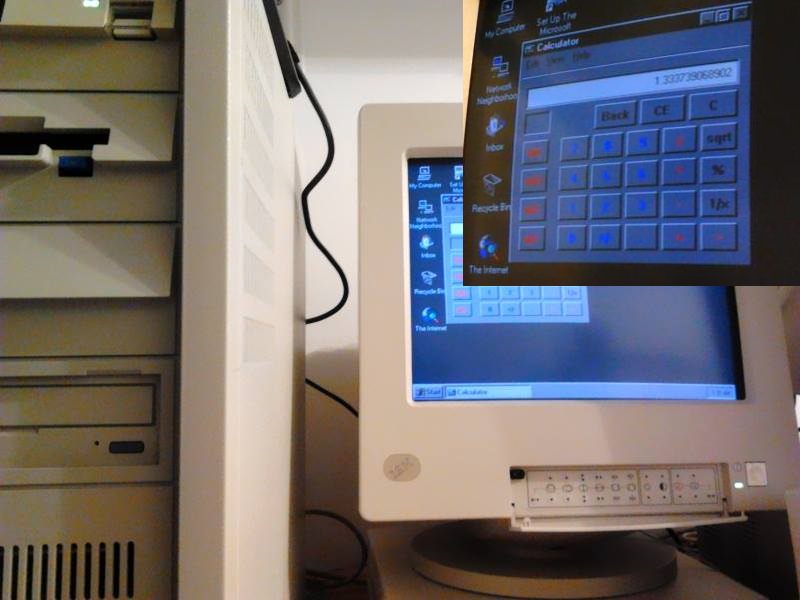
Also proof that it has FDIV.
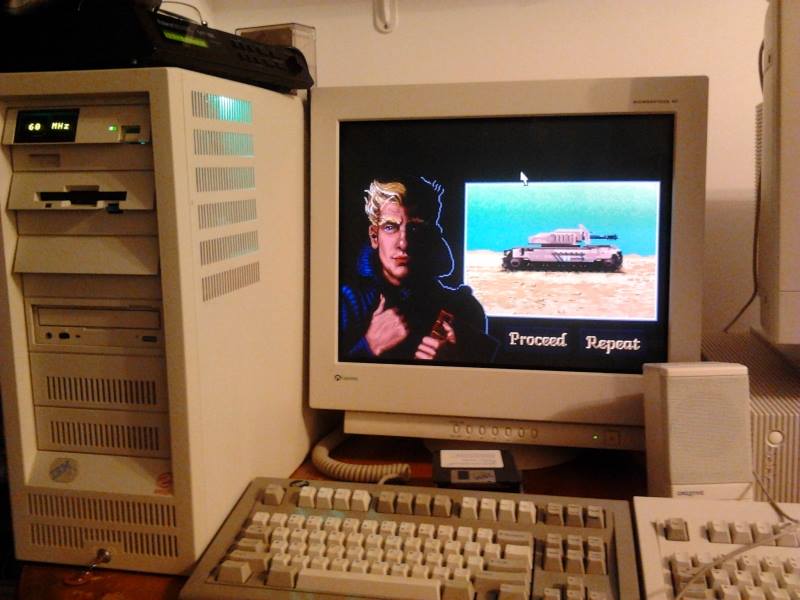
Playing DUNE2 by day.
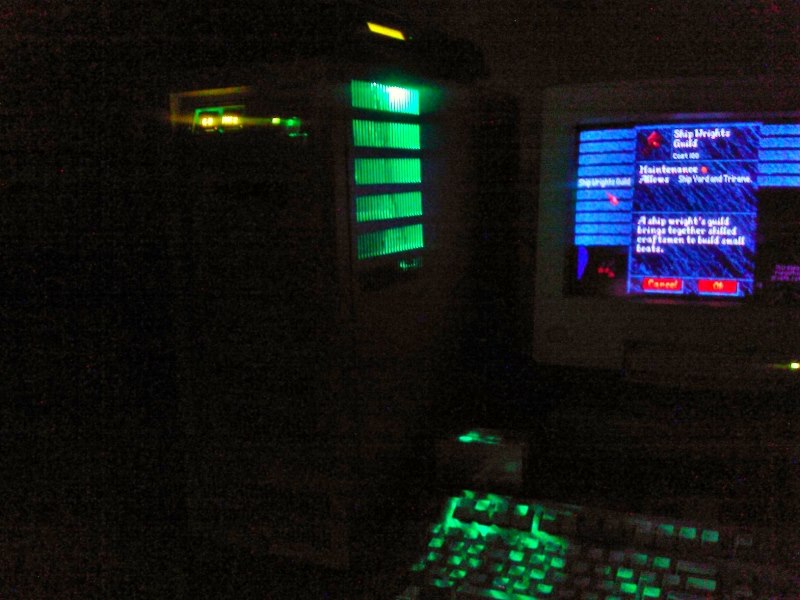
Playing Master of Magic by night. This was one of my favourite gaming sessions, ever.
Cheap LED Light Strips
You can get those cheap Molex LED light strips from China that Louis Rossmann talked about, and stick one on the top (well, Rossmann mentioned at how the 'expensive' brands ended up being worse and the ones from China did the job just fine; I will caveat that by saying some individual LEDs I've had from China start to fade quickly but not these light strips). Not particularly 'practical' or anything, but I thought it was cool when using the system at night. And yes... the previous owners of this Model 95 broke the spring latch on the PSU (I had to fish out the spring when I was recapping the PSU). Fortunately you can lock the handle in just fine without the spring, but it does mean it can loosely touch things inside the PSU so be careful...
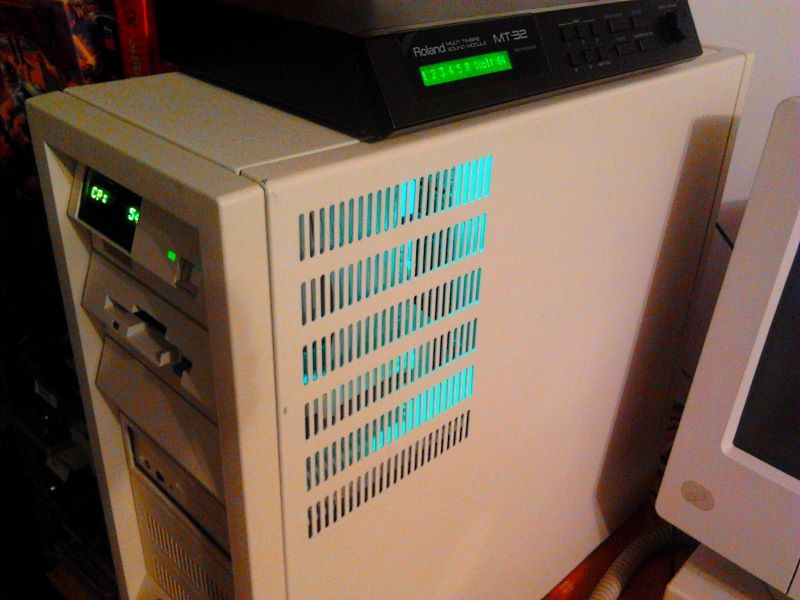
It's also obligatory to run an MT-32 with a PS/2 Model 95. That's why the top of the case has so much room! The IBM engineers knew it would be important for perching the MT-32.
How're you gonna do it? You're gonna PS/2 it! The solution is IBM. The solution is IBM.