Legacy IBM Networking Devices Overview
Firewalls, Routers, Switches, Suites, etc.
This page serves as a general outline to document all of the legacy IBM networking devices (and software suites mentioned where applicable) to provide better information on them. Even to this day (in 2026!) people still conflate the IBM Token Ring and Ethernet switches, or vice versa. When IBM uses "LAN" in the product names, this does not immediately refer to Ethernet, it can be either Token Ring or Ethernet, usually in most cases Token Ring re: LANStreamer. It would appear the majority of this networking hardware and software is exceedingly rare, I imagine much was simply thrown out after 1999; it's not really coveted or loved despite some of it being extraordinarily fascinating. Other IBM networking devices have all but completely vanished off the internet without a single trace of information -- as if they never even existed. :o
All documentation, demonstrations, stock photos, freeware, and first party information remains property of the IBM corporation. "ibmfiles.com" is a hobbyist operated site not affiliated to the IBM corporation and does not represent IBM's opinions.
Anything mirrored here from existing public sources is only done for historical, archival, non-commercial, and not for profit preservation purposes.
Index: 2210 Nways Multiprotocol Router, 2212 Access Utility, 2216 Nways Multiaccess Connector (Model 400), 2217 Nways Multiprotocol Concentrator, 2218 Nways Frame Relay Access Device, 2219 Nways Switch Access Unit, 2220 Nways Broadband Switch, 2225 Nways MutliService Switch, 2230 Nways ATM Switch, Wireless Family of Products, 3172 Nways Interconnect Controller, 3174 Establishment Controller, 3745 Communications Controller and Network Control Program, 3746 Nways Multiprotocol Controller, 5299 Terminal Multiconnector, 5308 ASCII-to-Twinax Protocol Converter, 5394 Remote Control Unit, 5494 Remote Control Unit, 5500 Express IP Control Unit, 5853 2400 bps Modem, 6299 Hub for Midrange Systems, 6611 Nways Network Process, 7299 Express Hubs and Multiplexer, 7858 Professional Modem, 8210 Nways Multiprotocol Switch Services (MSS) Server, 8222 Ethernet Workgroup Hubs, 8223 Fast Ethernet Workgroup Hub, 8224 Ethernet Stackable Hub, 8225 Fast Ethernet Stackable Hub, 8226 Token Ring RJ45 Connection Model 001, 8229 Bridge, 8230 Token Ring Network Controlled Access Unit, 8235 DIALs Server, 8237 Stackable Ethernet Hub, 8238 Token-Ring Stackable Hub, 8239 Token-Ring Stackable Hub, 8242 Ethernet Desktop Hub, 8244 FDDI Workgroup Concentrator, 8245 10/100 Stackable Ethernet Hub, 8250 Multiprotocol Intelligent Hub, 8260 Nways Multiprotocol Switching Hub, 8265 Nways ATM Switch, 8270 Nways LAN Switch Family, 8271 Nways Ethernet LAN Switch, 8272 Nways Token-Ring LAN Switch, 8273 Ethernet RouteSwitch, 8274 Nways LAN RouteSwitch, 8275 Ethernet Switch Family, 8276 Nways Ethernet RoutePort, 8277 Nways Ethernet RouteSwitch, 8281 Nways ATM LAN Bridge, 8282 Nways ATM Workgroup Concentrator, 8285 Nways AM Workgroup Switch, 8371 Multilayer Ethernet Switch, 9729 Optical Wavelength Division Multiplexer, 973X IDNX Multiplexer, TURBOWAYS ATM Adapter Products, Network Utility, Nways Manager (Software), Networking Products, DLSw Routers: Scaling to New Heights
2210 Nways Multiprotocol Router
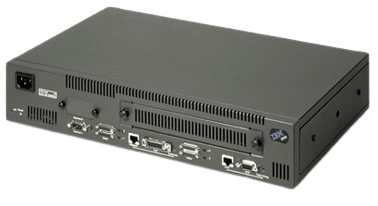
Supports: Ethernet and/or Token Ring (model dependent).
More information in the main article: IBM 2210 Multiprotocol Router Information and Software
The IBM 2210 Nways® Multiprotocol Routers provide serious network computing solutions for a range of applications. This family of routers offers connectivity and protocol support to work with everything from a 2-client local area network (LAN) to a 1000-user TCP/IP-based wide area network (WAN).
Features and Benefits
Virtual private network (VPN) features: IKE automatically sets up security associations and manages their cryptographic keys. Lightweight Directory Access Protocol (LDAP) enables network policies to be centrally configured and managed. L2F and PPTP support Virtual Private Dial-up Networking by allowing remote users to dial in locally.
Protocol improvements: Dynamic Host Configuration Protocol Server (DHCP) provides IP addresses and other configuration information for LAN attached DHCP clients, IP features and Dynamic IP ease configuring the IP address to access the Internet.
Performance enhancements: For frame relay, the maximum speed for WAN adapters with external clocking is increased to 6.312 Mbps (J2). SDLC full duplex stations have the option of 2-way simultaneous (TWS) scheduling to improve polling.
Scalability: Increased interface capacity allows for more cost-effective dial support by extending the 253 limit to a limit that is not memory dependent. APPN extended border node allows large APPN networks to be subdivided for improved manageability and performance.
2212 Access Utility
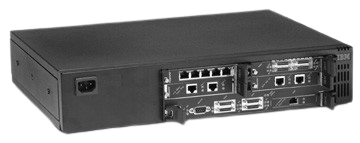
Highlights: Excellent scalability to meet a wide range of network access requirements. IP load balancing using Network Dispatcher. Native APPN/HPR routing for cost-effective host solutions. Manage VPN security and Quality of Service (QoS) with Nways® VPN manager.
Features and Benefits
Cost-savings multiservice platform: Best-of-breed multiprotocol capability for SNA/IP integration. SNA over IP functionality. Thin Server functionality provides application boot for network stations. Remote access support using integrated analog or digital modem adapters. Web caching feature to improve performance of Web transactions. Integrated voice for cost-effective networking (Voice/fax over Frame Relay and Voice over IP)
Security features: Virtual private networks (VPNs). Open standards using IPSec and L2TP. Secure connections over the Internet to reduce cost of transport. High-performance hardware encryption option. Integrated firewall features
Optional performance features: High-performance system card for scalable growth. Hardware compression/encryption card for efficient economical transport
Key Selling Points: Supports VPN, Remote LAN, advanced multiprotocol routing and voice in one manageable package. Delivers peak performance in demanding and complex multiservice environments. Provides the most extensive set of multiservice functions in a single easily-managed platform. Supports the industry’s open network management standard—SNMP.
2216 Nways Multiaccess Connector (Model 400)
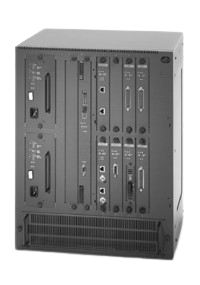
- IBM 2216 Nways Multiaccess Connector (G224-4526-01)
- IBM 2216 Nways Multiaccess Connector Model 400 (G224-4526-06)
The IBM 2216 Nways® Multiaccess Connector delivers wide-area-network (WAN) access, S/390 host access and remote site concentration. When combined with the Nways Multiprotocol Access Services (MAS) software, the 2216 Nways Multiaccess Connector helps reduce the cost of computing through increased network performance and operations efficiencies.
Highlights Leader in IP and SNA integration: ESCON and parallel channel support for server access to System/370™ and System/390® hosts. TCP/IP passthru provides function similar to 3172 IP gateway. Enhanced TN3270E server support for over 15000 sessions. Enhanced Network Dispatcher for load-balanced traffic to IP Web servers, file transfer, mail news, Telnet and TN3270 servers. Web Server cache for high-speed access to Web pages. Virtual private network security features for secure exchanges over insecure networks. Latest IP enhancements include IPv6, RSVP, and policy-based routing with Type of Service (TOS) bits. Boot Server support for network computers. Virtual Router Redundancy Protocol support for backup and redundant router gateways. Data Link Switching to support SNA protocol traffic over IP backbones. Enterprise Extender technologies for APPN/HPR quality and dependability for SNA traffic over IP backbones. Full APPN® support includes up to 15000 DLUR sessions.
2217 Nways Multiprotocol Concentrator
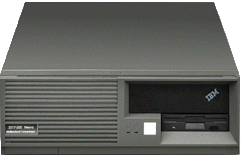
Supports: Ethernet or Token Ring (model dependent). Visually, it appears to be based on a Personal System/2? This would explain the surplus of black 2.88 MB PS/2 FDDs that were present on the market but didn't match any typical Personal System/2. It would be nice to confirm if they're based on the 8535/8540 planar.
System Requirements: IBM DOS 5.0 or OS/2 DOS Session. 386 IBM PS/2* or compatible. VGA monitor, keyboard and mouse. 500 KB RAM or higher 2.5 MB of free hard disk space.
Installation Instructions (after file has been downloaded)
- If you have not already done so, start DOS full-screen session. OS/2 users: Double-click on the DOS full-screen icon located in the Command Prompts folder in the OS/2 system folder.
- Download the PRODEMO.EXE file to your fixed disk as a binary file.
- Put a formatted high density diskette in your A drive (labeled Protocol Concentration Overview Demonstration Diskette).
- From your DOS session, go to the directory where the PRODEMO.EXE file is located. Type PRODEMO A:. The demo should unzip itself onto the diskette.
- At the DOS prompt, enter A:. At the A: prompt, enter INSTALL to begin the installation.
- In the dialog box that appears, enter the path where you would like to install the demonstration. The default is D:\PRODEMO.
The demo will start when installation is complete. To run the demo again, go to the subdirectory where it is installed and type PRODEMO.
(*) Trademarks of IBM Corporation
Licensing: Do not install this software until you have read and agreed to comply with the terms listed in the 2217 Nways Multiprotocol Concentrator Overview Demonstration Diskette License Agreement included below. PROGRAM LICENSE AGREEMENT 2217 NWays Multiprotocol Concentrator Overview Demonstration Diskette This is an IBM license agreement for the 2217 Nways Multiprotocol Concentrator Overview Demonstration Diskette This Program is licensed, not sold. International Business Machines Corporation, or the applicable IBM country organization, grants you a license for the Program only in the country where you acquired the program. You obtain no rights other than those granted to you under this license. The term "Program" means the original and all whole or partial copies of it, including modified copies or portions merged into other programs. IBM retains title to the Program. IBM owns, or has licensed from the owner, copyrights in the Program. You are responsible for the selection of the Program and for the installation of, use of, and results obtained from, the Program. LICENSE Under this license, you may use, copy, and transfer copies of the Program, unless otherwise noted. You may not: Modify, or merge copies of the Program except as provided in this Agreement; Reverse assemble or reverse compile the Program; or Sub-license, rent, lease, or assign the Program. LIMITED WARRANTY This program is provided "as is" without warranty of any kind, either express or implied, including, but not limited to, the implied warranties of merchantability and fitness for a particular purpose. The entire risk as to the quality and performance of the Program is with you. Some states, provinces, and other countries do not allow the exclusion of implied warranties, so the above exclusion may not apply. IBM does not warrant that the functions contained in the Program will meet your requirements or that the operation of the Program will be uninterrupted or error free. However, IBM warrants the media on which the Program is furnished to be free from defects in materials and workmanship under normal use. LIMITATION OF REMEDIES IBM's entire liability and your exclusive remedy shall be: The replacement of any diskette or CD-ROM not meeting IBM's "Limited Warranty" on the media and which is returned to IBM. If IBM is unable to deliver a replacement diskette or CD-ROM which is free of defects in materials or workmanship, you may terminate this Agreement by returning this Program. In no event will IBM be liable for any lost profits, lost savings, or any incidental damages or other economic consequential damages, even if IBM has been advised of the possibility of such damages, or for any damages claimed by you based on any third party claim. The limitation of remedies described in this Section also applies to any developer of a Program supplied to IBM. IBM's and the developer's limitations of remedies are not cumulative. Such developer is an intended beneficiary of this Section. Some jurisdictions do not allow the limitation or exclusion of incidental or consequential damages so the above limitation or exclusion may not apply to you. GENERAL You may terminate your license at any time. IBM may terminate your license if you fail to comply with the terms and conditions of this Agreement. In either event, you must destroy all your copies of the Program. You are responsible for payment of any taxes, including personal property taxes, resulting from this license. Neither party may bring an action, regardless of form, more than two years after the cause of action arose. If you acquired the Program in the United States, this license is governed by the laws of the State of New York. If you acquired the Program in Canada, this license is governed by the laws of the Province of Ontario. Otherwise, this license is governed by the laws of the country in which you acquired the Program.
IBM 2217 Nways Multiprotocol Concentrator Fact Sheet
Increased access for multiprotocol traffic
8 October 1996
The IBM 2217 Nways Multiprotocol Concentrator provides a multiprotocol solution for existing SNA networks. The 2217 transforms client/server protocols to SNA and uses classical SNA management to ensure mission-critical data priority. Today's announcement increases connectivity and processing power through a multiport package and significant processor upgrades.
The 2217 propagates SNA capabilities such as high availability, resilience, SNA routing, non-discard congestion control, Class of Service, networking accounting and transmission groups. With the increased connectivity, the 2217 can better consolidate WAN traffic at branch offices, regional offices and central sites.
As server access continues to grow, the 2217 enables increased multiprotocol access with no compromise to existing SNA traffic. For the enterprise currently using a traditional SNA backbone, the 2217 enables a cost-effective upgrade path to extend APPN and High Performance Routing (HPR) to the branch office.
The IBM 2217 provides enhanced connectivity with a more powerful processor using the multiport adapter package. The multiport package and new Release 3 microcode features: Up to 8 serial ports for EIA 232, V.35, X.21 and EIA 422/449. IBM 6x86 P150+ processor. Memory increase to 32 MB
The processor change to the Model 200 and 300 base configuration increases data handling capacity--at the same low prices: IBM 6x86 P120 processor.
Release 3 microcode enhancements include: User-changeable password. APPN- or host-initiated backup links. Gateway enhancements. Support for the Multiport Adapter.
The Multiport Adapter for the 2217 can be used for either upstream or downstream communications. Both SDLC and X.25 data link controls are supported, and the adapter is ideally suited for applications such as downstream connections to one-to-eight multiple links or upstream to host computers. The 2217 functions available with this adapter include: SNA gateway for dependent LUs. APPN for APPC LU6.2 applications. DLUR providing APPN connectivity for downstream dependent LUs. AnyNet for TCP/IP. AnyNet LAN gateway for NetBIOS and IPX.
As a WAN concentrator, each link of the Multiport Adapter can have up to 16 multidrop SDLC devices, greatly increasing connectivity options. As a regional concentrator, the 2217 with the Multiport Adapter can provide APPN Intermediate Session Routing for 2217s at branch locations, enabling devices at the branch to gain access to any APPN node or 2217 in the network. This feature provides flexibility for concentrating one link type, such as SLDC, onto a faster link or new technology such as Frame Relay using a WAC or LAN adapter. The 2217 with Frame Relay on a WAC adapter, or using a LAN adapter, can provide HPR end-point connections for the devices that the 2217 serves on the Multiport Adapter. In addition, this regional concentrator can efficiently route from branch to branch without accessing a central site. The regional concentrator can also be used as the catcher for non-SNA traffic, converting the protocol for native transmission onto a LAN.
As a central site catcher, the Multiport Adapter can connect up to eight serial links and use a LAN adapter for transmission of SNA data to a host, or transform the non-SNA data for native transport over a LAN to a server or router.
Backup Link: Using the backup link facility, the 2217 can now support both automatic host backup for dependent LUs and APPN backup for independent LUs. In the event of a primary link failure, a specified backup link is activated. Switching back to the primary link occurs when it is again available and all backup link sessions have ended.
Multiple PUs Defined over a Single SDLC Link or LAN: Up to 16 PUs can be defined on a single SDLC link, increasing the number of LUs from 254 to 4064. This is a migration aid for customers who have not converted their network to APPN. Using APPN with DLUS/DLUR is the preferred solution for multiple PUs on a single link connection.
SNA Gateway Enhancements: The LU pools now provide multihost link pooling, which allows LUs within the same pool to be routed to the same or different hosts. This assigning of LUs across links allows host links to be used equally, thereby providing SNA load balancing.
Password Security for Remote Control Utility: A new capability is added to the Remote Control Utility (RCU), which allows the user to specify the password for communication to remote 2217s. In addition, the password is scrambled when transmitted to remote 2217s, and is required for all RCU operations that ask for a fully qualified CP name of the remote 2217. This increases security for the 2217s being controlled by the RCU.
Benefits: Reduced networking costs through concentration. Integration of LAN protocols onto a single, dependable APPN network. Utilization of your existing skill base and current investments. Transportation of non-SNA protocols across an existing SNA backbone. Enabling traditional devices such as the IBM 3274/3174 to share high-speed WAN access. Extension of the benefits of APPN and HPR to the branch office
Positioning: Promotes the value of evolving today's networks toward one that can run tomorrow's applications. Revitalizes the existing SNA backbone by enabling multiprotocol support via HPR and DLUR. Provides multiprotocol convergence. Provides the endorsement of Frame Relay as a stepping stone to ATM. Provides a cost-effective migration path for evolving customer needs (LAN to WAN). Provides an intranet solution for the evolving enterprise
| Item | Machine Type/ Part Number | Model/ Feature | Price (USD) | Availability |
|---|---|---|---|---|
| Performance Package 3 IBM 6x86 P150+ | 2217 | 200/3003 | $75 | 1/97 |
| Multiport Package X.21 Interface | 2217 | 300/4105 | $3900 | 1/97 |
| Multiport Package V.35 Interface | 2217 | 300/4115 | $4300 | 1/97 |
| Multiport Package EIA 422/499 Interface | 2217 | 300/4125 | $4000 | 1/97 |
| Multiport Package EIA 232/V.24 Interface | 2217 | 300/4128 | $3800 | 1/97 |
| Release 3 Update Kit | 2217 | 200/5003 | $40 | 12/96 |
Table 1. 2217 Nways Multiprotocol Concentrator Part Numbers, Prices, Availability
| Hardware | Model 200 | Model 300 |
|---|---|---|
| Platform | Desktop | Desktop |
| System Processing | IBM 6x86 P120+ | IBM 6x86 P120+ or IBM 6x86 P150+ Processor |
| Memory | 16-MB memory | 16-MB memory (Multiport Adapter Package: 32-MB memory (expandable to 48 MB), 6x86 P150+) |
| Adapters, Storage | Diskette drive, Fixed drive | Diskette drive, Fixed drive |
| Operations | 28.8-Kbps modem | 28.8-Kbps modem |
| Performance Packages | 80486--100 MHz and 16-MB memory 16-MB memory |
IBM 6x86 P150+ Processor 16-MB memory |
| LANs | Token Ring or Ethernet | Token Ring or Ethernet |
| WAN | WAC (1 to 2 ports) | WAC (1 to 2 ports) |
| Optional | ISDN | Multiport adapter, second WAC, ISDN |
| Operating Environment | Power: 110 V, 200-220 V, 50-60 Hz Temperature: 10°-40°C (10°-105°F) Relative humidity: 8%-80% Maximum wet-bulb temperature: 27°C (80°F) |
Power: 110 V, 200-220 V, 50-60 Hz Temperature: 10°-40°C (10°-105°F) Relative humidity: 8%-80% Maximum wet-bulb temperature: 27°C (80°F) |
| Adapters | Token Ring--4/16-Mbps auto-sense Ethernet--IEEE 802.3/Ethernet WAC--X.21, V.35, RS422/449, RS232 ISDN--basic rate (2B+D) |
Token Ring--4/16-Mbps auto-sense Ethernet--IEEE 802.3/Ethernet WAC--X.21, V.35, RS422/449, RS232 ISDN--basic rate (2B+D) |
| Multiport Adapter Package (Model 300) | 32-MB memory (expandable to 48 MB), 6x86 P150+, Up to 8 ports--X.21, V.35, EIA 422/499,EIA 232/V.24 plus 32-MB memory and IBM 6x86 P150+ processor. |
IBM 2217 Nways Multiprotocol Concentrator Models at a Glance
Exploit your SNA advantage
Access new applications and protocols from your existing SNA network
Over the years, you've invested a lot in your SNA backbone in skills, processes, tools and equipment. SNA has served you well (in fact, you wish the other protocols in your network could be as resilient and dependable).
New applications can be accessed with the IBM 2217 Nways(TM) Multiprotocol Concentrator, a product that lets you offer your LANs the advantages of SNA, like traffic prioritization, data compression, cost-effective bandwidth utilization and proven management. And, the 2217 enables all your protocols to take advantage of third-generation technologies--High Performance
Routing (HPR), Advanced Peer-to-Peer Networking® (APPN), and Dependent Logical Unit Requester (DLUR).
The 2217 extends the scope of your SNA and APPN backbone to include multiprotocol transport. It lowers the cost of network ownership by reducing network management, administrative support and bandwidth needs. It lets you preserve and leverage your investment in networking skills, management processes, operating procedures and equipment.
By using the 2217, you get lower line costs, predictable response times and the high availability of a robust hardware solution.
Concentrating multiple protocols in a single backbone
The 2217 is a multiprotocol solution that uses a single backbone protocol for interconnecting LANs. (This solution works with your current subarea SNA network, using APPN and HPR as your backbone protocol.)
Your WAN connectivity options include Frame Relay, X.25, SDLC and ISDN links. By using the 2217, your TCP/IP, IPX, NetBIOS and SNA-based traffic is concentrated in a single backbone to flow efficiently among LANs, across the hall or around the world.
With the 2217, you get an integrated hardware and microcode solution in a machine so small that it can sit on a desktop. You can configure the 2217 remotely, using the attached modem and configuration utility running on an OS/2® workstation.
An alternative to IP-based routers and bridges
Multiprotocol concentration is different from traditional bridging and routing. Unlike bridges and routers that transfer data using many different protocols with differing characteristics, the 2217 transforms non-SNA protocols to SNA at the edge of the WAN and routes them across the WAN. At the other side, it converts the messages back into their native protocols. The only protocol routed across the WAN is SNA, and your mission-critical SNA traffic is transported natively, without encapsulation.
This efficient, single-protocol transport method results in improved performance and reliability. The symmetrical conversion allows you to use your existing network to produce a high-speed, fully meshed WAN backbone for supporting transparent, multiprotocol LAN-to-LAN communication. And the 2217 minimizes the broadcast of LAN updates and other, nonessential traffic across the WAN to optimize the bandwidth utilization.
What is HPR?
HPR is a third-generation open networking technology combining the best features of connection-oriented SNA and connection-less IP technology. It is equivalent to or surpasses current LAN interconnection technologies in performance, dynamic re-routing, priority, class of service (CoS), congestion avoidance, scalability and economy.
The HPR full support for SNA CoS and priority satisfies each application's special requirements. With a minimum amount of overhead, efficient route discovery and caching, HPR provides the best use of your bandwidth.
Many network managers worry about congestion, the main cause of data loss and unpredictable performance. HPR networks do not succumb to congestion. Instead, HPR transmits data at the highest sustainable rates handling peak loads easily, without the usual, costly solution of providing extra links.
HPR safely re-routes data around failed links or nodes. Selective retransmission lets HPR avoid retransmitting entire blocks of data. This puts your high-speed links to better use.
In short, HPR provides the predictable performance required for strategic networking. And the 2217, using HPR, delivers unmatched price and performance without compromising mission-critical features.
What is DLUR?
The 2217 provides DLUR support for downstream 3270 terminals and printers. The DLUR function lets dependent logical units (LUs) enjoy the advantages of APPN routing: easier system definition, increased flexibility and easier management. You can move your dependent LU devices without creating VTAM® definition problems or complicating problem management.
Transparent to the devices and the applications, the DLUR functions allow you to preserve your investment in 3270 applications and still take advantage of new SNA technologies like HPR.
Protocol concentration
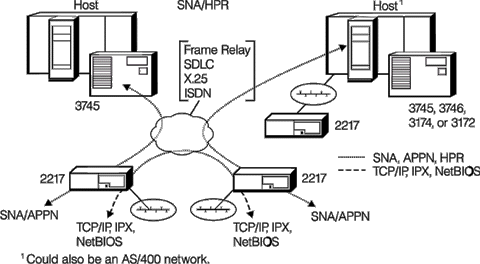
The network diagram illustrates how the 2217 performs the following types of protocol concentrations:
SNA over HPR
Conventional SNA traffic flows more efficiently over an HPR network. The 2217 extends the advantages of HPR and DLUR farther out into the network. With the 2217, even your 3270 terminals, emulators and printers (dependent LUs) can enjoy the benefits of HPR.
IPX over HPR
You can use 2217s to connect IPX LANs across an existing SNA-centric network, giving you a cost-effective alternative to adding parallel communication lines between the IPX LANs. You also gain efficient IPX-bandwidth usage as the 2217 protects the backbone by filtering IPX broadcasts.
The 2217 allows the association of SNA CoS designations with routing priorities, allowing existing SNA traffic to meet response time targets even after IPX traffic has been added to the network. TCP/IP over HPR
By adding a pair of 2217s to your network, you can connect your TCP/IP LAN branch or remote offices across an existing SNA-centric network. In addition to being more cost-effective than adding a parallel TCP/IP network, the 2217 protects the backbone from constant transmission of router table updates.
Users can access Internet services from their native IP workstations, across a SNA-centric network, to a Web server Sockets application, such as WebExplorer(TM), using a pair of 2217s. Similarly, Sockets applications, such as Telnet or FTP, can communicate across connected TCP/IP and SNA/HPR networks.
NetBIOS over HPR
The 2217 lets your NetBIOS applications, like IBM LAN Server and Lotus® Notes®, run over SNA networks. It protects the NetBIOS backbone by filtering NetBIOS broadcasts and caching names.
AnyNet® compatibility
The IBM AnyNet family is a group of software solutions that perform many of the same protocol conversions as the 2217. If you already have AnyNet software solutions installed, the 2217 provides a super-set of the AnyNet SNA Gateway functions and is compatible.
Two models to choose from
The IBM 2217 Nways Multiprotocol Concentrator Models 200 and 300 contain fast IBM 6x86 P120+ processors and a microcode level that supports HPR, DLUR and enhanced connectivity using the multiport adapter.
The 2217 Model 200 includes a Token-Ring or Ethernet LAN, a wide area connector (WAC) with an optional second port and an external asynchronous modem. An ISDN adapter is a supported customer option.
The 2217 Model 300 provides options for greater processor power (IBM 6x86 P150+) and greater connectivity often required for large branch offices, regional concentration or central site catchers. The 6x86 P150+ processor, along with 32-48 MB of memory, provides the increased data-handling capacity required for the additional eight SDLC links supported by the optional Multiport Adapter Package. Model 300 also comes standard with one LAN and an external asynchronous modem. In addition to the Multiport Adapter Package, a second one- to two-port WAC or an ISDN adapter is a supported customer option.
Configuration and diagnosis
The 2217 comes with a remote configuration utility that runs on an OS/2 workstation. You can use this quick and easy-to-use tool to configure the 2217 to reflect your network topology. From one central station, you can download configurations to the 2217s throughout your network, schedule code updates and activate the updated configurations.
You can also use the remote configuration utility to perform diagnostics on remote 2217s anywhere in the network.
Comprehensive monitoring and management facilities
SNA management services include both the traditional SNA functions such as alerts to a focal point and APPN topology and accounting information to an IBM NetView® APPN manager.
The 2217 provides extensive support for SNMP managers like NetView for OS/2 and NetView for AIX®. These management platforms can be used to view and log traps, turn on traces and execute remote commands. NetView for MVS® at the host can also be used to manage the 2217 and attached SNA resources.
The 2217 includes the management component that works with LAN Network Manager (LNM), Version 2. With LNM you can see and manage the LAN devices connected to the 2217.
Leveraging your network investment
The 2217 lets you extend the scope of your SNA backbone to include multiprotocol transport, eliminating the need for parallel networks. With the 2217 you gain mission-critical traffic prioritization, while continuing to enjoy the proven reliability of SNA networking solutions. The 2217 allows you to preserve and leverage your investment in networking skills, management processes, operating procedures and equipment.
2218 Nways Frame Relay Access Device
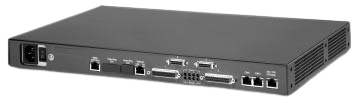
- IBM 2218 Nways Frame Relay Access Device
- FRAD Solution Set Expanded With MonoFRAD 2218
- 3746 Ban Configuration / 2218 FRAD Netview
- 2218 Auto-LLC Configuration
- 3745 BSC SNA
- manllc: 3746 host and branch config (dummy?) files
- resiliency: 3746 host and branch config (dummy?) files
Cost-effective network renovation
Highlights Converges SNA, legacy, and client/server protocols into frame relay for immediate, line cost savings Frame Relay RFC 1490 compliance ensures interoperability, for example, IBM 3746 and 3745 and IBM 2210 and 6611 SNA session resiliency - bandwidth priority allocation, extensive frame-relay controls, and alternate/disaster routing Full network management with NetView, SNMP, FRAD/Manager, FRAD/Monitor, performance monitoring, and link level diagnostics Support of prevalent SDLC, Ethernet, token ring, BSC 3270, X.25 QLLC, and polled asynchronous protocols Conversion of BSC 3270 to SNA 3270 eliminates BSC computer hardware in a data center Optimized TCP/IP routing and protocol bridging for client/server application support.
Highlights: Converges SNA, legacy, and client/server protocols into frame relay for immediate, line cost savings. Frame Relay RFC 1490 compliance ensures interoperability, for example, IBM 3746 and 3745 and IBM 2210 and 6611. SNA session resiliency - bandwidth priority allocation, extensive frame-relay controls, and alternate/disaster routing. Full network management with NetView, SNMP, FRAD/Manager, FRAD/Monitor, performance monitoring, and link level diagnostics. Support of prevalent SDLC, Ethernet, token ring, BSC 3270, X.25 QLLC, and polled asynchronous protocols. Conversion of BSC 3270 to SNA 3270 eliminates BSC computer hardware in a data center. Optimized TCP/IP routing and protocol bridging for client/server application support.
Maintain mission-critical session integrity and converge networks
The savings on monthly line charges with frame relay is readily apparent. Also clear is the ability of frame relay to support multiple protocols. What keeps many companies from converging their existing networks is the uncertain impact it can have on company operations. Not all multiprotocol frame-relay network implementations provide the predictable response times and session integrity of dedicated links. Executives know they rely on SNA to run key applications and they demand the same advantages of their existing SNA network from a converged network solution.
The IBM 2218 Nways Frame Relay Access Device (FRAD) maintains the predictable response times, session integrity, and network manageability of proven leased line support. And, the IBM 2218 FRAD provides the advantages of frame-relay transport to networks with SNA, bisynchronous (BSC), asynchronous, and client/server protocols. Customers who select the proven technology of the 2218 get cost savings of frame relay and session integrity comparable to leased lines.
An open solution, providing interoperability
In today's environment of rapid technology change, network managers are unwilling to tie themselves to proprietary networked solutions. Selecting a product based on the Frame Relay RFC 1490 definitions ensures product interoperability and avoids dead-end solutions without a migration path to future enhancements.
The 2218 interoperates with other RFC 1490-compliant products, such as the 3746 and the 2210 from IBM.
New multiprotocol networks can be built utilizing the 2218 and existing company investments. Rather than discard their sizable investments in SNA equipment and skills, companies can modify and build frame-relay interoperability. An IBM 2218 incremental investment yields the advantages of immediate SNA, legacy and client/server protocol support, and the assurance of an open architecture interoperability.
Managing multiprotocol frame relay
Preservation of network management procedures and its smooth evolution ensures reliable availability for SNA, legacy, and client/server applications. NetView on System/390 is the core management tool for mission-critical SNA networks and can be used to manage 2218 networks and their attached devices. Concurrent NetView and SNMP support reduces operator training, network management retooling, and allows movement to other, SNMP-based, management platforms.
The SNA services that provide manageability and visibility of the devices supported by the 2218 are: Native SNA alerts to the NetView Program (NetView). Network topology identification and visibility. Link performance monitoring with NPM. NetView command emulation to control and obtain status. Support of LPDA-2 modems, LL2 test commands for SDLC problem determination, and link and path tracing. An SNMP agent configured for management and monitoring by an SNMP manager.
There are also several FRAD optional features to control or monitor the 2218 network, from a PC or workstation. For ease of use, it is recommended that FRAD/Monitor or FRAD/Manager be used to configure the 2218s. FRAD/Talk is a DOS program for connecting to a 2218 management port over local or remote asynchronous connection. FRAD/Talk can log on from one 2218 to another over a frame-relay WAN. FRAD/Manager is a Windows-based application used for configuring, managing, and monitoring the 2218. FRAD/Monitor is a graphical and menu-driven interface that is UNIX (AIX)-based for monitoring the 2218s over SNMP management. FRAD NetView Command Facility is an application that uses a set of CLIST commands to allow NetView operators to control 2218s.
Two functional alternatives
The 2218 microcode provides either conversion node or frame-relay node applications. Conversion node: The serial protocols are converted to LLC2 for transport over a token ring or Ethernet LAN. Optionally, the traffic can be transported to another 2218 FRAD, for conversion back to native protocol. Frame-relay node: The serial protocols are converted to FRC 1490 frame relay and optionally transported to another 2218, using the frame-relay network. In addition, SNA sessions can be locally terminated to provide increased session resiliency.
Extensive multiprotocol support in a single, stackable platform
Hardware platform features
The 2218 has a single stackable platform, with different models providing predetermined hardware configuration and functional capabilities. The various models provide 2, 4, or 8 general-purpose serial ports with single Ethernet, token-ring, or no LAN options (see table). The 2218 1xx models support up to 16 serial-attached and LAN-attached controllers, with either frame-relay or conversion node functions. The 2218 3xx models support up to 60 serial-attached controllers and 60 LAN-attached controllers, with either frame-relay node or conversion node functions. The 3xx models support multiple serial protocols, one for each communication port. In addition, the 3xx models provide routing of IP and source route or transparent bridging of other protocols.
2218 Frame Relay support
The 2218 Frame Relay support has the following functions: RFC 1490 encapsulation of SNA, bisynchronous, polled asynchronous, and IP. RFC 1490 interoperability, compatible with IBM controllers. Priority bandwidth allocation provides SNA session integrity. FECN, BECN, and DE control of frame-relay CIR. Annex D and local management interface (LMI). PVC route switching, for increased session resiliency. Automatic switching between redundant FRADs upon failure. Automatic switched line backup with dial-capable DSU/CSU. Line speeds up to 2 Mbps. Negotiated frame size - 4000 bytes maximum. Up to 200 DLCI.
SNA protocol support
SNA protocol support is provided with the following functions: Point-to-point or multidrop SDLC support. Primary and secondary emulation (poll spoofing). SDLC to LLC2 conversion with local termination. Boundary network node (BNN) and boundary access node (BAN) support. Support for PU1 (5X94), PU2 (3X74), PU2.1 (AS/400), and group poll devices (3174R). Up to 120 controllers (serial-and LAN- attached), concentrated as a single DLCI. Line speeds up to 64 Kbps. Half-or full-duplex SDLC. Internal or external clocking. Constant or switched carrier support. NRZI or NRZ.
Asynchronous protocol support
Polled asynchronous support. Asynchronous alarm support. Intelligent DSU and CScontrol -serial line Internet protocol (SLIP), or Racal T7. Multipoint asynchronous, representing multiple locations as a single multidrop link. Line speeds up to 19.2 Kbps.X.25 protocol support
X.25 QLLC conversion to LLC2, a conversion node function only
Client/server protocols
Routing of TCP/IP with RIP table updates. Static routing. MAC filtering. IPX RIP and SAP filtering, on a LAN, frame-relay port, or PVC.
Supported interfaces
Serial ports are universal, personalized by the attaching cable. A serial port acts either as a DTE or DCE. RS-232. V.35. X.21 or V.11. 4 or 16 Mbps token ring. Ethernet AUI and TPI (10Base-T).
| Physical Specifications | Operating Environment |
|---|---|
| Width: 44 cm (17.32 inches) | Temperature: 0 to 40 degrees C |
| Depth: 28.73 cm (11.31 inches) without mounting feet | Relative Humidity: 10 to 90 percent noncondensing |
| Height: 4.35 cm (1.71 inches) | |
| Weight: 3.64 kg (8 lbs) |
IBM Nways 2218 Frame Relay Access Device at a glance
PLEASE READ THIS FILE FOR INFORMATION ON THE 3746 BAN CONFIGURATION: The 3746ban folder includes the configuration files used to produce the 2218 test scenario # . Documentation of the Test is located on the Complex Connectivity Freelance Presentation, that is part of this Web site. The file Branch1.cfg can be opened with the FradManager program to see all the different parameters that were used to define the remote 2218 to work with the 3746 on BAN mode. The Branch1 2218 had 2 downstream connections: a 3174 sdlc, and a 3276 BSC, to demonstrate the 2218 capabilities on handling diverse controllers. On this folder you will also find a copy of the NCP used for BAN, and the VTAM Switched major node used to test, so you will have the definitions END-to-END on the tested scenario. Additionally, if you want more details, we have included 3 traces (taken by the 2218) in which we show: 1) 3174 SDLC BIND flows between the 2218 and VTAM/NCP 2) 3276 BSC BIND flows between the 2218 and VTAM/NCP 3) 3276 BSC activation (Message10)
BASIC INSTRUCTIONS TO SET-UP TO SUPPORT 2218 SERVICE POINT
PC SET UP
- Configure your 2218's with FradManager, making sure that you name all the NAUs
- On Windows/95 install the SPRT generator program:
- Install FNCF diskette, and follow installation screens. At the end of this install you should have an ICON on the Desktop to run SPRT
- Open the SPRT icon and run program, if your NAU names are unique the program will generate an
SPRT.DATfile, that will be used later on on a transfer to the Host to be used by NetView. If you had duplicate NAU names, reconfigure them with Fradman so you have a unique identifier for each network component. - In case you have a problem running the SPRT that mentions that there is a problem with the file
SNACMAN.INI, do the following:- Edit the file
C:\WINDOWS\SNACMAN.INIwith NotePad (Make sure you do not use another editor) - Add at the end of
SNACMAN.INIthe next 2 lines:
[CfgDBL] <======= Make sure to type square brackets around this word!!!!! EntriesDir=C:\fradman\work - Edit the file
HOST SET-UP
- BROWSE YOUR NETVIEW PROC, AND IDENTIFY THE DATA SET THAT CONTAINS THE DSIPARM.
- ON THE MEMBER
DSICMD, ADD THE FOLLOWING LINE (This is the command that will run under the data services task):SYNDST CMDMDL MOD=SYNDST,TYPE=D,RES=N,PARSE=N - ON THE MEMBER
DSIDMN, ADD THE FOLLOWING LINE (This defines the Data Services Task that will access the 2218 SP):TASK MOD=DSIZDST,TASKID=SYNDSTT,MEM=SYNINIT,PRI=4,INIT=Y
- ON THE MEMBER
- ON THE DATA SET THAT IS POINTED TO BY DSIPARM, DO THE FOLLOWING:
- CREATE A NEW MEMBER IN THE PDS CALLED:
SYNINIT - TYPE THE FOLLOWING LINE ON THE SYNINIT MEMBER (This provides the initialization parameters for the Data Serv. Tk):
SYNINIT DSTINIT FUNCT=VSAM,PDDNM=SNACCFGS
- CREATE A NEW MEMBER IN THE PDS CALLED:
- ON THE NETVIEW PROC, INSERT THE FOLLOWING LINE (This line defines the VSAM KSDS that has the 2218 Service Point resolution table):
//SNACCFGS DD DSN=SYNC001.SNACCFGS,DISP=SHR,AMP=AMORG - DEFINE THE VSAM KSDS DATA SET like the following JCL example:
//AAAAAAAX JOB (7426,0021,30,15),'AAAAAAA A',MSGLEVEL=(1,1),CLASS=A, // NOTIFY=AAAAAAA,MSGCLASS=O //DEFINE EXEC PGM=IDCAMS //SYSPRINT DD SYSOUT=* //SYSUDUMP DD SYSOUT=* //SYSIN DD * DEFINE CLUSTER (NAME(SYNC001.SNACCFGS) - VOL (WRK18E) - TRK (3,1) - RECSZ (25,25)- SHAREOPTIONS(2,3) - INDEXED KEYS (9,0)- REUSE - SPEED)- DATA (NAME(SYNC001.SNACCFGS.DATA) - CISZ(8192))- INDEX (NAME(SYNC001.SNACCFGS.INDEX) - CISZ(2048)) //* // - LOAD THE VSAM DATA SET WITH 2218 SERVICE POINT RESOLUTION TABLE DATA:
- Using
IND$FILE(or any other file transfer pgm from PC to HOST that you use) transfer the table that was generated by the 2218 SPRT generator (fileSPRT.DATon Windows/95) - IMPORTANT NOTE: Make sure that the names that you gave to the 2218's configurations are the same as the PUs representing the 2218's in VTAM, as these names will be mapped on the SPRT as the Service Point names used by the command
FNCF.
- Using
- SORT THE VSAM DATA SET WITH 2218 SERVICE POINT RESOLUTION TABLE DATA Like the following JCL example:
//BBBBBBBB JOB (7426,0021,30,15),'BBBBBBB B',MSGLEVEL=(1,1),CLASS=A,
//         NOTIFY=BBBBBBB,MSGCLASS=O
//SORT     EXEC PGM=SORT
//SYSOUT   DD SYSOUT=*
//SYSUDUMP DD SYSOUT=*
//SORTIN   DD DSN=SYNC001.NAUMAP,DISP=SHR
//SORTOUT  DD DSN=&&NAUMAP,DISP=(,PASS,DELETE),
//         UNIT=3380,SPACE=(TRK,(10,5))
//SORTWK01 DD UNIT=3380,SPACE=(CYL,(1))
//SORTWK02 DD UNIT=3380,SPACE=(CYL,(1))
//SORTWK03 DD UNIT=3380,SPACE=(CYL,(1))
//SYSIN DD *
  SORT FIELDS=(1,9,BI,A)
/*
//LOAD     EXEC PGM=IDCAMS
//INDD     DD DSN=&&NAUMAP,DISP=SHR
//OUTDD    DD DSN=SYNC001.SNACCFGS,DISP=SHR
//SYSPRINT DD SYSOUT=*
//SYSIN DD *
  REPRO INFILE(INDD) OUTFILE(OUTDD) REUSE
/*
//
NETVIEW SET-UP
- INSTALL FNCF CLIST FILES (NOTE: ALL THESE FILES ARE IN BINARY FORMAT)
- Create a temporary data set as specified on page 4-11
- Using
IND$FILEtransfer the CLIST and help panels to the temporary data set, that are on the FNCF directory in the diskette. All these files are on binary format. - On the Netview proc, find the ddname
DSICLD. Move with ISPF utility the FNCF Clist member that is in the temporary data set to the library pointed byDSICLD - On the Netview proc, find the ddname
CNMPNL1. Move with ISPF utility the rest of the members that are in the temporary data set to the library pointed byCNMPNL1
- INSTALL and LINKEDIT the 2218 NETVIEW MODULES (NOTE: ALL THESE FILES ARE IN BINARY FORMAT). Two assembler modules have to be link-edited into the NetView load library, follow the steps below:
- Create 2 temporary data sets with attributes of page 4-14, named
SYNC001.OBJECTandSYNC002.OBJECT. - On the 2218 NetView Diskette locate the Object modules on the ASM subdirectory.
- Using
IND$FILEwith Binary option: transferSYNDST.OBJto datasetSYNC001.OBJECT, transferNAUTOSP.OBJto data setSYNC002.OBJECT - Link both modules, using JCL like the following example:
//CCCCCCCL JOB (ACCOUNTING INFO),'CCCCCCCCC',MSGLEVEL=(1,1),CLASS=A,
//         NOTIFY=CCCCCCC,MSGCLASS=O
//LKED1    EXEC PGM=IEWL,PARM=(XREF,LET,LIST,NCAL,RENT),REGION=128K
//SYSLIN   DD DSN=SYNC001.OBJECT,DISP=(OLD,PASS)
//         DD DDNAME=SYSIN
//SYSLMOD  DD DSN=NETV.V3R1M0.CNMLINK,DISP=SHR
//SYSUT1   DD DSN=&&SYSUT1,UNIT=3380,SPACE=(1024,(50,20))
//SYSPRINT DD SYSOUT=*,DCB=(RECFM=FB,LRECL=121,BLKSIZE=1210)
//LKED.SYSIN DD *
  NAME SYNDST(R)
/*
//LKED2    EXEC PGM=IEWL,PARM=(XREF,LET,LIST,NCAL,RENT),REGION=128K
//SYSLIN   DD DSN=SYNC001.OBJECT,DISP=OLD
//         DD DDNAME=SYSIN
//SYSLMOD  DD DSN=NETV.V3R1M0.CNMLINK,DISP=SHR
//SYSUT1   DD DSN=&&SYSUT1,UNIT=3380,SPACE=(1024,(50,20))
//SYSPRINT DD SYSOUT=*,DCB=(RECFM=FB,LRECL=121,BLKSIZE=1210)
//LKED.SYSIN DD *
  NAME NAUTOSP(R)
/*
//
- Create 2 temporary data sets with attributes of page 4-14, named
- RECYCLE NETVIEW TO ACTIVATE ALL THE CHANGES
To ensure compatibility and to minimize disruptions, all currently available 2218 models continue to ship with operational code Release 3.0 preloaded on the machine. However, only the latest release (R7.600) has been tested and verified to be Y2K ready. R7.600 is being made available at no charge to IBM customers who wish to upgrade 2218's to be Y2K ready. Check the 2218 support page for availability status of operational code R7.600.
A memory upgrade is required if operational code R7.600 is to be installed on models 12E, 12T, 12X, 14E, 14T and 14X. Units must returned to the plant of manufacture for the memory upgrade. There is no charge for the memory upgrade but the customer is responsible for shipping charges to return the units to the plant of manufacture. See the 2218 web page http://www.networking.ibm.com/support/2218 for details about the memory upgrade.
FRAD/Manager Release 7.501 is a suite of NetView based open applications designed to work with leading management platforms. Both FRAD/Manager versions -- FRAD/Manager for Windows R7.501 and FRAD/Manager for AIX R7.501 -- provide identical functionality. FRAD/Manager R7.501 is required for managment of FRADS with Y2K ready code (R7.600). IBM customers can go to 2218 support page for a no charge download of the management code.
Introduction
The following six scenarios represent the most common 2218 connectivity found in customer environments. For each scenario all the network component configurations (e.g., 2218, NCP) are provided. The VTAM and NCP definitions for each scenario are provided as text files. The 2218 FRADs were configured using FRAD/Manager and should be imported into FRAD/Manager for viewing.
The scenarios were created and documented by:
- Gonzalo Fuentes
- IBM Networking Systems Center
- Gaithersburg, MD
- Dave Shaw
- Sync Research
This document was created by:
- Richard Tobacco
- IBM Brand Management
- Research Triangle Park, NC
2218 Addresses
This chart lists the relevant addresses used to provide the session resiliency for the downstream devices. The sessions start on a DLCI of 161 using source MAC address of 50000000022 and a destination MAC address of 400037462496 (the 3746 TIC).
- The Session Resiliency scenarios do not use address 500000000021. In these scenarios, when a failure occurs, the 2218s use the alternate DLCI (in this case 162).
- The frame relay cloud was provided by an IDNX switch.
- The level of VTAM is: V4R4 and the level of NCP is: V7R5
- The instructions to install NetView support for the 2218 (all scenarios) are in netview.zip
Test Environment: IP Addressing
The above diagram indicates the TCP/IP addresses used in the test scenarios. If a device (e.g., 2218) has a single IP address, it is shown within the box. When the 2218 has both a frame relay and a token ring IP address, they are shown outside of the box.
SNA & TCP/IP Session Resiliency with 3745/46
SNA and TCP/IP sessions are not disrupted when a component of the frame relay network fails. The Branch-1 2218 automatically reroutes the traffic from the Host-1 to the standby Host-2 2218. The user experiences a longer than usual response time but does not lose the session. The 2218 coordinate the recovery keeping the NCP from realizing it lost connectivity.
Note: The Host-1 and Host-2 2218s are connected to a switch and share the same token ring segment. To provide session resiliency both 2218's must have access to the same data path. The remote MAC and RIF must be the same no matter what the path. Configurations for this scenario are in resiliency.zip.
BSC to SNA Conversion
HOST connection using Ethernet LAN and a two 2218's in Conversion Node mode is shown. The BSC 3276 is attached to a 2218 that translates the data stream from BSC to SNA. NCP sees the 3276 as a SNA 3270 controller.
Note: BSC addresses are represented in the 2218 PU definitions in hexadecimal. In this example the Bisync polling address for the 3276 is X'40'. In the VTAM Switched Major Node definitions addresses are represented in decimal and one needs to code LOCADDR with a decimal '64' to represent the BSC controller hexadecimal address '40'. The configurations for this scenario are in bsc2sna.zip
SNA & BSC 3270 Session Resiliency with 3745/46
SNA and BSC sessions are not disrupted when a component of the Frame Relay network fails. The Branch-1 2218 automatically reroutes the traffic from the Host-1 to the standby Host-2 2218. The user experiences a longer than usual response time but does not lose the session. The 2218 coordinate the recovery keeping the NCP from realizing it lost connectivity.
The BSC 3276 is attached to a 2218 that translates the data stream from BSC to SNA. sees the 3276 as a SNA 3270 controller. The translated PU is attached to the Branch-1 2218 via an Ethernet port. The 2218s "AutoLLC" feature can be used to eliminate the need for PU definition. Note:
The Host-1 and Host-2 2218s are connected to a switch and share the same token ring segment. To provide session resiliency both 2218's must have access to the same data path. The remote MAC and RIF must be the same no matter what the path.
BSC addresses are represented in the 2218 PU definitions in hexadecimal. In this example the Bisync polling address for the 3276 is X'40' .In the VTAM Switched Major Node definitions addresses are represented in Decimal and one needs to code LOCADDR with a decimal '64' to represent the BSC controller hexadecimal address '40' .
- The configurations using the auto definition feature are listed in autollc.zip.
- The same configurations done manually are listed in manllc.zip.
BAN Connectivity with the 3745/46
The Branch-1 2218 connects the remote branch to a central 3745/46 using BAN connectivity.
Note: Documented is the type of BAN used by 2218 along with parameters for the workstations, 3174, 3276-BSC, 2218, NCP and VTAM. Trace data is also attached to show the flows from the adapters (BSC & SDLC in this case) to the frame relay cloud (DLCI, etc.). The configurations for this scenario are in 3746ban.zip
BAN and APPN Connectivity with the 2216
The Branch-1 2218 connects the remote branch to a central 2216 using BAN connectivity. In addition, the Branch-1 2218 transports APPN flows. An End Node connected to the 2218 has connectivity with Network Node functions provided by the 2216. Support for the 3174 is provided by the DLUR function in the 2216.
Note: The same APPN connectivity applies with the 3746 as the Network Node, Documented is the type of BAN used by 2218 along with parameters for the workstations, 3174, 3276-BSC, 2218, NCP and VTAM. Trace data is also attached to show the flows from the adapters (BSC & SDLC in this case) to the frame relay cloud (DLCI, etc.). The configurations for this scenario are in 2216ban.zip.
2216 Gateway & Session Redundancy Scenario
Interconnectivity between multiple 2218s and 2216s is demonstrated. 2216-A is a ESCON attached gateway into the host. 2216-C is a router LAN attached to the 3745/46. A trace taken on the frame relay port of the Branch-3 2218 shows the switching from 2216-A to 2216-C.
Note: Definitions are provided for the frame relay connections from the remote 2218 branches to the two 2216s. The file of this trace is included with the configurations as Branch3.log. Configurations are provided in multiple.zip
Contents of Zip Files
The following indicates the contents of the zipped files. It is important to note that although scenarios may have the same name for the configuration files, they are unique. Each scenario has different configuration requirements and files may not be interchanged. An exception to this is the NetView text file.
| Session Resiliency | ManLLC | 2216 BAN |
|---|---|---|
|
(RESILIENCY.ZIP)
|
(MANLLC.ZIP)
|
(2216BAN.ZIP)
|
| AutoLLC | 3746 BAN | BSC2SNA |
|
(AUTOLLC.ZIP)
|
(3746BAN.ZIP)
|
(BSC2SNA.ZIP)
|
| NetView | 2216 Multiple | |
|
(NETVIEW.ZIP)
|
(MULTIPLE.ZIP)
|
2219 Nways Switch Access Unit
2220 Nways Broadband Switch
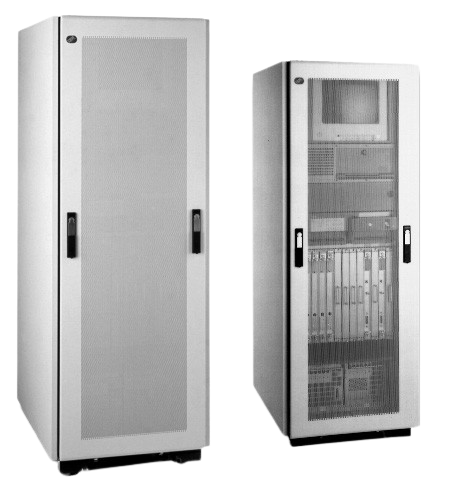
- IBM 2220 Nways BroadBand Switch (G325-3503-05)
- IBM Nways 2220 Switch Manager for AIX Version 1 (G224-4534-03)
- Nways 2220 opens vast possibilities for South Africa’s leading retailer (G224-4536-00)
Highlights: Manages IBM 2220 Nways BroadBand Switches centrally and manages ATM, ISDN, Q.SIG, Frame Relay and X.25 resources for the switches. Reduces network operations and administration costs. Provides consistency with other Nways managers. Runs on TME 10 NetView for AIX or TMN NetView Support Facility for AIX (TMN/6000). Provides easy to use graphical network management. Provides comprehensive device management. Provides online configuration. Enables you to view your network traffic from a protocol perspective. Provides security features with operator profiles and audit log. Year 2000 ready.
The success of client-server computing coupled with the desire for integrated data, voice and video solutions puts enormous stresses on today's wide area networks. Network managers everywhere are looking for solutions that offer new levels of capacity and capability that build on their existing investments without disrupting the business applications their organizations depend on. Others see these requirements as an opportunity to provide networks to these businesses and look for solutions they can use to build multi-company networking services.
Enhancements to the IBM 2220 and the Nways(TM) BroadBand Switch Control Program, of particular interest to the growing number of customers who use the 2220 in their networks, deliver additional capacity, ATM over E3 or DS3 services and allow X.25 devices to attach to 2220 networks. These announcements make the 2220 an even better choice for consolidating data, voice and video networks.
| Item | Part Number/ Machine Type | Model / Feature | Price (US $) | Availability |
|---|---|---|---|---|
| LIC567 4 E1 120 ohm Interfaces | 2220 | 300, 500, 501/ 5567 | $13 000 | 6/97 |
| Nways BroadBand Switch Control Program ISDN/QSIG access agent one-time charge | 5622-388 | 0055 | $20 000 | 6/97 |
| Nways BroadBand Switch Control Program ISDN/QSIG access agent monthly license charge | 5622-388 | 0056 | $416 | 6/97 |
IBM 2220 Nways BroadBand Switch Multimedia Tour CD-ROM
A CD-ROM has been developed to offer a Multimedia Tour of the IBM 2220 Nways BroadBand Switch. It contains information about the IBM 2220 from a functional perspective as well as from technical perspective. It includes different scenarios to demonstrate the value of the product. It positions the IBM 2220 as a key piece of the IBM NHD offering and gives some preview of its future evolution.
Version 1.06 has been released to Copenhagen and will be available starting July 25, 96 from Copenhagen as an IBM part number or as an IBM Form number.
Ordering procedure for the CD-ROM :
Form Number GA33-0410-00
Part Number 80G5081
Requests for copies of the IBM 2220 Nways Broadband Switch Multimedia Tour CD-ROM should be made through:
bookshop at dk.ibm.com , www1.ibmlink.ibm.com, or HONE PUBORDER.
2225 Nways MutliService Switch
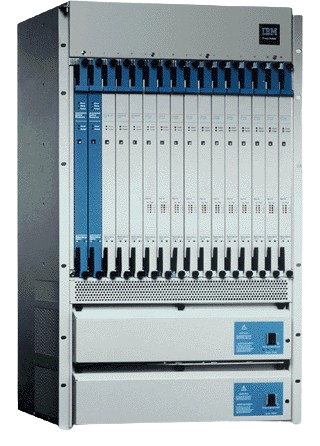
The IBM 2225 Nways(TM) Multiservice Switch Models 400 and 450 provide a flexible, cost-effective and multiservice WAN platform based on ATM cell-switching for interworking among Frame Relay, SMDS and ATM. Interworking lets different technologies at either endpoint of a connection communicate seamlessly with one another or make use of new network transport services. Interworking delivers a clear migration path to ATM while taking advantage of today's attractive Frame Relay and SMDS services. By providing all three multiservice packet services, these switches give users the flexibility of choosing the service that suits the particular needs of their networked applications.
| Item | Part Number/ Machine Type | Model / Feature | Price (US $) | Availability |
|---|---|---|---|---|
| 1 DS3 Channelized Module | 2225 | 400, 450/ 6080 | $56 000 | 5/97 |
| 1 Redundant DS3 Channelized Module | 2225 | 400, 450/ 6081 | $107 000 | 5/97 |
| 1 DS3 ATM IWU/CS Module | 2225 | 400, 450/ 6090 | $33 000 | 5/97 |
| 1 Redundant DS3 ATM IWU/CS Module | 2225 | 400, 450/ 6091 | $66 000 | 5/97 |
| 1 OC3c/STM1 ATM IWU/CS MMF Module | 2225 | 400, 450/ 6084 | $35 000 | 5/97 |
| 1 OC3c/STM1 ATM IWU/CS SMF Module | 2225 | 400, 450/ 6085 | $40 000 | 5/97 |
| 1 Redundant OC3c/STM1 ATM IWU/CS MMF Module | 2225 | 400, 450/ 6086 | $66 000 | 5/97 |
| 1 Redundant OC3c/STM1 ATM IWU/CS SMF Module | 2225 | 400, 450/ 6087 | $74 000 | 5/97 |
| Control Processor Type 30 | 2225 | 400, 450/ 5913 | $12 000 | 5/97 |
| Control Processor Type 40 | 2225 | 400, 450/ 5914 | $20 000 | 5/97 |
| Control Processor Type 50 | 2225 | 400, 450/ 5915 | $34 000 | 5/97 |
| Connector Panel for Single CP | 2225 | 400, 450/ 5916 | $3000 | 5/97 |
| Connector Panel for Redundant CP | 2225 | 400, 450/ 5917 | $5000 | 5/97 |
| Contact Closure Card | 2225 | 400, 450/ 7004 | $500 | 5/97 |
2230 Nways ATM Switch
Whether you're installing new LANs or WANs, moving to Frame Relay and ISDN, migrating to switching and ATM, using the Internet and intranets to leverage your investments in S/390® applications and data or consolidating separate data, voice and video networks, you can join a growing number of companies looking to IBM for dependable, high-performance, low-cost networking with global service and support. You'll find that IBM's innovative, award-winning products, coupled with IBM's business-like approach to networking, helps you bring the benefits of network computing, the Internet and intranets to your users at the lowest possible cost.
IBM networking solutions, based on IBM's Switched Virtual Networking (SVN) framework, extend your network, enable your users, customers and business partners with network computing and help you and your company win in today's networked world. As others have, you'll find IBM an important strategic partner.
IBM networking delivers industry-leading solutions for S/390 server access, switched LANs and WANs and expanded application access for anyone from anywhere--with management applications to keep it all running smoothly and efficiently. You'll be surprised at how aggressively priced IBM's solutions are, how easy they are to install and use and how well they fit into and enhance your network.
| Item | Part Number/ Machine Type | Model / Feature | Price (US $) | Availability |
|---|---|---|---|---|
| 8 T1 ATM Processor Card | 2230 | 600, 650/ 1150 | $20 000 | 5/97 |
| 8 T1 ATM Connector Panel | 2230 | 600, 650/ 1151 | $4000 | 5/97 |
| 8 E1 ATM Processor Card | 2230 | 600, 650/ 1153 | $21 000 | 5/97 |
| 8 E1 ATM 75-ohm Connector Panel | 2230 | 600, 650/ 1154 | $4200 | 5/97 |
| 8 E1 ATM 120-ohm Connector Panel | 2230 | 600, 650/ 1155 | $4200 | 5/97 |
| 1 OC12c/STM4 ATM UNI Processor Card | 2230 | 600, 650/ 1160 | $25 000 | 7/97 |
| 1 OC12c/STM4 ATM SMF MR Connector Panel | 2230 | 600, 650/ 1161 | $5000 | 7/97 |
| 1 OC12c/STM4 ATM SMF LR Connector Panel | 2230 | 600, 650/ 1162 | $10 000 | 7/97 |
| 4 OC3c/STM1 ATM Copper Connector Panel | 2230 | 600, 650/ 1142 | $10 000 | 5/97 |
| 4 OC3c/STM1 ATM SMF LR Connector Panel | 2230 | 600, 650/ 1139 | $12 000 | 5/97 |
| 8 T1 ATM Flow Control Processor Card | 2230 | 600, 650/ 1171 | $35 000 | 7/97 |
| 8 E1 ATM Flow Control Processor Card | 2230 | 600, 650/ 1172 | $36 000 | 7/97 |
| 8 DS3 ATM Flow Control Processor Card | 2230 | 600, 650/ 1173 | $59 000 | 7/97 |
| 8 E3 ATM Flow Control Processor Card | 2230 | 600, 650/ 1174 | $61 200 | 7/97 |
| 4 OC3c/STM1 ATM Flow Control Processor Card | 2230 | 600, 650/ 1175 | $55 000 | 7/97 |
| 1 OC12c/STM1 ATM Flow Control Processor Card | 2230 | 600, 650/ 1176 | $40 000 | 7/97 |
Wireless Family of Products
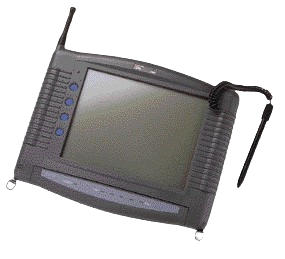
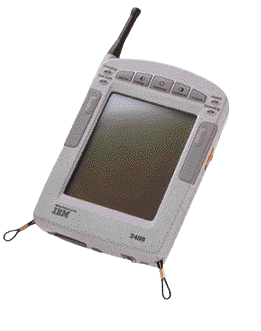
2488 Pen Based Computers
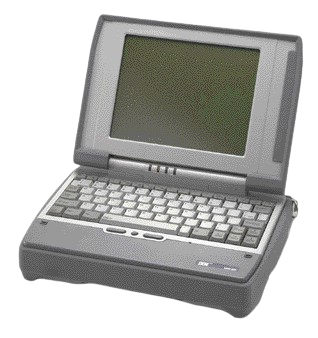
2489 Rugged Notebook Computers
IBM Wireless LAN Entry
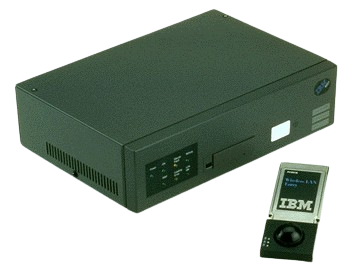
IBM Wireless LAN
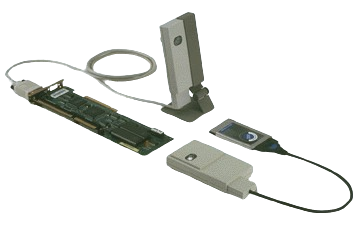
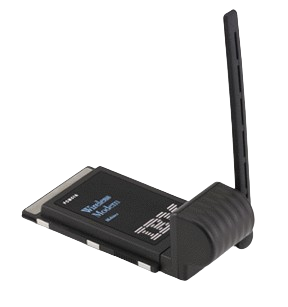
IBM Wireless Modem for ARDIS, IBM Wireless Modem for Cellular/CDPD
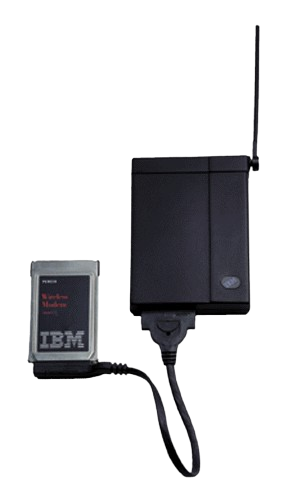
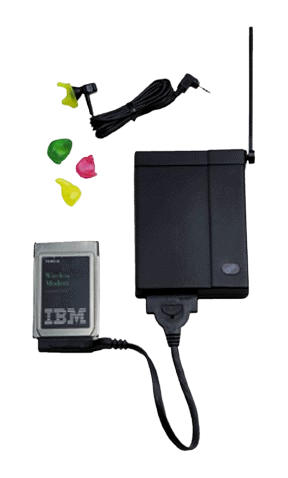
- Melard Technologies and IBM Announce the first hand-held workstation with a Fully Integrated CDPD modem + Complete Wireless Hardware Solution for Field-Service Automation Available from IBM
- IBM Wireless Products Upgrades
IBM Wireless Modem for Mobitex
IBM AS/400 Wireless LAN Products
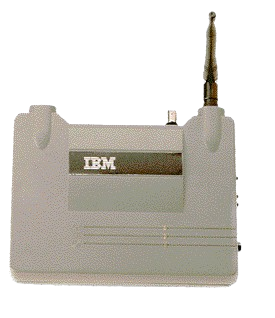
- AS/400 Wireless LAN Adapter
- AS/400 Wireless LAN Access Points
- AS/400 Wireless LAN Adapter Cards
- AS/400 Data Collection Devices
- IBM 2480 AS/400 Wireless LAN Token-Ring Access Point Model TR0 (G224-4517-00)
High Rate Wireless LAN Access Point-500
The IBM High Rate Wireless Access Point 500, when combined with the IBM High Rate Wireless LAN PC Card 128, provides a wireless solution that combines the speed of IEEE 802.11b technology standard for wireless LAN (WLAN) with the security of 128-bit Wired Equivalent Privacy (WEP) encryption.
High Rate Wireless LAN PC Card-128
The IBM High Rate Wireless Access Point 500, when combined with the IBM High Rate Wireless LAN PC Card 128, provides a wireless solution that combines the speed of IEEE 802.11b technology standard for wireless LAN (WLAN) with the security of 128-bit Wired Equivalent Privacy (WEP) encryption.
Downloads
IBM Wireless WAN and LAN Adapter Diskette Images
Diskette image files with an EXE extension are self-extracting. You can create the diskette by executing the command and referencing a blank formatted diskette in a drive such as A:, for example "FILENAME A:". If a diskette image file has a DSK extension you must use the LOADDSKF utility to expand it to a diskette. Use an archiving tool such as PKUNZIP for files with a ZIP extension.
The IMG files on this page are microcode images. These files will be used by the microcode downloader to update your modem, add feature enhancements, or both.
Note: Certain Web browsers will attempt to display binary files rather than download them—this will display unreadable text on your screen. To resolve this problem, try holding the Shift key while clicking on the file link.
IBM AS/400 Wireless LAN Adapter and 2480 Wireless Access Point(s)
- NEW WINDOWS 95 & NT Drivers for 2480 LAN ISA and PCMCIA Adapters | WIN95NT.EXE | Version 3.11 | Size 97 KB | 9 January 1999. NOTE: This version required for WIN95 and NT operation of latest PCMCIA adapters. Those with narrow (c 0.75 in), latching connectors must use this driver. Included is step by step instructions for NT and WIN95 for PCMCIA and ISA adapters.
- AS400 Wireless 2480 Access Point Microcode | APV42C.IMG | Version 42C | Size 192 KB. NOTE: This version required for operation with AS/400 WIRELESS CONNECTION application. All access points on a network MUST be at the same code level for proper operation.
- WINDOWS 95&NT; Drivers for 2480 LAN ISA and PCMCIA Adapters | WIN95DRV.EXE | Version 2.02 | Size 63 KB. NOTE: This version required for WIN95 operation of original PCMCIA adapters. Those with wide (c 1.5 in), non-latching connectors must use this driver.
- AS/400 Wireless SNMP MIB II file for the 2480 Access Point(s) | APV33K.MIB | 30 September 1996 | Size 52 KB
- AS400 Wireless PCMCIA driver file for OS/2 | OS2DRV.ZIPBIN | 30 September 1996 | Size 17 KB
Wireless Modem for Mobitex
- Windows95 support for Mobitex - Disk 1 | MX95200A.DSK | Version 2.00 | Size 1.4 MB
- Windows95 support for Mobitex - Disk 2 | MX95200B.DSK | Version 2.00 | Size 1.4 MB
IBM Wireless Modem for ARDIS - Asia Pacific Only
- ARDIS / Datatac - PC Card Power Management Driver for DOS | ASIA PACIFIC ONLY - $ICPMDOS.SYS | Version 2.30 | Size 4 KB
- ARDIS / Datatac - PC Card Power Management Driver for OS/2 | ASIA PACIFIC ONLY - $ICPMOS2.SYS | Version 2.00 | Size 5 KB
- ARDIS / Datatac - Microcode Image 2.00 for the Ardis AP Modem - With POWER SAVE | ASIA PACIFIC ONLY - ACRC0200.IMG | Version 2.00 | Size 671 KB
- ARDIS / Datatac - Microcode Image 1.10 for the Ardis AP Modem | ASIA PACIFIC ONLY - ACRC0110.IMG | Version 1.10 | Size 671 KB
- ARDIS / Datatac - Card Services Enabler for DOS/Windows 3.X | ASIA PACIFIC ONLY - ACRCS.SYS | Version 1.06 | Size 9 KB
- ARDIS / Datatac - Card Services Enabler for OS/2 | ASIA PACIFIC ONLY - ACRCS2.SYS | Version 1.01 | Size 5 KB
- ARDIS / Datatac - Diagnostic Utility for DOS | ASIA PACIFIC ONLY - ACRDIAG.EXE | Version 1.05 | Size 88 KB
- ARDIS / Datatac - Diagnostic Utility for OS/2 | ASIA PACIFIC ONLY - ACRDIAG2.EXE | Version 1.05 | Size 179 KB
- ARDIS / Datatac - Microcode Downloader for DOS | ASIA PACIFIC ONLY - ACRLOAD.EXE | Version 1.01 | Size 57 KB
- ARDIS / Datatac - Microcode Downloader for OS/2 | ASIA PACIFIC ONLY - ACRLOAD2.EXE | Version 1.01 | Size 98 KB
- ARDIS / Datatac - Logging Utility for DOS | ASIA PACIFIC ONLY - ACRLOG.EXE | Version 1.10 | Size 34 KB
- ARDIS / Datatac - Logging Utility for OS/2 | ASIA PACIFIC ONLY - ACRLOG2.EXE | Version 1.10 | Size 42 KB
- ARDIS / Datatac - Point Enabler for DOS | ASIA PACIFIC ONLY - ACRPOINT.EXE | Version 1.04 | Size 14 KB
IBM Wireless Modem for Ardis - U.S. / Canada Only
- PC Card Power Management Driver for DOS | $ICPMDOS.SYS | Version 2.30 | Size 4 KB
- PC Card Power Management Driver for OS/2 | $ICPMOS2.SYS | Version 2.00 | Size 5 KB
- Microcode Image 1.10 for the Ardis Modem | ACRA0110.IMG | Version 1.10 | Size 671 KB
- Microcode Image CHANGE HISTORY for the Ardis Modem | CHANGES.TXT | No Version | Size 11 KB
- ARDIS Card Services Enabler for DOS | ACRCS.SYS | Version 1.06 | Size 9 KB
- ARDIS Card Services Enabler for OS/2 | ACRCS2.SYS | Version 1.01 | Size 5 KB
- ARDIS Diagnostic Utility for DOS | ACRDIAG.EXE | Version 1.05 | Size 88 KB
- ARDIS Diagnostic Utility for OS/2 | ACRDIAG2.EXE | Version 1.05 | Size 179 KB
- ARDIS Microcode Downloader for DOS | ACRLOAD.EXE | Version 1.01 | Size 57 KB
- ARDIS Microcode Downloader for OS/2 | ACRLOAD2.EXE | Version 1.01 | Size 98 KB
- ARDIS DOS Logging Facility | ACRLOG.EXE | Version 1.03 | Size 34 KB
- ARDIS OS/2 Logging Facility | ACRLOG2.EXE | Version 1.03 | Size 42 KB
- ARDIS Point Enabler for DOS | ACRPOINT.EXE | Version 1.04 | Size 14 KB
- ARDIS Interim Support for Windows95 | INSTALL.DSK | Version - 1.05 | Size 742 KB
IBM Wireless Modem for Cellular/CDPD
- Microcode Version 2.01 for the CDPD Modem | ACZA0201.IMG | Version 2.01 | Size 868 KB
- Microcode Version 2.07 for the CDPD Modem | ACZA0207.IMG | Version 2.07 | Size 875 KB
- IBM Internet Access Kit 3.02 - Update file for the CDPD Modem | ACZIAKUP.EXE | Version 1.00 | Size 19 KB
- Microcode Loader for the CDPD Modem | ACZLOAD.EXE | Version 1.01 | Size 58 KB
- Installation Diskette/Enabler for the CDPD Modem | INSTALL.DSK | Version 1.01 | Size 945 KB
- IBM Wireless Cellular/CDPD Modem Manager for Windows 3.X | MANAGER.DSK | Version 1.01 | Size 945 KB
- CardSoft Card Services Driver for the CDPD Modem for Windows 3.X | ACZMODEM.CLB | Version 1.01 | Size 62 KB
- Modem Definition File for Lotus cc:Mail | IBMCC.MDM | Version 1.00 | Size 25 KB
- Microcode Version 3.05 for the CDPD Modem | ACZA0305.IMG | Version 3.05 | Size 25 KB. NOTE: This file upgrades your Microcode to the 1.1 CDPD Protocol
- New and Enhanced AT Commands for the CDPD 1.1 Protocol | ACZATCMD.HLP | Version | Size 147 KB
- Service Utility for the CDPD 1.1 Protocol | ACZMON.EXE | Version 2.00 | Size 57 KB
- Help file for the CDPD Service Utility running CDPD 1.1 Protocol | ACZSMON.HLP | Size 39 KB
- Installation Instructions for the CDPD 1.1 Protocol (text file) | README.TXT | Version - June 1996 | Size 11 KB
Windows95 Support for the CDPD Modem
- Installation Diskette - CDPD Wireless Modem Manager - Interim Support for Windows95 | INSTALL.DSK | Version 2.03 | Size 1255 KB
- CDPD Installation HELP for the Interim Support of Windows95 | README.TXT | Version 2.03 | Size 28 KB
OS/2 Support for the CDPD Modem
- CDPD Diagnostics for OS/2 | ACZDIAG2.EXE | Version 2.03 | Size 193 KB
- CDPD Microcode Loader for OS/2 | ACZLOAD2.EXE | Version 2.03 | Size 98 KB
- CDPD Installation Instructions for OS/2 | OS2READ.TEXT | Version 1.00T | Size 27 KB
- CDPD Instructions for OS/2 in POSTSCRIPT format | OS2READ.PS | Version 1.00T | Size 257 KB
- CDPD Instructions for OS/2 in Adobe Acrobat™ PDF format ( requires free Acrobat Reader) | OS2READ.PDF | Version 1.00T | Size 136 KB
- CDPD Instructions for OS/2. Open with your OS/2 Help Viewer. | OS2READ.INF | Version 1.00T | Size 24 KB
IBM Wireless LAN Adapter
These Installation Diskettes are the most current version of this product. These images support the Wireless LAN Adapter in three hardware configurations—ISA, MCA, or PCMCIA—Configured as a Wireless Base Station, or as a Wireless Requester.
- Wireless LAN Adapter Installation Diskette # 1 | WLLAN1.EXE | Version 1.020 | Size 595 KB
- Wireless LAN Adapter Installation Diskette # 2 | WLLAN2.EXE | Version 1.020 | Size 576 KB
- Wireless LAN Adapter Installation Diskette # 3 | WLLAN3.EXE | Version 1.020 | Size 934 KB
- Wireless LAN Adapter Installation Diskette # 4 | WLLAN4.EXE | Version 1.020 | Size 1107 KB
- Wireless LAN Adapter Installation Diskette # 5 | WLLAN5.EXE | Version 1.020 | Size 876 KB
- Wireless LAN Adapter Installation Diskette # 6 | WLLAN6.EXE | Version 1.020 | Size 820 KB
IBM Wireless LAN Entry Adapter and 8227 Wireless Access Point
- Wireless LAN Entry Driver diskette Updated DOS, OS/2, and Novell drivers | WLE11DSK.ZIP | Size 396 KB
- Wireless LAN Entry Install diskette - 1 of 2 | WLEDISK1.ZIP | Size 269 KB
- Wireless LAN Entry Install diskette - 2 of 2 | WLEDISK2.ZIP | Size 232 KB
- READ THIS before you unzip the Windows95 Support file. | WLE11DSK.TXT | No Version | Size 396bytes
- Windows 95 Support for the Wireless LAN Entry Adapter | WLE11DSK.ZIP | Version 1.01 | Size 298 KB
- 8227 Wireless LAN Entry Access Point - Option Disk | 8227OP101.DSK | Version 1.01 | Size 306 KB
- 8227 Wireless LAN Entry Access Point - Utility Disk | 8227UT101.DSK | Version 1.01 | Size 434 KB
Wireless Connection for AS/400 (5798-TBW) Withdrawal
Wireless Connection for AS/400 is being withdrawn on the V4R5 Operating System effective 7/23/2001.
Wireless Connection for AS/400 is not supported on V5R1, and will not run on an OS/400 V5R1.
Why is IBM's Wireless Connection product being withdrawn?
IBM's Wireless Connection product, introduced in 1997, supported proprietary wireless technology for use with industry specific applications. The wireless industry has evolved with new security, performance and open standards, such as TCP/IP and IEEE 802.11. Wireless Connection does not support the new open standards. In addition, many of the wireless devices that are compatible with Wireless Connection have previously been withdrawn.
Does IBM have a replacement product for Wireless Connection?
IBM will not be offering a replacement product.
What can I do if my AS/400 running Wireless Connection needs to migrate to V5R1?
If a customer has a V4R5 AS/400 in their network the customer should consider moving Wireless Connection to the V4R5 machine. For multiprocessor AS/400s a customer should consider running V4R5 in a partition with Wireless Connection.
Another option is to implement a new wireless devices which do not require Wireless Connection. See the end of this page for possible options.
How long is V4R5 supported?
The support for V4R5 ends July 31st, 2002.
3172 Nways Interconnect Controller
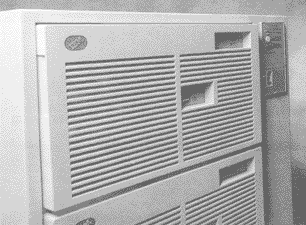
- IBM 3172 Nways Interconnect Controller Model 3 (G221-3680-05)
- IBM 3172 Interconnect Controller Program Version 3 Release 5 (G325-3599-01)
- Overview 3172 IBM Interconnect Controller
- 3172-001 IBM Interconnect Controller Model 001
- 3172-002 IBM INTERCONNECT CONTROLLER MODEL 002
- 3172-390 IBM NCP Multinetwork Server Solution Model 390
3174 Establishment Controller
3174 Network Processor
Charting a course to the future
As you're planning for multiprotocol network convergence, take a look at the IBM 3174 Network Processor with Configuration Support C.
Today's 3174, with its full range of communications adapters, can provide the seamless and nondisruptive link between your mainframes, personal computers, local and wide area networks, and departmental processors: all across the most commonly used protocols.
With the 3174, you can:
- Establish a logical pathway from SNA networks to token-ring and Ethernet local area networks
- Make LAN functions available over existing coaxial wiring
- Allow dependent terminals and intelligent workstations to interoperate using TCP/IP
- Integrate AS/400* systems, personal computers, and ASCII terminals
- Link to Advanced Peer-to-Peer Networking* (APPN*) networks
In short, you'll be able to leverage the investments you've already made while moving toward the network environments you'll need tomorrow.
Your key to networking flexibility
When you invested in your current 3174, you were probably unprepared for the pressures of converging multiprotocol networks. But your network needs to grow just as your business does. With such an investment in existing hardware, how can you migrate your network without incurring major costs?
Fortunately, there's a practical and affordable solution. And it may already be installed in your network. It's today's IBM 3174.
The 3174 has long been a cornerstone of corporate communications. If you see the 3174 as no more than a networking server for 3270 terminals, take another look. Because the 3174 offers you more today.
The 3174 is designed to meet your current and future requirements, providing support to a wide range of systems and protocols: SNA, APPN, TCP/IP, token ring, Ethernet, ESCON*, ASCII, AS/400, X.25, and frame relay.
With the 3174, you get all of the functionality listed here.
Connectivity
The 3174 provides connectivity for token-ring or Ethernet LANs, parallel or ESCON fiber-optic channels, TP links, and CCITT X.25.
End-user productivity
From a single terminal, you can have up to five simultaneous sessions to access multiple hosts through 3174 functions like multiple logical terminal and multiple host connections. You can have mainframe host, ASCII, AS/400, or TCP/IP sessions simultaneously.
TCP/IP
You can now route remote TCP/IP traffic using your existing 3174. The 3174 supports TCP/IP with Telnet and TN3270. SNMP management is also provided. It's an efficient and cost-effective way to migrate into open system environments, protecting your investments in equipment and improving your users' productivity.
With IP routing, your 3174 can act as an IP router between LAN-attached devices and a frame-relay network. IP routing is provided through RPQ 8Q1289, a no-charge feature that runs on Configuration Support C Release 5.
Using a predefined route table, the 3174 can send traffic to other routers and 3174s to reach IP hosts on remote subnets and networks. Also, a default router can be customized in the 3174 so that traffic for subnets not in the table can be routed to a dynamic router like the IBM 6611 Network Processor.
You can save money by using 3174s for routing and consolidating SNA and IP connections. The new 3174 routing capabilities make it similar to some of the low-end static routers currently in the marketplace. But with a 3174, you can provide routing on a product that you probably already have installed. One that provides the function concurrently with SNA, APPN, LAN gateway, and traditional 3270 subarea applications.
Token-ring LAN
The 3174 can be attached to a token ring to provide access to TCP/IP, APPN, or SNA protocols. The 3174 even enables LAN connections made over existing coaxial wiring, allowing migration to a LAN environment without the costs of rewiring or adding token-ring adapters to your personal computers.
Ethernet LAN
You can now connect your 3174 to an Ethernet LAN to create a more global network linking your users and computing resources. Such a global network can improve response times and lower costs.
APPN
The 3174 provides APPN network node functions. APPN lets you consolidate multiple networks serving diverse processor platforms into a single, high-performance, cost-effective peer topology network.
Now, you can easily distribute applications across mainframes, PS/2* computers, AS/400 systems, and RISC System/6000* processors within an APPN network. And you'll also be able to take advantage of dynamic, nonhierarchical route optimization and dynamic network configuration definition.
Together, 3174 and the VTAM* program support traditional 3270 LU2 traffic natively just as they always have and always will. But with dependent LU server/requester (DLUS/DLUR) support, the 3174 and VTAM extend the dynamic routing benefits of APPN to dependent displays.
DLUS and DLUR calculate the best route for the 3270 session data. This route is determined by factors like the type of line, speed of the line, security, and congestion. Once the route is selected, the 3270 data stream is natively routed, not encapsulated, over the APPN network.
Traditional 3270 traffic and dynamically routed 3270 traffic can coexist in the same network. And in parts of the network where the migration to APPN has not occurred, 3270 sessions work the same way they always have.
With DLUS and DLUR, you can take advantage of the benefits of APPN without having to change your existing 3270 applications or replace your large inventories of dependent displays.
Frame relay
The 3174 can transport multiple protocols, such as IPX**, NetBIOS, TCP/IP, SNA, and APPN, over a frame-relay network. This gives you the converged network capability you'll need.
Intelligent hub
You can integrate the 3174 functionality with your IBM 8250 and 8260 intelligent hubs with the new Workstation Networking Module (WNM). WNM offers functions similar to the 3174-23R with Configuration Support C.
3174 Establishment Controller Model 95R
Saving you money by increasing productivity
How would you like:
- Increased end-user productivity
- Low price-per-port
- Higher line speeds
- Less floor space requirements
- Reduced operating cost
- Enhanced network management
Sound good? The 3174 Model 95R Establishment Controller (the 3174-95R) is a natural replacement for 3274 and older 3174 controllers that remain in a dependent display environment. Now you can take advantage of the many 3174-95R functions at a significantly lower price per port than ever before. The 3174-95R supports the attachment of 32 dependent workstations, allowing SNA host access through remote communications.
The 3174-95R offers a lower cost of operation than 3274 and older 3174 controller models. The 3174-95R is significantly smaller than a 3274. In many environments, the reduced floor space can justify the cost of upgrade. The 3174-95R also requires less electrical power. This reduces the cost of operation and the associated cooling costs. A 3174-95R can reduce electrical power costs by as much as $50 a month over similar usage by a 3274.
The 3174-95R includes Configuration Support-N Licensed Internal Code (LIC N), which lets you take advantage of the comprehensive 3270 end-user productivity tools and network management functions not available on 3274 and older 3174 controller models.
Remote communication speed
Using the IEEE V.35 interface, the 3174-95R can achieve communication speeds up to 256 Kbps in SDLC mode. This can significantly improve response time in remote locations.
Streamlined customization and installation
The 3174-95R has an exclusive simplified customization feature. When you first turn on the 3174-95R, you are prompted to answer seven questions and then IML the controller. This results in a default customization that you can keep or change later.
Controller-based record/play
The controller-based record/play function lets you store and play keystrokes with a single keystroke on the 3174. A keystroke sequence can be recorded by any control unit terminal (CUT) display and then played back by all other attached displays. The record/play function eliminates repetitive keystrokes. Instead of typing the same sequence of keystrokes again and again, you can store the sequence and play it back the next time you need it.
Split screen
With the split-screen function, dependent workstation operators can display up to five logical terminal sessions on the screen at one time--you no longer need to jump through full screens one at a time. This function also lets you display almost two complete 24 X 80 sessions on an equally divided 43 X 80 screen.
Copy session-to-session
The copy session-to-session function lets you copy data to multiple locations in the same session or to multiple locations in multiple sessions. This is a function previously only available for PC users; now dependent workstations have it too.
HAP-sharing for local copy
With the local shared-host addressable printer (HAP) function, a workstation-attached HAP printer can be used as a local copy printer by any workstation attached to the same 3174. When you use a shared HAP printer, you don't need a local copy printer attached to each 3174 dependent workstation.
Local print buffering
With local print buffering, you can copy screen data to a local copy printer and continue typing while the printer prints. This is particularly useful when you share a single printer for local copy operations.
Calculator function
The 3174 calculator function gives dependent workstations a 10-key calculator capability. The results are displayed for you in the operator information area of the screen and can be used for numeric field input without rekeying.
Type ahead
The faster you type, the more you benefit from the type-ahead feature. It lets you queue up to 60 keystrokes while waiting for a host response.
Enhanced null/blank processing
Another productivity enhancement, enhanced null/blank processing helps you to position text with the cursor movement keys as if you were positioning the text with the space bar. You can also insert data into a line that has trailing nulls and spaces without using the Erase EOF key first. The trailing blanks are moved off the end of the line or field and discarded.
Network management
Configuration support-N LIC is consistent with the latest network management functions available on all 3174 Establishment Controllers. These functions can significantly improve the productivity of your network support staff. The 3174-95R offers the following network management functions:
Central site change management
Central site change management, together with NetView* Distribution Manager, allows electronic distribution of customization parameters to any 3174 in the network.
Central site control facility
Central site control facility allows your NetView operator to execute online diagnostic tests, initiate corrective action, and restart a remote 3174.
Network asset management
Network asset management, along with the NetView program, provides inventory management for both the 3174 and attached displays by machine type, serial number, and plant of manufacture.
Dynamic definition of dependent logical units (LUs)
Dynamic definition of dependent logical units provides dynamic growth and change of your network. Working with VTAM*V3R4 or later releases, this function allows dependent devices to dynamically define and activate VTAM LUs when you activate the logical session on an associated device. In this way, you get reduced static network definitions and system requirements. You also get increased flexibility to move existing devices and to add new devices in the network. New users no longer need to wait for a VTAM system generation to get access to the system.
Don't lose control of productivity
Get the 3174 Establishment Controller Model 95R for quick and easy customization, comprehensive productivity tools, and enhanced network management.
3174 Establishment Controller Model 95R at a glance
Dimensions
- Width: 406mm (16 inches)
- Depth: 425mm (16.75 inches)
- Height: 120mm (4.75 inches)
- Weight: 8kg (18 pounds)
Operating environment
General 3174 operating environment specifications:
- Temperature: 10 to 40 degrees C (50 to 104 degrees F)
- Relative humidity: 8 to 80 percent
- Wet bulb: 27.0 degrees C (80.6 degrees F)
3174-95R operating environment specifications:
- Heat output: 54 watts (184 Btu/hour)
- Capacity of exhaust: 0.21 cubic meters/minute
- Electrical power (100 to 127v, 50 or 60 hz): 0.11 kVA
- Nominal operating voltages: 100 to 127v, 50 or 60 hz; 200 to 240v, 50 to 60 hz Hardware requirements
A CUT or distributed function terminal (DFT) operating in CUT mode for local customization of subsystem LIC, to run offline diagnostics from a display, or to perform online tests
Four 8-port 3299 terminal multiplexers or one 3299 Model 32 or Model 32T multiplexer to support attachment of 32 displays
Software requirements: Current versions of IBM access methods, operating systems, application subsystems and 3270 applications that support and conform to the appropriate attachment and data stream architectures (SNA, BSC, 3270DS, SDLC, and X.25)
What you get
The 3174-95R includes:
- 4 dual-purpose connectors
- 1 communications port with IEEE V.35 or RS/232/V.24 support
- 4MB of control storage
- One 5 1/4-inch diskette drive
- Licensed Internal Code N (installation letter, control diskette, utility diskette)
Publications included are:
- 3174 Model 95R User2s Guide (GA27-4985)
- 3174 Status Codes (GA27-3832)
- 3174 8XX, 9XX Maintenance Information Manual (SY27-2584)
- 3174 Safety Notices (GA27-3824)
3745 Communications Controller and Network Control Program
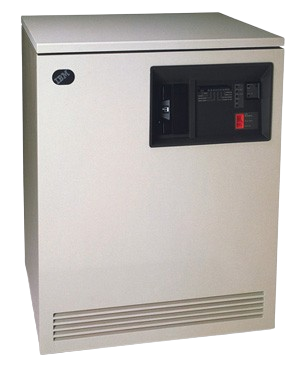
List of models:
- 3745-130 IBM Communication Controller Model 130
- 3745-150 IBM Communication Controller Model 150
- 3745-17A IBM Communication Controller Model 17A
- 3745-170 IBM Communication Controller Model 170
- 3745-21A IBM Communication Controller Model 21A
- 3745-210 IBM Communication Controller Model 210
- 3745-31A IBM Communication Controller Model 31A
- 3745-310 IBM Communication Controller Model 310
- 3745-41A IBM Communication Controller Model 41A
- 3745-410 IBM Communication Controller Model 410
- 3745-61A IBM Communication Controller Model 61A
- 3745-610 IBM Communication Controller Model 610
- IBM 3745 Communication Controller and Network Control Program
- IBM ACF/NCP, ACF/SSP, and NTuneMON Fact Sheet
- IBM Multiprotocol Solutions for the Expanding Enterprise Network Fact Sheet
- NCP/3745 Today: NCP & 3745 Today Newsletter
The IBM 3745 provides serious connectivity and performance for network convergence by allowing for connectivity with frame-relay networks, Ethernet local-area-networks (LAN), ESCON® adapters and IP routing networks.
Features and Benefits
- 8- or 16-MB storage per Central Control Unit (CCU)
- Up to eight IBM token-ring attachments operating at 4 Mbps or 16 Mbps
- Up to eight high-speed line attachments for T1 or E1 circuits
- Up to 16 parallel channel connections to the S/390 server
- Up to 16 attachments to Ethernet Version 2 or IEEE 803.2 local area networks (depending on model)
- Up to 896 low-and medium-speed line attachments
- Interfaces for local, alternate, and remote consoles, and for the Remote Support Facility
3746 Nways Multiprotocol Controller
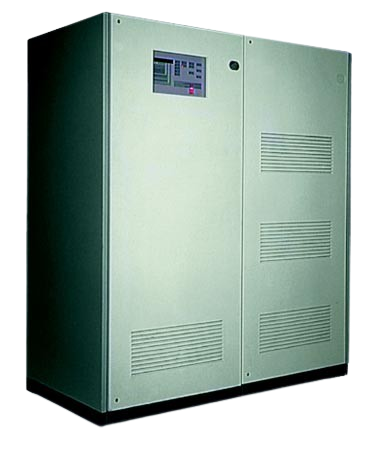
- IBM 3746 Nways Multiprotocol Controller Models 900 and 950 (G224-4546-04)
- IBM 3746 Nways Multiprotocol Controller
- 3746/9x0 - T3 La Gaude 06/07/2001
- IBM 3746 Nways Multiprotocol Controllers Models 900 and 950
- 3746-900 with NNP 3746-950 NetView RUNCMD
- 3745 / 3746 / NCP
- TCP/IP Native Stack Support Test Results
- 3746 Nways Controllers
The IBM 3746 Model 950 -- Nways Multinetwork Controller -- is a stand-alone Advanced Peer-to-Peer Networking (APPN) Network Node supporting ESCON Channels links, Token-rings, and communication line interfaces.
The IBM 3746 Model 900 is an Expansion Unit which provides the IBM 3745 Communication Controller with ESCON channel adapters and additional communication line and Token-Ring adapters. The 3746 Model 900 can be operated as an APPN Network Node independently from NCP and a SNA/Subarea or Composite Network Node (CNN) controlled by NCP. The IBM 3746 Model 900 is field convertible to the IBM 3746 Nways Controller Model 950.
The IBM 3746 Models A11, A12, L13, L14, and L15 are Expansion Units which provide the IBM 3745 Communication Controller with additional parallel channel adapters, low-speed scanners, and communication line interfaces.
5299 Terminal Multiconnector
5308 ASCII-to-Twinax Protocol Converter
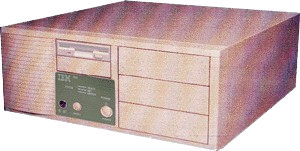
- 5308 ASCII to 5250 Connection: Planning, Installation, and Maintenance Guide (G571-1123-13)
- IBM 5250 Emulation Family (G571-0262-15)
- IBM 5250 Express ISA Adapter (G571-0013-01)
- IBM 5250 Express PC Card (G571-0014-01)
- IBM 5250 Express PCI Adapter (G571-0021-01)
- 5250 Express and IP/Twinax
IBM 5308 ASCII to 5250 Connection
Provides Low-Cost ASCII-to-Twinax Connection
The IBM 5308 ASCII-to-Twinax Protocol Converter
At a Glance
The 5308 ASCII to 5250 Connection provides a cost effective solution for connecting remote PC's or ASCII terminals to 5394, 5494, AS/400 an System 3/X hosts via a dial-in or leased phone lines.
Features
- Long distance phone call savings when multiple ASCII devices in one city dial in locally to a 5394 or 5494 Remote Controller, which can then make one long distance call to the remote host
- ASCII terminals can act as nonprogrammable workstations in the configuration of 5394 and 5494 Remote Controllers
- Shared addressing to display up to four sessions on each ASCII terminal
- A consistent look and feel with displays attached to the ASCII Workstation Controller
- A low-cost, two port model supporting up to two ASCII devices (Model 5308-002)
- A two port model with two internal 28.8 Kbps modems (US and Canada only, Model 5308-0M2)
- A seven-port model supporting up to seven ASCII devices (Model 5308-007)
- A two- to seven- port upgrade
- The PC Terminal Program at no extra charge
Intended Customers
The IBM 5308 ACSII to 5250 Connection is an ideal solution for customers who need to access their 5394 or 5494 Remote Controller or host computer from a remote PC or ASCII terminal via a dial-in or leased phone line.
Key Prerequisites
The 5308 requires at least one ASCII device such as:
- A supported ASCII display
- A PC emulating a supported ASCII display
- A PC running the PC Terminal Program provided with the 5308 ASCII to 5250 connection
The 5308 also requires an available Twinaxial Workstation Controller port on the 5394 or 5494 Remote Controller, AS/400, or System/3X.
5394 Remote Control Unit
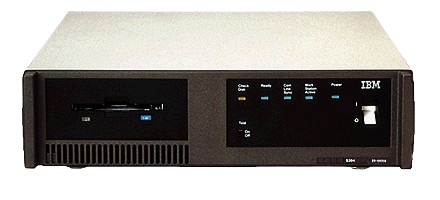
5394 Remote Control Unit - Downloads
Available for download from this page is the diskette image for the latest release of 5394 microcode - Release 2.3. In addition, this page has information on the latest Program Temporary Fixes (PTFs) available for the 5394, and allows the user to download 5394 patches.
As part of our 5394 product support mission, we create Program Temporary Fixes (PTFs) and patches that represent the latest maintenance updates for the 5394. Patches are created individually, and when a group of patches are available, a new PTF is released on the AS/400 in order to make it easier for a customer to obtain all the latest patches at one time. The PTF includes all existing 5394 patches that are available at the time of the PTF.
Notice: These files were originally intended to be applied by trained IBM service personnel, but are being made available to customers who have the in-house expertise and equipment to do this themselves.
5394 Release 2.3 Microcode Diskette
Download the diskette image to your hardfile by clicking on the diskette image name below. 5394 diskette diskette images require a 1.44 MB diskette.
Note: Some web browsers (eg: Netscape Navigator) may not default to automatically offer a download to you if you click on the diskette name. If this is the case, move your mouse pointer to the diskette image name, click on your right mouse button and select 'Save Link As...'. You should then be asked for a directory name to store the file in.
Diskette images ending with the .dsk extension must be downloaded and then uncompressed using LOADDSKF. To obtain a self-extracting file which includes LOADDSKF, ftp.networking.ibm.com/pub/products/ibm5x94/5394/r2.3/ldf.com.
Warning: It is strongly recommended that you do not run any PC commands against your newly created 5394 diskette. Some PC applications can change the boot sector on the diskette and will make the diskette unusable in a 5394 controller. If you try to use a diskette whose boot sector was changed, the 5394 may not boot up and you may get an error on the 5394, indicated by a flashing Check Disk light.
5394 System Diskette (P/N 39F9441) ftp.networking.ibm.com/pub/products/ibm5x94/5394/r2.3/s39f9441.dsk
PTF Information
5394 PTFs are loaded onto the AS/400. After loading and applying the PTF to the AS/400, you need to vary off and on the remote 5394 controller descriptions to actually apply the latest patches to the 5394 Remote Control Unit. You will need to vary off and on the RWS description.
The latest 5394 PTFs are as follows:
AS/400 Release PTF number
V3R0M5 MF14547
V3R1 MF14548
V3R2 MF14549
V3R6 MF14550
V3R7 MF14551
Patch Files
Patch files can be loaded onto the 5394 diskettes. For 5394 and 5394 T2.1 RPQ patches, copy the file here to PATCH.DAT on the 5394 system diskette.
For example,
- to copy the 5394 R2.3 patch:
1) Download the d600mif2.p2a patch file by clicking on it below
Note: Some web browsers (eg: Netscape Navigator) may not default to automatically
offer a download to you if you click on the patch name. If this is the case,
move your mouse pointer to the patch name, click on your right mouse button and
select 'Save Link As...'. You should then be asked for a directory name to
store the file in.
2) Go to a DOS or OS/2 session and COPY D600MIF2.P2A A:PATCH.DAT
3) Put the diskette into the 5394 and re-boot your controller
Your patches are now applied.
Patch files that are not yet in PTFs are also listed. These patch files represent fixes to problems that are found, but the fixes have not yet appeared in a PTF. Patch files are cumulative, that is, the latest patch file includes all previously released maintenance updates for a given 5394 release.
Note: If you have problems downloading the patches via the Internet, you can still obtain the latest patches by contacting your local IBM Networking Service Representative.
5394 R2.3
d600mif2.p2a - latest 5394 patch (in latest PTFs) ftp.networking.ibm.com/pub/products/ibm5x94/5394/r2.3/d600mif2.p2a
A sequence 0018 or higher 5394 diskette is required.
5394 T2.1 RPQ 8Q0775 (SNA backbone support)
b200disk.p27 - latest 5394 T2.1 RPQ patch (in latest PTFs) - ftp.networking.ibm.com/pub/products/ibm5x94/5394/t2.1rpq/b200disk.p27
5494 Remote Control Unit
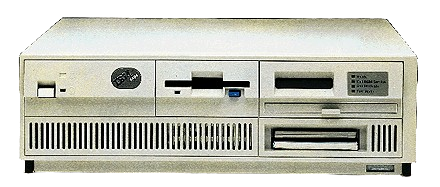
IBM 5494 Remote Control Unit Fact Sheet
Multiple communication options for your workstations
8 October 1996
Announcement Summary
The IBM 5494 Remote Control Unit is the remote communications controller for the AS/400 system. It manages the operation of workstations that are attach to the 5494 and provides the connection to the AS/400. The 5494 can attach to an AS/400 through wide-area connections (SDLC, Frame Relay, X.21 and X.25), Ethernet or Token-Ring LANs.
New enhancements give the 5494 increased operational flexibility to support your remote computing requirements, while protecting your existing investments in the 5494 and attached devices. New enhancements include a new Frame Relay -- Token-Ring Bridge feature, an IBM 5494 Level 3.2 Functional Upgrade and support for wireless and ISDN environments. In addition, the 5494 can now be managed by the Nways Campus Manager LAN for AIX V2.0.
The base 5494 supports the attachment of up to 28 twinaxial devices. An additional 28 twinaxial devices are supported with the 5494 Twinaxial Expansion Kit installed. With a Token-Ring or Ethernet adapter installed, the 5494 supports up to 80 attached devices, of which 56 can be connected by twinax.
Announcement Highlights
The Frame Relay -- Token-Ring Bridge feature enables the 5494 to support source-route bridging of Token-Ring traffic across the Frame Relay connection to a bridge partner or an AS/400. Examples of bridge partners include:
- An IBM 6611 Network Processor
- An IBM 2210 Nways Multiprotocol Router
- A PC running RouteXpander/2
A Token-Ring LAN-attached PC running TCP/IP is an example of a device that would be bridged by the 5494.
The 5494 Level 3.2 Functional Upgrade:
With the Level 3.2 Functional Upgrade, users receive several enhancements:
- Universally administered LAN address. For both Token-Ring and Ethernet adapters, you can use the adapter's universally administered address rather than enter a LAN address during configuration.
- Time and date synchronization. 5494 error messages can be correctly synchronized to match the time and date of the AS/400 system.
- Load configuration from diskette. You can place loadable configurations on a system diskette for quicker activation of a backup host link.
- DOS/V support. The 5494 Utility Program can now be run under DOS/V, the latest DOS used in Japan and other Far Eastern countries.
- LAN printer support. 3130 and 3935 Token-Ring-attached printers are now supported by the 5494.
- Local Controller Function. This enhancement maintains functional consistency between devices that are attached locally or remotely with OS/400 Version 3 Release 2 and Version 3 Release 7 local controller functions.
Additional Technical Details
- The 5494 has successfully been tested in an ISDN environment using terminal adapters to connect to an ISDN network.
- The 5494 has successfully been tested in a wireless LAN environment, using IBM wireless equipment to provide this support. Use of a wireless LAN allows greater flexibility in workstation locations, enabling mobility for workers in environments such as warehouses or hospitals. Some examples of tested environments are: Direct attachment to an AS/400 system through an IBM 2480 Ethernet Access Point and AS/400 Wireless LAN Adapter Feature 2668. Gateway environment using an IBM 2480 Ethernet Access Point and AS/400 Wireless LAN PC Adapter. Gateway environment using an IBM 8227 Wireless LAN Entry Access Point and an IBM Wireless LAN Entry Credit Card Adapter. Gateway environment using an IBM Wireless LAN ISA Adapter and an IBM Wireless LAN Entry Credit Card Adapter.
- The 5494 can now be managed by the Nways Campus Manager LAN for AIX Version 2.0 using the APPN topology application through an AS/400 running OS/400 Version 3 Release 6 or later. The AS/400 acts as a proxy agent to the 5494 (the 5494 does not contain SNMP support). Through Nways Campus Manager LAN, the customer can display status and location of the 5494 and the attached nonprogrammable workstations throughout the network. The result is enhanced network management for all remote nonprogrammable workstations.
- Additional 5494 communication cables can be ordered using feature codes. If desired, up to two communication cables can be shipped with the 5494 in the single carton container.
- The 5494 memory expansion feature must be installed in order to run the Frame Relay -- Token-Ring Bridge feature.
Benefits
New functions give the IBM 5494 Remote Control Unit increased operational flexibility to support a customer's remote computing requirements while protecting existing investments in the IBM 5494 and attached devices.
The 5494 Remote Control Unit is useful in environments where:
- Workstations are located beyond the maximum distance allowed to attach to the AS/400 local workstation controller
- Nonprogrammable workstations require access to an AS/400 through a Token-Ring or Ethernet network connection
- Remote locations have both 5250 twinaxial-attached workstations, and Token-Ring- or Ethernet-attached workstations requiring communication to an AS/400 using supported communications functions
The 5494 Frame Relay -- Token-Ring Bridge feature is useful when a customer needs communications support for devices using non-SNA protocols attached through the 5494 to an AS/400.
The 5494 Level 3.2 Functional Upgrade supports all the Release 3.1 functions plus the new enhancements of this announcement.
Positioning
The IBM 5494 Remote Control Unit:
- Facilitates AS/400 communication with remote workstations
- Offers all the native-mode workstation functions of the 5394. In addition, the 5494 offers options for Token-Ring, Ethernet or Frame Relay connectivity
- Supports up to 28 directly attached, twinaxial devices and is extendable to 56 with the installation of the IBM Twinaxial Expansion Kit
- Can be used as a gateway for a remote Ethernet LAN or attached to an AS/400 system through an Ethernet adapter and an Ethernet network
- Can be used as a gateway for a remote Token-Ring LAN or attached to an AS/400 system through a Token-Ring adapter and a Token-Ring network
- Can be used as a Frame Relay -- Token-Ring Bridge that allows non-SNA protocols to access other parts of the network through a Frame Relay connection
- Allows access to four different hosts in an APPN or SNA subarea network for nonprogrammable workstations
- Works with the AS/400 in providing microcode fixes to be downloaded to the 5494 and attached, capable devices
- Allows user access from anywhere in the network for configuration changes and other remote management activities including running diagnostics, checking device status and system reset and restart
The 5494 Level 3.2 Functional Upgrade:
- Provides functional improvements to the 5494 Remote Control Unit
- Supersedes all previous releases of 5494 microcode. 5494 Remote Control Units communicating with an AS/400 with OS/400 Version 3 Release 2 or OS/400 Version 3 Release 7 installed should have 5494 Level 3.2 installed in order to maintain maximum functional consistency between local and remote workstations.
The IBM 5394 Remote Control Unit continues to be available for those AS/400 customers who do not need the additional features of the 5494, or those customers who need a remote control unit to communicate with an IBM System/36, System/38, AS/Entry, or AS/400 Advanced 36 without OS/400 support.
| Item | Machine Type/Part Number | Feature/Model | Price (USD) | Availability |
|---|---|---|---|---|
| 5494 Remote Control Unit | 5494 | EXT | $6180 | Available |
| Token-Ring Adapter | 5494 | 1100 | $2315 | Available |
| Frame-Relay Token-Ring Bridge | 5494 | 1150 | NC | 12/96 |
| Twinaxial Expansion Kit | 5494 | 1200 | $3500 | Available |
| Ethernet Adapter | 5494 | 1500 | $1495 | Available |
| Ethernet AUI Cable | 5494 | 1505 | $80 | Available |
| Level 3.2 Functional Upgrade | 5494 | -- | NC | Available |
| Level 3.2 Functional Upgrade with Manuals | 5494 | 1700 | $81 | Available |
| Memory Expansion Feature | 5494 | 2600 | $125 | 12/96 |
| Additional Cable EIA-232D (V.24/V.28) | 5494 | 3050 | $161 | Available |
| Additional Cable CCITT V.35 | 5494 | 3053 | $165 | Available |
| Additional Cable CCITT X.21 | 5494 | 3055 | $176 | Available |
Table 1. Part Numbers, Prices, Availability
Date: November 12, 1996
To: Owners of the IBM 5494 Remote Control Unit
From: IBM 5494 Customer Support
Subject: Notification of IBM 5494 Microcode Level 3.2
IBM has announced two new System Diskettes and new Utility Program Diskettes for the IBM 5494 Remote Control Unit. Level 3.2 contains many functional enhancements and is a replacement for previous 5494 microcode levels.
New enhancements provide the IBM 5494 Remote Control Unit increased operational flexibility to support your remote computing requirements, while protecting your existing investments in the 5494 and attached devices. These enhancements are the IBM 5494 Level 3.2 Functional Upgrade and the new Frame Relay -- Token-Ring Bridge feature.
5494 Level 3.2 Functional Upgrade
The 5494 Level 3.2 Functional Upgrade is available on the 5494 Base System Diskette and includes the following enhancements:
- Universally Administered LAN Address: For both token-ring and Ethernet adapters, you can use the adapter's universally administered address rather than entering a LAN address during configuration.
- Time/Date Synchronization: 5494 error messages can be correctly synchronized to match the time and date of the AS/400 system.
- Load Configuration from Diskette: You can place loadable configurations on a system diskette, for quicker activation of a backup host link.
- V-DOS support :ecit: The 5494 utility program can now be run under the V-DOS, the latest DOS used in Japan and other Far Eastern countries.
- LAN printer support: The IBM 3130 and 3935 token-ring attached printers are now supported by the 5494.
- OS/400 Version 3 Release 2 or Version 3 Release 7 Local Controller functional compatibility: This enhancement maintains operational consistency for devices attached either locally or remotely.
Frame Relay -- Token-Ring Bridge (Feature Code 1150)
The Frame Relay -- Token-Ring (FR-TR) Bridge feature enables the 5494 to support source route bridging of token-ring traffic across the frame relay connection to an AS/400 or bridge partner. Examples of bridge partners include, an IBM 6611 Network Processor, an IBM 2210 Nways Multiprotocol Router, and a PC running RouteXpander/2. A Token Ring LAN attached PC running TCP/IP is an example of a device which would be bridged by the 5494. The FR-TR Bridge Feature is provided on the 5494 FR-TR Bridge System Diskette. The system diskettes also include the Level 3.2 Functional Upgrades. Order Feature Code 1150 ONLY if you plan to configure a Frame Relay AS/400 connection and a Token-Ring gateway. In order to run Frame Relay -- Token-Ring Bridge (Feature Code 1150), the 5494 Memory Expansion (Feature Code 2600) must be installed.
Other Support
- The IBM 5308 ASCII to 5250 Connection is the link between low-cost ASCII displays, or personal computers emulating ASCII displays and the 5494. The 5308 supports up to seven ASCII displays and includes the PC Terminal Program.
- The 5494 has successfully been tested in an ISDN environment, using terminal adapters, like the Motorola UTA220k connecting to the ISDN network.
- The 5494 has successfully been tested in a Wireless LAN environment, using IBM wireless equipment to provide this support.
- The 5494 can now be managed by the NWAYS Campus Manager LAN for AIX V2.0 using the APPN topology application. This function does require that V3R6 or later be installed on your AS/400.
Installation:
To install a Level 3.2 System Diskette, simply power off the 5494, remove the System Diskette currently in the 5494, insert the Level 3.2 System Diskette and power on the 5494.
Note: Your current configuration parameters will be saved and transferred automatically to your new system diskette. There is no need to reconfigure your 5494 unless you want to change default values for configuration parameters that are new as of Level 3.2 or you are installing the FR-TR Bridge Feature for the first time. However, if you are replacing the FR-TR Bridge System Diskette, you will need to copy your filter file to the replacement diskette.
To install a Level 3.2 Utility Program Diskette, consult the 5494 User's Guide for Level 3.2.
5500 Express IP Control Unit
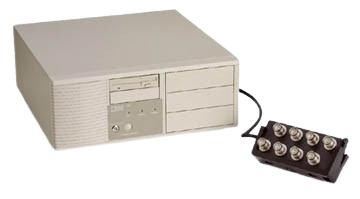
The IBM 5500 Express IP Control Unit brings e-business and other networking capabilities to twinax devices in remote and/or local configurations. Since the introduction of TCP/IP over Twinax, PCs with IBM Express 5250 Adapters and twinax Network Stations (8361-341) have been able to run e-business and networking applications when directly attached to an AS/400 twinax Workstation Controller.
The IBM Remote IP Control Unit enables the same TCP/IP applications over twinax for devices remote from the AS/400 and/or attached to AS/400s not configured for TCP/IP over Twinax.
Features and Benefits
Enables e-business networks while still using twinax
Expands connectivity options with either token ring or Ethernet
Allows easy migration from SNA to IP
5853 2400 bps Modem
I was not yet able to find anything archived for this. :(
6299 Hub for Midrange Systems
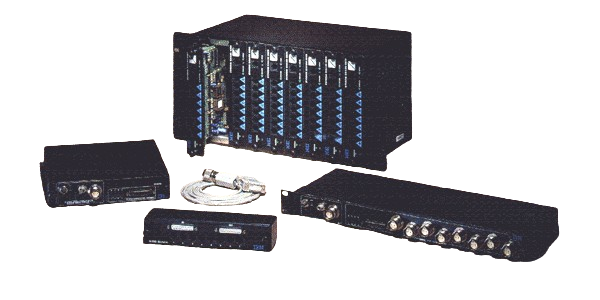
6299 Hub for Midrange Systems
UTP Hubs Make Twinax a Star!
The IBM 6299 Hub for Midrange Systems is a family of networking hubs for connecting 5250-type devices (such as personal computers with 5250 emulation adapters, twinax-attached printers, and InfoWindow displays) to AS/400, System/36, and System/38 hosts. The 6299 hubs use low-cost, unshielded twisted-pair (UTP) wiring and can convert a mid-range twinax cabling topology from "daisy chain" to a highly flexible, expandable "star" topology.
The 6299 Hub for Midrange Systems family consists of a single-, dual-, and nine-slot chassis (Models 100, 200, and 900, respectively) and supports three different installable modules:
Device Communications Module
- Provides a highly flexible, fault-tolerant solution for attaching 5250-type devices to IBM mid-range hosts using low-cost UTP cabling.
- Features advanced repeater-per-port technology that reduces noise and eliminates jitter
- Supports module "hot swap" permitting online component exchange.
- Includes enhanced diagnostics that monitor host and device channels, providing rapid evaluation of transmission problems.
- Is available in modular RJ45 or RJ11 connections in five standard pin/pair assignments
- Supports an optional redundant power supply (in Model 900 only).
Host Port Multiplexer
- Multiplexes up to eight host ports onto a single UTP, twinax, or duplex fiber optic cable link.
- Connects mid-range hosts to remote sites using minimal cabling.
- Supports distances up to 6,600 feet over a single cable.
- Can also be ordered separately as Model 8TC. providing rapid evaluation of transmission problems.
UTP Distribution Block
- Creates eight UTP host port connections from a single workstation controller DB25 cable.
- Is available in modular RF45 or RJ11 connections in five standard pin/pair assignments.
- Installs in 6299 Models 200 and 900 only - can also be ordered separately as Model 8DB.
6611 Nways Network Processor
IBM NWAYS/6611 Configuration Programs
To download the desired version of the configuration program, select one of the highlighted items in the list below. There are two ways you can download the configuration program files.
- AIX Runtime: Files in this directory are for running on AIX hosts. Download these files on an AIX host and run the program.
- Diskettes: Files in this directory are the diskette images in PKZIP format. Download these files to create diskettes (PKUNZIP) to install on DOS/Windows, OS/2 or AIX hosts.
6611 Configuration Program(s)
1.3.0.0
- PTF NP00375
- Diskette Images: ftp://204.146.167.70/pub/config/6611/1.3.0.0/ptf375/diskettes
- AIX Runtime: ftp://204.146.167.70/pub/config/6611/1.3.0.0/ptf375/runtime
- PTF NP00688
- Diskette Images: ftp://204.146.167.70/pub/config/6611/1.3.0.0/ptf688/diskettes
- AIX Runtime: ftp://204.146.167.70/pub/config/6611/1.3.0.0/ptf688/runtime
1.4.0.0
- GA
- Diskette Images: ftp://204.146.167.70/pub/config/6611/1.4.0.0/GA/diskettes
- AIX Runtime: ftp://204.146.167.70/pub/config/6611/1.4.0.0/GA/runtime
- PTF NP00667
- Diskette Images: ftp://204.146.167.70/pub/config/6611/1.4.0.0/ptf667/diskettes
- AIX Runtime: ftp://204.146.167.70/pub/config/6611/1.4.0.0/ptf667/runtime
- PTF NP00668
- Diskette Images: ftp://204.146.167.70/pub/config/6611/1.4.0.0/ptf668/diskettes
- AIX Runtime: ftp://204.146.167.70/pub/config/6611/1.4.0.0/ptf668/runtime
IBM NWAYS/6611 MPNP Service Tips
6611 PD Guide
The 6611 Problem Determination Guide is available in HTML format. There is also a postscript version of the same document.
Rationale for Changing the PTF/EPTF Process
The rationale for changing the PTF/EPTF process is documentmented in the MPNP 6611 APAR Resolution Process document.
Development PTFs (EPTFs)
Development PTFs are interim fixes which address a few specific problems. They are developed for a specific customer problem, but they can be made available to other customers as needed. Development PTFs are available from the 6611FTP server. It is strongly recommended that customers do not apply these PTFs without prior direction from IBM Service.
Here are the Development PTF (EPTFs) directories:
- V1R2 Development PTFs (EPTFs): ftp://nways.raleigh.ibm.com/pub/ptf/120/
- V1R3 Development PTFs (EPTFs): ftp://nways.raleigh.ibm.com/pub/ptf/v1r3/
PSP Bucket
The Preventative Service Plan Tips are copied here.
- V1R2 PSP Bucket: ftp://nways.raleigh.ibm.com/pub/service/psp/v1r2.psp
- V1R3 PSP Bucket: ftp://nways.raleigh.ibm.com/pub/ptf/v1r3/
6611 CE Toolkit Tapes
The 6611 MPNP CE Toolkit Restore Tapes contain self-booting releases of the Multiprotocol Network Program. The tapes are intended for use with the 6611 CE Toolkit for purposes of restoring the 6611 Models 120, 125, 140, 145, 170 and 175 harddisk contents.
CE Toolkit Tapes are available to IBM Service Representatives and are orderable through ISMD Boulder.
- CE Tape Content: ftp://nways.raleigh.ibm.com/pub/service/cetapes
7299 Express Hubs and Multiplexer
7858 Professional Modem
The IBM 7858 model 336 is a standalone modem with LPDA support for environments which require centralized management from a NetView console. It provides flexible operations in both synchronous and asynchronous mode, over switched and leased telecommunications lines. The modem features enhanced system security, including password protection and call-back compatibility with a wide range of ITU standards.
This modem meets the demand of today's business environment for reliable high-throughput telecommunications. It provides flexible operations in both synchronous and asynchronous mode, over switched and leased telecommunications lines. Ease of use, interoperability and security are foremost in its design and IBM build quality is your guarantee of reliability.
Primed for today's business environment, it features enhanced system security including password protection and call-back, compatibility with a wide range of ITU standards, and flexible set up and management options tion of adjustable factory preset configurations make installation and operation even easier.
Features and Benefits: Flexible operations in both synchronous and asynchronous mode. Compatibility with a wide range of ITU standards. Automatic adaptation to changes in network environment High-throughput telecommunications over switched and leased lines. Flexible setup, operation and management. Enhanced system security
Highlights
The IBM 7858 Professional Modem operate in duplex mode at line speeds of up to 33.6 Kbps over switched and 2-wire or 4-wire leased lines. It allows your data terminal equipment (DTE) to communicate with other DTEs in synchronous or asynchronous protocol at up to 33.6 Kbps.
Standards Compliance
Digital Interface standards
- ITU V.24
- ITU V.28
Modulation Mode standards
- ITU V.21
- ITU V.22 alternative A/B with V.25 autoanswer
- ITU V.22bis / V.23
- ITU V.32
- ITU V.32bis and V34
Others
- ITU V.14 Async/Sync conversion with overspeed range selection
- ITU V.42 Asynchronous error checking
- ITU V.42bis data compression compatible with MNP class 5
- ITU V.54 loop testing capabilities
- ITU AT and ITU V.25bis Automatic Calling Interfaces
- IBM LPDA-2 command set for network management
- Fax support Group 3 Class 1 ITU V.29, V.27TER, V.17
Modem Control
Each 7858 modem can be controlled and configured from the front panel, from a DTE using AT commands, or NetView using LPDA commands. The following command sets are available:
- Hayes Attention (AT) command set.
- ITU V.25bis asynchronous command set.
- ITU V.25bis synchronous command set.
- IBM's Link Problem Determination Aid (LPDA) commands
The modem can be configured to operate in one of the following basic modes:
Asynchronous Mode:
- AT Command Mode / Hayes Autosynch
- Asynchronous V.25bis Command Mode.
- Dumb Mode. (The modem does not accept any command from the DTE).
Synchronous Mode:
- Asynchronous Command Mode and Synchronous Data Mode.
- Synchronous Command Mode and Synchronous Data Mode.
- Synchronous V.25bis Command Mode.
- LPDA-2 Mode.
Adaptation to Network environment
- Auto-mode. Is the 7858 modem capability to select automatically, at connection set up, the modulation scheme (V.34, V.32Bis, V.32, etc) compatible with the remote modem capabilities.
- Adaptive line rate facility. Is the capability to automatically decrease or increase the transmission speed, if telecommunication line conditions degrade or improve, in order to always achieve the highest performance compatible with the line quality, and according to the transmission protocol negotiated at connection set up.
- Switched Netywork Back Up (SNBU). Is the capability to establish a switched connection when a leased line is down, and to resume, after time out, leased line operation if the leased line is again operational.
- Leased line monitoring: after time out, depending on the modem configuration, one of the following may happen: the active SNBU line is released and the modem switches back to leased line. If the leased line is still down then a new SNBU call is set up. -- or the modem switches back to the leased line operation without releasing the SNBU line. If the leased line communication is operational for one minute, then the SNBU line is released; otherwise the communication is resumed through the SNBU line.
The IBM 7858 modem incorporates:
- ITU V.42 error checking compatible with the Microcom Networking Protocol (MNP) class 4 service. With error checking, the data integrity in asynchronous operation is as good as typical synchronous protocols.
- ITU V.42bis data compression and compatible with Microcom Networking Protocol (MNP) class 5 service.
- Asynchronous speed buffering which allows the DTE speed to remain constant while the modem-to-modem line speed may change from call to call. The DTE speed may be 115.2 Kbps while the line speed may be only 33.6 Kbps.
Other Features
Supported line speeds
The 7858 modems operates on switched and 2- and 4-wire leased lines. The supported line speeds are listed in table 1 here after:
Table 1. Line speeds (Kbps)
  -------------------------------
    Modulation  |  Modem Data Rate
                |
  -------------------------------
      V34       |  33.6 ->2.4
      V32Bis    |  14.4-> 4.8
      V32Trellis|  9.6
      V32       |  9.6,4.8
      V22Bis    |  2.4,1.2
      V23       |  1200/75
      V22       |  1.2
      V21       |  .3
    Fax Group3  |
      V29       |  9.6,7.2
      V27Ter    |  4.8,2.4
      V17       |  14.4->7.2
Supported DTE speeds:
Table 2 lists the DTE speeds supported based on the DTE type.
Table 2: Modem supported DTE speeds
-----------------------------------------
Speeds (Kbps) | Synchronous |Asynchronous
              |     DTE     |     DTE
-----------------------------------------
  115.2       |    NO       |    NO(1)
   57.6       |    NO       |    NO(1)
   38.4       |    NO       |    NO(1)
   33.6       |    YES      |    NO
   31.2       |    YES      |    NO
   28.8       |    YES      |    NO
   26.4       |    YES      |    NO
   24         |    YES      |    NO
   21.6       |    YES      |    NO
   19.2       |    YES      |    YES
   16.8       |    YES      |    NO
   14.4       |    YES      |    YES
   12.0       |    YES      |    NO
   9.6        |    YES      |    YES
   7.2        |    YES      |    YES
   4.8        |    YES      |    YES
   2.4        |    YES      |    YES
   1.2        |    YES      |    YES
   .3         |    NO       |    YES
Note 1: In Direct Mode ie when data Buffering and Error Control with or without modem compression are disabled.
Directory services.
Up to twenty different telephone numbers can be defined and stored in the 7858 modem in Hayes AT Mode, 12 in V25BIS Mode . A telephone number may be associated to a configuration; this results in an automatic configuration activation when its associated telephone number is dialed. Several dial numbers may be linked. When the first dialed number is detected busy the next number is dialed automatically.
Factory Preset and user Configurations.
Ten different configurations are preset in the modem. The user can select any of these configurations, modify it and store it as a user configuration.
Automatic Dialing
Data transmission over the public switched network is initiated after a communication path is established. Automatic calls can be initiated by the DTE via the V.24/V.28 interface. Auto-call on the public switched network is feasible using one of the following commands:
- The Hayes Attention (AT) command set.
- The ITU V.25bis command set.
- The IBM LPDA-2 call-out and disconnect commands
In call-originate mode, the 7858 modem automatically selects operation to match the remote modem.
Operator Panel
The Operator Panel contains four keys , five green lights and a display for status monitoring.
The following operations can be controlled from the Operator Panel, a DTE or from NetView.
- Machine information display.
- Manual operations.
- Modem configuration.
- Line Quality Indicators
All displayed messages are in English language.
Security feature
- Password. The 7858 can be password protected to disable configuration changes, or to reject incoming calls associating password protection to stored telephone numbers .
- Call-Back. Is the possibility to link a procedure to stored telephone numbers. In this way, depending on its configuration set up, a modem receiving a call can disconnect either immediately after the answer tone is sent, or after password checking, and call back a number, pre-stored or provided by the calling party.
NetView support
IBM 7858 can be managed from a centralized NetView console through LPDA-2 commands.
Diagnostics
The 7858 modem provides the following diagnostic facilities:
- Power-on Self Test.
- ITU V.54 loop tests can be invoked from the modem front panel or an attached DTE: Local analog test loop (ITU loop 3), including self-test facility. Digital test loop (ITU loop 2). Remote controlled digital test loop (ITU loop 2), including self-test facility.
8210 Nways Multiprotocol Switch Services (MSS) Server
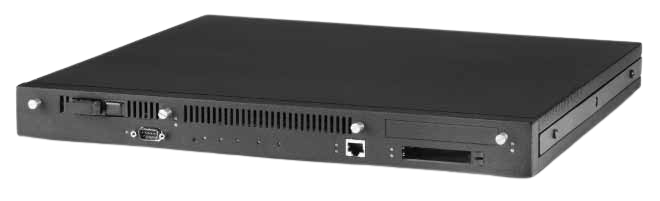
- IBM 8210 Nways Multiprotocol Switched Services (MSS) Server (G224-4506-04)
- IBM 8210 Multiprotocol Switched Services (MSS) Server
- Advantages of Multiprotocol Switched Services
IBM Offers Free Its Networking Software to Speed Up System Performance
Alteon Gigabit Ethernet Adapters Are First Implementation
IBM will license its award-winning Multiprotocol Switched Services (MSS) client to adapter manufacturers for free. The Alteon Networks Corporation will be the first licensee and will use the IBM-developed technology in its Gigabit Ethernet adapter cards. Customers will realize faster connections from the desktop to servers, intranets or the Internet. Also, by incorporating the MSS client on Network Interface Cards (NIC's), the cost of ownership as well as network latency can be reduced.
The MSS client is available now to adapter manufacturers and will be licensed royalty free. IBM will also provide the code and technical support free for the first year to help manufacturers with product development and deployment.
Alteon Networks Corp. Named First Licensee
Alteon will incorporate the MSS client code in its line of Gigabit Ethernet adapters for switched connections to IBM-based networks. Alteon will demonstrate how its adapters operate with IBM networking products at Alteon's booth at the NetWorld+Interop trade show in Las Vegas, May 5-9.
IBM and Alteon have already successfully tested the use of Alteon's adapter in IBM's PC Server 330 and IBM's RS/6000.
MSS Client
The MSS client is a set of services for ATM-based networks that resides on the adapter card and allows data to be switched through a network for faster data transfer, which is called cut through or zero hop routing. Packets of data transfer seamlessly through the network unlike networks which require hops at each router. For networks that have the corresponding MSS server installed, data is switched from end to end.
MSS has been available from IBM since its introduction in September, 1996. MSS is an award-winning technology (NetWold+Interop "Grand Winner" in Atlanta '96 and Interop Paris '96) which helps migrate networks to state-of-the-art technology with multiple protocols. MSS is a key component in IBM's Switched Virtual Networking architecture of having switching at the core of the network and routers at the edge of the infrastructure.
Reduced costs
This licensing agreement offers customers significant cost advantages. By using a switched-based network, the hardware cost can be limited both in the purchase price and the cost of ownership.
With MSS, networks do not require bigger and more expensive routers to increase performance. A network switch that has routing functions, such as the IBM 8260 Nways Campus backbone device or the standalone 8210 MSS Server, is often priced at half the cost of a comparable router. IBM's MSS technology is available both in the 8210 server and as a module that can be incorporated into the 8260. Additional MSS information can be obtained at www.networking.ibm.com/820/820prod.html.
Network migration costs are also smaller because MSS allows for Gigabit and ATM technology to reside on the network without forklift upgrades to the infrastructure. This migration and coexistence capability has been one of the leading cost justification advantages of IBM's MSS.
Additional savings for installed networks can also be realized now that non-ATM-based adapters (such as Token Ring, Fast Ethernet and FDDI) can coexist with an network with an ATM backbone.
IBM Networking Hardware Division
The IBM Networking Hardware Division (NHD) develops and manufactures industry- leading networking technologies and products, providing global end-to-end solutions, for Token-Ring, Ethernet, ATM, IP and SNA networks. Headquartered in Research Triangle Park, ND, IBM NHD also provides consultation, education, service and support worldwide to help customers achieve their business objectives. Information on IBM NHD can be found at www.networking.ibm.com.
8222 Ethernet Workgroup Hubs
Price and Availability Date Summary Fact Sheet for Campus Products Announced 11 March 1997
Large office, small office, home office or no office-let us bring your users together
| Item | Part Number/ Machine Type | Model / Feature | Price (US $) | Availability |
|---|---|---|---|---|
| Multiprotocol Switched Services | ||||
| Nways Multiprotocl Switched Services Server | 8210 | 001 | $9590 | 4/97 |
| Dual Ring FDDI Fiber Adapter | 8210 | 4001 | $2895 | 4/97 |
| 8260 Multiprotocol Switching Hub | ||||
| High-End T-MAC (HTMAC) Card | 10J2246 | 8925 | $3395 | 1/97 |
| HTMAC 8-MB Memory Option | 10J2247 | 8988 | $350 | 1/97 |
| HTMAC 16-MB Memory Option | 10J2248 | 8996 | $650 | 2/97 |
| 1-port 155-Mbps MMF I/O Card | 10J2184 | 8510 | $1700 | 1/97 |
| 1-port E3 I/O Card (Italy) | 10J2119 | 8501 | $3995 | Available |
| 1-port E3 I/O Card (Germany) | 10J2120 | 8501 | $3995 | Available |
| 1-port E3 I/O Card (Netherlands) | 10J2122 | 8501 | $3995 | Available |
| 1-port E3 I/O Card (Australia) | 10J2118 | 8501 | $3995 | Available |
| 1-port E3 I/O Card (Israel) | 10J2194 | 8501 | $3995 | Available |
| 1-port E3 I/O Card (Belgium) | 10J2121 | 8501 | $3995 | Available |
| ATM WAN Module | 10J2091 | 5602 | $6200 | 4/97 |
| 4-port E1/T1/J1 I/O Card (No homologation) | 10J2317 | 8507 | $8850 | 4/97 |
| 4-port E1/T1/J1 I/O Card (CE Mark countries) | 10J2138 | 8507 | $8850 | 4/97 |
| 4-port E1/T1/J1 I/O Card (Switzerland) | 10J2146 | 8507 | $8850 | 4/97 |
| 4-port E1/T1/J1 I/O Card (UK) | 10J2159 | 8507 | $8850 | 4/97 |
| 4-port E1/T1/J1 I/O Card (Italy) | 10J2186 | 8507 | $8850 | 4/97 |
| ATM 622-Mbps MMF Module | 10J2263 | 5101 | $13500 | 6/97 |
| ATM 622-Mbps SMF Module | 10J2264 | 5201 | $15 000 | 6/97 |
| ATM Control Point Version 3 (PNNI-1) for the 8260 | 10J2494 | 5511 | $2950 | 3/97 |
| ATM Control Point Version 3 (PNNI-1) for the 8285 | 10J2458 | 5509 | $2950 | 4/97 |
| Packet Channel/ATM Switching Module | 29H4368 | 7302 | $11 020 | 6/97 |
| ATM 1-port 155-Mbps MMF I/O Card | 29H4370 | 8955 | $1100 | 6/97 |
| LAN Access Switching Module | 94H9840 | 7016 | $12 070 | 6/97 |
| Nways LAN Switches | ||||
| 8276 Nways Ethernet RoutePort Model 360 | 86H0300/8276 | 360 | $3600 | 7/97 |
| 8276 Nways Ethernet RoutePort Model 361 | 86H0301/8276 | 361 | $4050 | 7/97 |
| 8276 Nways Ethernet RoutePort Model 362 | 86H0302/8276 | 362 | $4500 | 7/97 |
| 8276 Nways Ethernet RoutePort Model 363 | 86H0303/8276 | 363 | $5050 | 7/97 |
| 8276 Nways Ethernet RoutePort Model 364 | 86H0304/8276 | 364 | $6500 | 7/97 |
| 8276 Nways Ethernet RoutePort Model 365 | 86H0305/8276 | 365 | $5500 | 7/97 |
| Nways RouteSwitch/RoutePort User's Guide | 85H0291/8276 | 8004 | $100 | 7/97 |
| 8273 Model 10U 10BASE-T Adapter Board | 8273 | 7114 | $250 | Available |
| 8273 DS3-1 Submodule | 8273 | 7124 | $4000 | Available |
| 8273 E3-1 Submodule | 8273 | 8721 | $4000 | Available |
| 8273 100BASE-T Submodule | 8273 | 7123 | $2950 | Available |
| 8273 100BASE-FX SMF Submodule | 8273 | 7122 | $2950 | Available |
| 8273 100BASE-FX MMF Submodule | 8273 | 7121 | $950 | Available |
| 8273 100BASE-TX Submodule | 8273 | 7120 | $500 | Available |
| 8273 Model 10E 2-port Frame Relay Module | 8273 | 0596 | $1750 | 7/97 |
| 8273 Model 10E 4-port Frame Relay Module | 8273 | 0597 | $3000 | 7/97 |
| 8274 Model W53 | 8274 | W53 | $5250 | 6/97 |
| 8274 Model W93 | 8274 | W93 | $7950 | 6/97 |
| 8274 Models 500, 513, 548, 900 and 913 Management Processor Module (MPM-1G) | 8274 | 0586 | $3500 | 6/97 |
| 8274 Models W53 and W93 Management Processor Module (MPM-1G) | 8274 | 0587 | $3500 | 6/97 |
| 8274 Harware Routing Engine (HRE) | 8274 | 0588 | $12 500 | 7/97 |
| 8274 FDDI Switching Module (1-port, SMF, 1024 CAM) | 8274 | 0583 | $11 950 | 7/97 |
| 8274 FDDI Switching Module (1-port, SMF, 2048 CAM) | 8274 | 0582 | $12 300 | 7/97 |
| 8274 FDDI Switching Module (2-port, SMF, 1024 CAM) | 8274 | 0585 | $18 950 | 7/97 |
| 8274 FDDI Switching Module (2-port, SMF, 2048 CAM) | 8274 | 0584 | $19 300 | 7/97 |
| 8274 FDDI Switching Module (1-port, DAS, MMF, 1024 CAM) | 8274 | 7055 | $7950 | Available |
| 8274 FDDI Switching Module (1-port, DAS, MMF, 2048 CAM) | 8274 | 6893 | $8300 | Available |
| 8274 FDDI Switching Module (2-port, DAS, MMF, 1024 CAM) | 8274 | 7056 | $10 950 | Available |
| 8274 FDDI Switching Module (2-port, DAS, MMF, 2048 CAM) | 8274 | 6894 | $11 300 | Available |
| 8274 CDDI Switching Module (4-port, UTP, 1024 CAM) | 8274 | 7057 | $7950 | Available |
| 8274 CDDI Switching Module (4-port, UTP, 2048 CAM) | 8724 | 7075 | $8300 | Available |
| 8274 CDDI Switching Module (8-port, UTP, 1024 CAM) | 8274 | 7058 | $10 950 | Available |
| 8274 CDDI Switching Module (8-port, UTP 2048 CAM) | 8274 | 7026 | $11 300 | Available |
| 8274 FDDI Switching Module (1-port MMF, 4-port CDDI, 1024 CAM) | 8274 | 7028 | $10 950 | Available |
| 8274 FDDI Switching Module (1-port MMF, 4-port CDDI, 2048 CAM) | 8274 | 6895 | $11 300 | Available |
| 8274 FDDI Switching Module (1-port DAS, SMF, 1024 CAM) | 8274 | 7060 | $10 950 | Available |
| 8274 FDDI Switching Module (1-port DAS, SMF, 2048 CAM) | 8274 | 6896 | $11 300 | Available |
| 8274 FDDI Switching Module (2-port DAS, SMF, 1024 CAM) | 8274 | 7061 | $16 950 | Available |
| 8274 FDDI Switching Module (2-port DAS, SMF, 2048 CAM) | 8274 | 6897 | $17 300 | Available |
| 8274 Token-Ring Switching Module (6-port, fiber ST, 1024 CAM) | 8274 | 7089 | $10 950 | Available |
| 8274 Token-Ring Switching Module (6-port, fiber ST, 2048 CAM) | 8274 | 6875 | $11 300 | Available |
| 8274 Token-Ring Switching Module (6-port, UTP/STP, 1024 CAM) | 8274 | 7088 | $8850 | Available |
| 8274 Token-Ring Switching Module (6-port, UTP/STP, 2048 CAM) | 8274 | 6876 | $9200 | Available |
| 8274 Ethernet 10BASE-T Switching Module (12-port, RJ-45, 1024 CAM) | 8274 | 7108 | $5450 | Available |
| 8274 Ethernet 10BASE-T Switching Module (12-port, RJ-45, 2048 CAM) | 8274 | 6863 | $5800 | Available |
| 8274 Ethernet 10BASE-T Switching Module (12-port, Telco, 1024 CAM) | 8274 | 7107 | $3950 | Available |
| 8274 Ethernet 10BASE-T Switching Module (12-port, Telco, 2048 CAM) | 8274 | 6864 | $4300 | Available |
| 8274 Ethernet 10BASE-FL Switching Module (8-port, ST, 1024 CAM) | 8274 | 7106 | $6950 | Available |
| 8274 Ethernet 10BASE-FL Switching Module (8-port, ST, 2048 CAM) | 8274 | 6866 | $7300 | Available |
| 8274 Ethernet Universal Switching Module (1024 CAM) | 8274 | 7105 | $3950 | Available |
| 8274 Ethernet Universal Switching Module (2048 CAM) | 8274 | 6865 | $4300 | Available |
| 8274 Ethernet 10BASE-T Adapter Board (2-port, AUI) | 8274 | 7104 | $450 | Available |
| 8274 Ethernet 10BASE-FL Adapter Board (MMF) | 8274 | 7103 | $450 | Available |
| 8274 Ethernet 10BASE-FL Adapter Board (SMF) | 8274 | 7102 | $1450 | Available |
| 8274 Ethernet 10BASE-T Adapter Board (RJ-45) | 8274 | 7101 | $250 | Available |
| 8274 Ethernet 10BASE2 Adapter Board (BNC) | 8274 | 7100 | $250 | Available |
| 8274 Ethernet AUI Full-Duplex Adapter Board | 8274 | 7099 | $450 | Available |
| 8274 Fast Ethernet Switching Module (1-port, FDX, RJ-45, 1024 CAM) | 8274 | 7096 | $3950 | Available |
| 8274 Fast Ethernet Switching Module (1-port, FDX, RJ-45, 2048 CAM) | 8274 | 6869 | $4300 | Available |
| 8274 Fast Ethernet Switching Module (2-port, FDX, RJ-45, 1024 CAM) | 8274 | 7095 | $4450 | Available |
| 8274 Fast Ethernet Switching Module (2-port, FDX, RJ-45, 2048 CAM) | 8274 | 6870 | $4800 | Available |
| 8274 Fast Ethernet Switching Module (1-port, FDX, MMF, 1024 CAM) | 8274 | 7094 | $4400 | Available |
| 8274 Fast Ethernet Switching Module (1-port, FDX, MMF, 2048 CAM) | 8274 | 6871 | $4750 | Available |
| 8274 Fast Ethernet Switching Module (2-port, FDX, MMF, 1024 CAM) | 8274 | 7093 | $5350 | Available |
| 8274 Fast Ethernet Switching Module (2-port, FDX, MMF, 2048 CAM) | 8274 | 6872 | $5700 | Available |
| 8274 Fast Ethernet Switching Module (1-port, FDX, SMF, 1024 CAM) | 8274 | 7092 | $6400 | Available |
| 8274 Fast Ethernet Switching Module (1-port, FDX, SMF, 2048 CAM) | 8274 | 6873 | $6750 | Available |
| 8274 Fast Ethernet Switching Module (100BASE-TX, 4-port, RJ-45, 1024 CAM | 8274 | ... | ... | ... |
Table 1. Part Numbers, Prices, Availability
8223 Fast Ethernet Workgroup Hub
IBM 8223 Fast Ethernet Workgroup Hub
Cost-effective relief for bandwidth bottlenecks
Highlights
Provides a simple, cost-effective solution to bandwidth bottlenecks in Ethernet LANs today
Offers eight 100BASE-TX ports for connecting stations, with an alternate MDI 100BASE-TX port for port 8
Meets IEEE 802.3u Class II requirements; allows you to connect (cascade) two hubs with straight-through cables
Provides a comprehensive LED display
Includes EtherWatch performance indicators to communicate port, hub, and network status
Ease of installation and use
The 8223 is designed as a customer set-up product, with no configuration required.
It is ready to run with all network operating systems and protocol stacks, so there is no special software to load and there are no DIP switches to be set.
Simply plug RJ-45 cables into the ports, connect the power to the 8223, and it's up and running.
Once the 8223 is installed, the status and activity indicators on the front panel display the status of the hub and its ports at all times. The 8223 also includes the EtherWatch network monitor display. This LED display provides a useful at-a-glance view of network performance. It displays both network utilization and collision rates.
Excessive collision and jabber protection
The 8223 is designed to disable any of the 100BASE-TX ports if the port has been involved in more than 60 consecutive collisions or if the port is jabbering. The port is re-enabled when a collision-free transmission is received from the device connected to it or when the jabber condition clears.
Room for growth
The 8223 meets the requirements of the IEEE 802.3u standard for 100BASE-TX Class II repeaters. Therefore, it can be connected to a second 8223 or to any other IEEE 802.3u-compliant Class II hub.
This allows you to cascade 8223s to form larger networks or to connect to existing networks using 100BASE-TX ports as your workgroup network grows.
For more information
To learn more about the IBM 8223 Fast Ethernet Workgroup Hub and other high-performance IBM communications and networking products, contact your local IBM marketing representative or your local IBM authorized remarketer.
| IBM 8223 Fast Ethernet Workgroup Hub at a glance | |
|---|---|
| Machine type-Model | 8223-008 |
| Part number | 42H4545 |
| LAN ports | Eight Ethernet 100BASE-TX ports |
| Standards compliance | IEEE 802.3u |
| Management | The 8223 is unmanaged |
| Physical specifications Height Width Depth Weight | 43 mm (1.7 in.) 280 mm (11 in.) 185 mm (7.3 in.) 1.8 kg (4 lb) |
| Operating clearances Front Sides Rear | Adequate space for cabling and viewing LEDs 50.8 mm (2 in.) 50.8 mm (2 in.) |
| Power | The internal auto-ranging power supply supports standard voltages throughout the world. The nominal input voltage and frequency ranges are 100 to 240 V ac and 50 to 60 Hz, respectively. |
| Power dissipation (maximum) | 36 watts (123 BTU/hour) |
| Environments | |
| Operating Dry-bulb temperature Relative humidity Maximum wet-bulb temperature | 10° to 40°C (50° to 104°F) 8% to 80% 27°C (81°F) |
| Storage Dry-bulb temperature Relative humidity Maximum wet-bulb temperature | 1° to 60°C (34° to 140°F) 5% to 80% 29°C (84°F) |
| Certifications EMC Safety Quality | FCC Class A VCCI Class 1 CISPR-22 Class B (with shielded media) CE Mark UL 1950, 2nd Edition CAN/CSA-C22.2 No. 950-93 EN 60950 EN 29001/ISO 9001 |
| Supported cable types | 100-ohm category 5 UTP, FTP, ScTP per ANSI/TIA/EIA 568-A or CSA T529 With appropriate impedence-matching devices: category 5 120-ohm FTP, 150-ohm STP per ISO/IEC 11801 |
| Installation | May be placed on a flat surface or mounted on a wall |
| Warranty | One year |
| Publications | IBM 8223 Fast Ethernet Workgroup Hub Installation and Planning Guide |
8224 Ethernet Stackable Hub
8224 Ethernet Stackable Hub
High-performance hub with management features and growth capability
The IBM 8224 Stackable Hub provides a unique combination of high performance, easy expandability and cost-effective management capability for small- and medium-size ethernet LANs. The 8224 enables you to segment your network for higher throughput and also allows you to preserve your present equipment investment because it's compatible with all machines, and all ethernet adapters - whether from IBM or other manufactures.
The 8224 is available in two models: Model 001 is an unmanaged hub that can be managed by a Model 002. The Model 002 is an SNMP management unit that can manage up to nine Model 001s in a stack. Both units have 17 ports, of which 16 are for 10Base-T and the other is a media expansion port for optional connection to 10Base2, 10Base5 or fiber (FOIRL or 10BaseFL) networks. This means you can have up to 160 10Base-T ports on a single stack... and by cascading stacks, you can connect up to 1024 ports.
Highlights
Stackability: The 8224 gives new meaning to the word "stack." For most other stackable hubs, maximum separation between hubs is about two feet. For the 8224, it's 250 feet (76 meters) from the first unit to the last. And the maximum distance from a 10Base-T workstation to a hub is 330 feet (100 meters). This gives you more flexibility in placing workstations and hubs in the network. This also gives you distributed concentration from a single wire to a central point. It all translates into simpler cabling and reduced cost of wire and wiring.
Stacking also gives you an easy way to start small, with an unmanaged stack of Model 001s - and upgrade seamlessly. You can easily add more hubs (they're hot-pluggable). And when you want to add management, simply plug a Model 002 to the stack. It will provide management capability for all the 001s in the stack, thus protecting your earlier investment.
Connectivity: With the 8224 you have three ways to add hubs to keep up with the demands of a growing network:
- Add 8224s to the stack. If they're placed on top of one another, use the 6-inch unshielded twisted pair (UTP) supplied cable to connect 8224s through the hub expansion ports. If they're further apart (up to 250 feet), use a standard category 3 UTP cable
- Cascade through the optional media expansion port using 10Base2, 10Base5 or fiber cabling
- Cascade through a 10Base-T port to connect one 8224 to another. An uplink switch is provided on the 16th port which can be set for cascading. Or, use a crossover cable to cascade through the other 10Base-T ports.
Segmentation: With the 8224, all ports on a hub in the stack have the same collision domain; that is, they're all in the same segment. So you can have as many segments as there are hubs in the stack. But you can also put several hubs in the same segment. That way, you can split the bandwidth among segments, giving each the capacity it needs. For high-traffic networks, you can segment multiple servers or busy workstation in a stack to get higher throughput. At the same time, you improve the performance of the remaining stations on the network by getting high-traffic stations off of their segment.
Best of all, you don't need separate management modules for each segment. A single Model 002 can manage all of the others in the stack, whether they're in the same segment or not, if a bridge or a router is used to connect the segments.
Management: As your networks grow in size, LAN management becomes more of a necessity. With the 8224 Model 002 managed hub, you can pick when and how you want to include management in your stack.
The SNMP agent in the 8224 supports three open Management Information Bases (MIBs): SNMP MIB II, the hub repeater MIB and the Novell Repeater MIB. Any of these MIBs can be managed by most DOS or AIX network management applications, including IBM Netview /6000.
You can provide centralized management of remote sites or branch offices through the 8224's out-of-band support via the Serial Line Internet Protocol (SLIP). With it, you can dial-up the site and receive management information from the 8224. You can also use the phone to utilize the 8224's flash EPROMs for fast and easy field upgrades.
Fault Tolerance: The 8224 makes it easy for you to ensure your system stays up and running in case of trouble. You can have redundant links between 10Base-T port pairs via the IBM 8224 MIB extensions. That way, you can put critical resources like a server on two different ports so it will stay functional if one of the ports should fail. Or, you can have redundant management units in the same stack. If there's a problem with the primary management unit, the backup automatically takes over...no matter where it's located in the stack.
The 8224 provides for automatic disabling (auto-partitioning) of any of its ports connected to a device that generates repeated collisions...and for automatic re-enabling when the condition is cleared. The 8224 also automatically detects and corrects for polarity reversals on cables connected to 10Base-T ports. And if any hub in the stack should fail, the units above and below it continue to operate. The only time the other units are affected is during the few seconds it takes to remove and reconnect the expansion cable to a replacement of to the remaining units on the stack.
The 8224 and the IBM family of hubs
IBM offers a broad spectrum of hubs for enterprises of every size. The 8224 is designed to fit a niche between the 8222 (a single protocol unmanaged 6-port 10Base-T hub for small networks) and 8250 Multiprotocol Intelligent Hubs or the 8260 Multiprotocol Intelligent Switching Hub for large companies with multiple LAN types. Because the 8224 provides for either unmanaged or SNMP-managed stacks, and from 16 to 1024 ports, it's the reliable, expandable solution for small-or medium-sized businesses.
What you get
IBM 8224 Stackable Hubs are packaged with the following:
- 6-inch unshielded twisted pair (UTP) cable
- Cable management bracket
- Rack-mounting bracket
- Installation and User's Guide
Options include:
- AUI Media Expansion Port
- 10Base2 Media Expansion Port
- Fiber Media Expansion Port
For more information or to order
To learn more about 8224 Stackable Hubs and other high-performance IBM communications and networking products, contact your IBM marketing representative or your local IBM authorized remarketer, or call IBM Direct at 1-800-IBM-CALL.
| Machine type | Model 001, PN 73G9750 |
| Model 002, PN 73G9760 | |
| Product description | Model 001: unmanaged, but manageable by Model 002 |
| Model 002: managed; can provide management capability for up to nine Model 001s | |
| Ports | 17 ports: 16 10Base-T; one optional media expansion port for connection to 10Base2, 10Base5 or fiber (FOIRL or 10BaseFL) IEEE 802.3 network |
| Management | SNMP agent in Model 002 supports SNMP MIB II (RFC 1213), hub repeater MIB (RFC 1516), Novell Repeater MIB and the IBM 8224 MIB extensions; supports SNMP over Internet Protocol (IP) and Internet Packet Exchange (IPX); supports out-of-band |
| Options | AUI Media Expansion Port (PN 73G9730, FC 9730) |
| 10 Base 2 Media Expansion Port (PN 73G9731, FC 9731) | |
| Fiber Media Expansion Port (PN 73G9732, FC 9732) | |
| Physical specifications | Width 17" (440 mm) |
| Depth 10.3" (262 mm) | |
| Height: 1.75" (44.5 mm) | |
| Weight: 6.9 lbs (3.14 kg) | |
| Operating environment | Temperature: Power on, 10 to 40 C (50 to 104 F) Power off, 10 to 52 c) 50 to 125 F) |
| Relative humidity: 8 to 80% | |
| Electrical power: 18 watts (typical); 30 watts (maximum) | |
| Installation | May be placed on flat surface, stacked on top of one another or rack-mounted |
| Warranty | One year |
| Feature | Benefit |
|---|---|
| Upgrade path |
|
| SNMP management |
|
| Automatic error detection/correction |
|
| Hot-pluggability |
|
IBM 8224 Stackable Hub at a glance
8225 Fast Ethernet Stackable Hub
IBM 8225 Fast Ethernet Stackable Hub
The cost-effective solution for increased Ethernet network bandwidth
Highlights
- Significant throughput improvement for conventional Ethernet networks
- Easy migration from your existing Ethernet LAN with minimal network disruption
- A family of manageable, stackable hubs
- Can grow with your traffic and management needs
- Reliable, expandable Fast Ethernet solution for today's small- to medium-sized businesses
With increased network user demand for bandwidth-hungry applications like multimedia, e-mail, screen sharing, and high-resolution graphics, today's conventional Ethernet networks can suffer from bandwidth bottlenecks. There is also a growing need, even among smaller networks, for sophisticated network management options, as LAN utilization and growth continue to become more critical to business success.
The IBM 8225 Fast Ethernet Stackable Hub combines the increased bandwidth of Fast Ethernet with a wide range of management support. Included are models that support basic management or advanced management options. They allow you to apply high-bandwidth solutions while reducing the effort required for network administration.
A new family of manageable,
high-speed Ethernet hubs
The IBM 8225 Fast Ethernet Stackable Hub offers a ten-times throughput improvement over conventional Ethernet networks, without a steep learning curve for end users and network administrators. Featuring a family of manageable, stackable hubs, the 8225 can grow with your traffic and management needs. From small workgroups to larger, enterprise LANs, the 8225 provides a reliable, expandable Fast Ethernet solution for today's small to medium-sized businesses.
The 8225 provides a Fast Ethernet solution for today's demanding network applications. Each stand-alone 8225 provides thirteen ports--twelve 100BASE-TX ports and one modular port for optional Fast Expansion Modules. The twelfth 100BASE-TX port also supports both Medium Dependent Interface (MDI) and Medium Dependent Interface-Crossed (MDI-X) wiring configurations, allowing connection to other devices using standard, straight-through UTP cables. The thirteenth port accepts optional IBM 8225 Fast Expansion Modules that allow easy and flexible expansion over copper and fiber media to 10BASE-T or 100BASE-T networks.
The maximum number of 8225s in a stack is six, for a total of 78 ports. Also, each 8225 can be assigned to one of three, internal, 100-Mbps Fast Ethernet backplanes for effective and flexible bandwidth management.
The 8225 conforms to the IEEE 802.3u Ethernet standard for Class I repeaters, ensuring interoperability with other 100BASE-TX compatible devices, including network interface adapters, switches, routers, and other internetworking equipment. With the 100-Mbps Fast Ethernet performance provided by the 8225, new, high-bandwidth applications can be implemented and used without disrupting your network.
Three models to fit your
requirements
The 8225 is available in three models, with a range of management options and upgrade paths that protect your investment as your networks grow in size and complexity, allowing you to start small and upgrade as demand requires. Start with a single, unmanaged Model 001 manageable hub, with a Fast Expansion Module to interconnect new, high-speed Fast Ethernet stations to existing Ethernet stations. More hubs are easily added, and when Simple Netork Management Protocol (SNMP) or RMON management becomes a requirement, simply upgrade a Model 001 to a Model 002 or 003, or add a Model 002 or 003 to the stack, and you will have management for all the Model 001s in the stack.
Model 001 Manageable Unit: Model 001 provides basic, unmanaged 100BASE-TX connectivity. The Model 001 can be implemented as an unmanaged unit or can be managed by a Model 002 or 003. Without management software, the 8225's comprehensive, front-panel LED display allows network adminstrators to monitor utilization, collision rates, and port status.
Model 002 Basic Management Unit: Model 002 provides the connectivity of Model 001 plus basic SNMP management using standard MIBs.
Model 003 Advanced Management Unit: Model 003 provides the connectivity and SNMP management capabilities of Model 002 plus advanced RMON management (nine groups) for remote monitoring of a single Fast Ethernet segment. Multiple Model 003 units can be included in an 8225 stack to provide simultaneous RMON support of all three backplane segments.
Scalable options and easy
upgrades for cost-effective
evolution
As your network grows, the 8225 provides a variety of flexible scaling options. Using Fast Expansion technology, the 8225 system can be scaled from 12 ports to as many as you need. The modular port with one of the optional Fast Expansion Modules installed supports one of the following standard Fast Ethernet transmission schemes:
- 10BASE-T/100BASE TX with auto-negotiation and MDI and MDI-X port connections
- 100BASE-FX connection
- 100BASE-T4 with MDI and MDI-X port connections
Because the media Fast Expansion Module provides a switched interface, it is able to isolate the local collision domain from the remote LAN, and thus can greatly expand your network topology options. The number of 8225 systems that can be connected between two end stations is limited only by network performance considerations.
Network management made easy
As networks grow in size, management no longer is an option. By offering a sophisticated range of management features, the 8225 lets you determine how and when you implement network managment.
The Model 002 Basic Management Unit supports four open MIBs. These include SNMP MIB II, the hub repeater MIB, the Ethernet MIB, and the Novell Hub MIB. These MIBs can be managed by most network management applications, including IBM Nways Manager. Model 002 can manage up to five Model 001s in a stack.
The Model 003 Advanced Management Unit contains, in addition to the SNMP management features of the Model 002, a remote monitoring device that supports all nine groups of the RMON MIB. It is able to monitor any single Fast Ethernet segment connected to one of the 8225 stack backplanes. RMON MIB groups supported include: Statistics, History, Alarm, Host, Host Top 'N,' Matrix, Filter, Packet Capture, and Event.
Centralized management of remote sites or branch offices can be provided by the 8225's out-of-band support via the Serial Line Internet Protocol (SLIP). Dial-up management of the remote 8225 system and network devices on the remote network is possible through the network management application. It is also possible to remotely download software upgrades, utilizing the 8225's EEPROMs and a dial-up connection. And, because the entire 8225 stack requires only one IP address, it can be managed as a single entity.
A robust and reliable platform
Developed and manufactured in an ISO 9001 certified facility, the 8225 was designed to provide maximum availability under the most demanding network conditions. Up to eighteen pairs of inter-repeater links can be configured to connect the 8225 system to other devices. One link of the pair is active and the other serves as a backup link for improved network reliability. An optional, hot-swappable, redundant power source module can be provided for each unit, to provide a backup power source if the main power supply malfunctions.
To ensure maximum availability of management capability, multiple Model 002 or Model 003 management units can be installed in an 8225 stack. If the primary management unit fails or is taken out of service, the backup management unit automatically takes over with no loss of management function or management data.
| The 8225 Fast Ethernet Stackable Hub at a Glance | ||
| Part numbers | 42H3727 | Model 001-Fast Ethernet Stackable Hub--unmanaged |
| 42H3739 | Model 002-Fast Ethernet Stackable Hub--basic (SNMP) management | |
| 42H4522 | Model 003-Fast Ethernet Stackable Hub--advanced (SNMP and RMON) management | |
| 42H3744 | 10BASE-T/100BASE-TX Fast Expansion Module | |
| 42H3748 | 100BASE-FX Fiber Fast Expansion Module | |
| 42H4527 | 100BASE-T4 Fast Expansion Module | |
| 42H3751 | Pluggable Redundant Power Module | |
| 42H4530 | Basic Management Module Upgrade Kit | |
| 42H4534 | Advanced Management Module Upgrade Kit | |
| 42H3754 | Hub Interconnect Cable | |
| LAN ports | Twelve 100BASE-TX Fast Ethernet station ports; One modular expansion port offering media interface flexibility | |
| Standards compliance | ANSI/IEEE standard 802.3u:1995 | |
| Management | Model 001: | Model 001 is unmanaged. It can be implemented as an unmanaged unit, or it can be managed by a Model 002 or Model 003. It can also be upgraded to an 002 or 003. |
| Model 002: | Model 002 provides basic SNMP management. | |
| Model 003: | Model 003 provides advanced RMON management (nine groups). | |
| Management protocols | Model 002: | SNMP (RFC 1157), Concise MIB (RFC 1212), MIB II (RFC 1213), Traps (RFC 1215), Repeater MIB (RFC 1516), Ethernet MIB (RFC 1643), Telnet (RFC 854-859), SNMP over IPX (RFC 1420), Novell HMI Specifications. |
| Model 003: | All protocols for Model 002, plus RMON (RFC 1757). | |
| Certifications | EMC | FCC Part 15, Subpart B, Class A, VCCI Class 1 ITE, Council Directive 89/36/EEC (EMC); EN55 022 (CE Mark), (CISPR 22:1993), Class A |
| Safety | UL 1950, 2nd Edition, CSA certified (CSA 22.2 No. 950; Second Edition), Council directive 73/23/EEC (Low Voltage Directive); (IEC 950, 2nd Edition), including Amendments 1, 2, and 3 and specific country requirements | |
| Quality | EN 29001/ISO 9001 | |
| Warranty | One year | |
| Publications | GA27-4139 | IBM 8225 Fast Ethernet Stackable Hub Installation and Planning Guide |
Built-in security for intrusion
protection
The 8225 provides instrusion protection at the port level and password protection at the management interface. Intrusion protection is enabled by assigning a preferred-source address to each 8225 repeater port authorized to access the network through that port. If the source address of an incoming packet does not match the preferred-source address for that port, the system can be configured to send an SNMP warning message, or disable the port at the same time. The 8225 is password-protected to out-of-band access and in-band Telnet access.
For more information
The 8225 system is a flexible family of Fast Ethernet Stackable Hubs, providing an easily implemented, cost-effective, and scalable Fast Ethernet solution to the bandwidth bottlenecks of today's heavily utilized, conventional Ethernet LANs. To learn more about the 8225 Fast Ethernet Stackable Hub and other high-performance IBM communications networking products, contact your IBM representative or call IBM Direct at 1-800-IBM-CALL (1-800-426-2255).
You can also obtain information from the IBM Networking Home Page at http://www.raleigh.ibm.com.
| Physical specifications | Width: Depth: Height: Weight: | 440 mm (17 in.) 265 mm (10.4 in.) 65 mm (2.6 in.) 5.8 kg (13 lb) Model 001 6.3 kg (14lb) Model 002 and Model 003 |
| Operating clearances | Front: Sides: Rear: | Adequate space for cabling and viewing LEDs 50.8 mm (2 in.) 305 mm (12 in.) |
| Power | The internal, auto-ranging power supply supports standard voltages throughout the world. The nominal input voltage and frequency ranges are 100 to 240 V ac and 50 to 60 Hz, respectively. An optional, pluggable redundant power module is available. The 8225 power supplies meet IEC 1000-3-2 and JEIDA requirements. | |
| Power dissipation (maximum) | Model 001: Model 002: Model 003: Expansion module adds: | 73 watts (249 BTU/hour) 102 watts (348 BTU/hour) 106 watts (362 BTU/hour) 17 watts (58 BTU/hour) |
| Operating environment | Operating temperature: | 5 to 40C (41 to 104F) |
| Storage temperature: | -25 to 70C (-13 to 158F) | |
| Operating humidity: | 85% maximum relative humidity | |
| Supported cable types | 100-ohm category 5 UTP, FTP, ScTP per ANSI/TIA/EIA 568-A or CSA T529 IBM Cabling System types 1, 6, or 9 150-ohm STP or STP-A cable With appropriate impedence-matching devices: Category 5, 120-ohm FTP, 150-ohm STP cables as specified in the ISO/IEC 11801 standard | |
| Installation | On a flat surface or rack-mounted. Rack mounting brackets are included with the 8225. |
8226 Token Ring RJ45 Connection Model 001
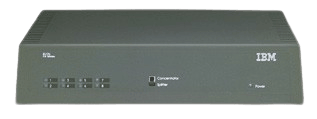
More information in the main article: IBM 8226 Token Ring RJ45 Connection Model 001
The IBM 8226 Multistation Access Unit is a simple, unmanaged workgroup hub for Token-Ring LANs targeted at small workgroup LANs that use twisted-pair wiring and RJ-45 connectors. It is an ideal solution for first-time users in a small office because of its ease of use. There are no installation or configuration procedures to run.
Features and Benefits
Large network features: Attachments for up to 8 devices in a single ring. Attachments for up to 80 devices in a single ring, using Ring-In/Ring-Out connectors on up to ten 8226s. Features a splitter function, using a single port to connect up to eight devices. Automatically configures the token-ring network when devices are added or removed. Fully interoperable with products that comply with IEEE 802.5 standards.
Small network simplicity: Installation as simple as plugging in the cables. Compact design is convenient for tabletop, shelf, rack, or wall mounting. Auto-ranging power supply automatically adjusts to the correct voltage. Status LEDs and ports are located on the front panel for stacking and easy accessibility. Internal power supply eliminates bulky external transformers.
- Add 8224s to the stack. If they're placed on top of one another, use the 6-inch unshielded twisted pair (UTP) supplied cable to connect 8224s through the hub expansion ports. If they're further apart (up to 250 feet), use a standard category 3 UTP cable
- Cascade through the optional media expansion port using 10Base2, 10Base5 or fiber cabling
- Cascade through a 10Base-T port to connect one 8224 to another. An uplink switch is provided on the 16th port which can be set for cascading. Or, use a crossover cable to cascade through the other 10Base-T ports.
8228 Multistation Access Unit
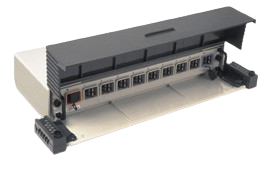
More information in the main article: IBM 8228 Token Ring Hub
IBM's 8228 Multistation Access Unit provides attachment for up to eight devices to a Token-Ring Local Area Network (LAN) operating at either 4 or 16Mbps accordingly. Using IBM Cabling System Connectors, cables from the attaching device are simply plugged into the unit. The Token-Ring Hub will detect the presence of a signal for each of the eight connections and will configure the ring.
Features and Benefits
Growth options: Up to thirty-two 8228s can be joined together using the RI/RO ports. Ease of use: Devices are simply plugged in to form a network. The 8228 will detect the presence of a signal for each of the eight connections and will configure the ring. Space-saving: Fits in a 19-inch rack or on a shelf, or is wall-mountable.
8230 Token Ring Network Controlled Access Unit

More information in the main article: IBM 8230 Controlled Access Unit Information and Software
The IBM 8230 Controlled Access Unit Models 003, 013, and 213 are intelligent, Token-Ring workgroup concentrators that provide flexible connectivity for anywhere from 2 to 92 devices (operating at 4 or 16 Mbps) on a token-ring network. The IBM 8230 Controlled Access Unit Models 04A and 04P are suitable for a variety of environments in which low-end token-ring concentration is required.
8229 Bridge
Note: I am not aware of the IBM networking ftp being archived, so the below downloads are unlinked and lost (unless someone did, which again, I am not aware of at the moment).
IBM Bridge Driver Images
Diskette image files with an EXE extension are self-extracting. You can create the diskette by executing the command and referencing a blank formatted diskette in a drive such as A:, for example "FILENAME A:". If a diskette image file has a DSK extension you must use the LOADDSKF utility to expand it to a diskette. Use an archiving tool such as PKUNZIP for files with a ZIP extension.
8281 ATM Bridge
- ATM 8281 Bridge Configuration Utility (Configurator) Diskette | IBM Proprietary - For stand-alone bridge only | [8281C.EXE | Version 1.9 | 5-16-96 | 1,018,143 bytes]
- ATM 8281 Bridge Operational Code and MIB Diskette | IBM Proprietary - For stand-alone bridge only | [8281O.EXE | Version 1.16 | 9-19-96 | 695,098 bytes]
- ATM 8281 Bridge Configuration Utility (Configurator) Diskette | ATM Forum Compliant - For stand-alone bridge only | [8281CFC.EXE | Version 2.2 | 1-13-97 | 1,000,021 bytes]
- ATM 8281 Bridge Operational Code and MIB Diskette | ATM Forum Compliant - For stand-alone bridge only | [8281OFC.EXE | Version 2.4 | 6-2-97 | 1,236,291 bytes]
LANStreamer Bridge
- LANStreamer Bridge 1.11 PTF IP20122 | [BRLS111.EXE ]
Bridge 1.0
- Local Bridge 1.0 patches to resolve maximum frame size problem | [BRL_FIX.ZIP ] | Remote Bridge 1.0 PTF IP20251
- Updates to Remote Bridge 1.0 and Bridge 2.24 | [BRR102.EXE ]
Bridge 2.24
- Bridge 2.24 Local PTF UR41073 | [BR224L.EXE ]
8229 Bridge
- 8229 Operational Software Diskette | [8229V22.EXE | Version 2.2 | 4-21-97 | 1,097,967 bytes]
8209 Bridge
- 8209 Maintenance Facility for DOS - 720k Diskette Image | [8209UDOS.EXE ]
- 8209 Maintenance Facility for OS/2 - 720K Diskette Image | [8209UOS2.EXE ]
RouteXpander
- Routexpander Version 2.04 PTF IP20456 | ZIP file contains 3 diskette images | [RX204.ZIP ]
- X.25 Xpander/2 Patched file | [AXPX25.EXE Patched module | 4-29-96 | 4-29-96]
8235 DIALs Server
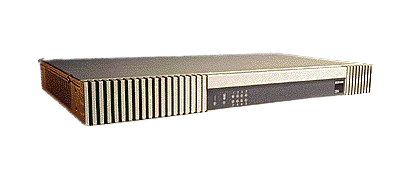
- 8235 Dial-In Access to LANs (DIALs) An IBM DIALs Access Solution (G224-4430-02)
- IBM 8235 Dial-In Access to LANs (DIALs) Server Models 031 and 032 (G224-4426-01)
- IBM 8235 Dial-In Access to LANs (DIALs) Server Models 021 and 022 (G224-4416-02)
- IBM 8235 Dial-In Access to LANs (DIALs) Software Release 4.5 (G224-4440-01)
- IBM 8235 Dial-In Access to LANs (DIALs) Server Models 051 and 052 (G224-4489-01)
- IBM 8235 Model I40 Dial-In Access to LANs (DIALs) Switch (G224-4490-02)
- Directions in Mobile Computing: IBM’s 8235 Dial In Access to LANs (DIALs) Server
8237 Stackable Ethernet Hub
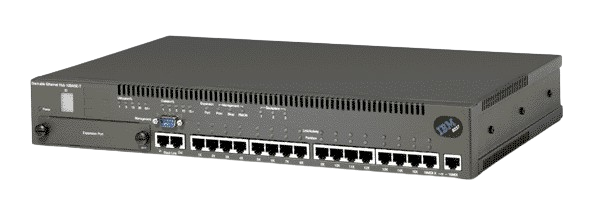
The IBM 8237 Stackable Ethernet Hub is a high-performance, cost-effective 10BASE-T repeater platform. It connects high-performance workstations to Ethernet local area networks (LANs) and provides high-performance inter-LAN connectivity using switching technology.
Features and Benefits
Flexibility and scalability Stack up to ten hubs for a single- or multi-segment network.
Add stack units without shutting down the network.
Mix and match stack units.
Use optional AUI/10BASE2, 10BASE-FL, 10BASE-T/100BASE-TX and 100BASE-FX media expansion modules to connect to backbones or servers.
Flexibly allocate bandwidth using one or all of the three backplanes to connect up to 160 10BASET-ports.
Built-in protection against network failures Automatically detects and protects against excessive collisions and jabbering
Offers local or remote management using Web-based Java™ front ends
Uses redundant port pairs (up to 18 ports) in a stack to protect critical resources against port or wiring failures
8238 Token-Ring Stackable Hub
Introducing a cost-effective, token-ring superstack solution | 20 June 1995 | Announcement Summary
Today IBM announces the expansion of its hub family with the addition of the IBM Nways 8238 Token-Ring Stackable Hub. Because of the 8238's stackable modular design and its high functionality, it is well suited for workgroups and remote sites as well as in areas where space does not permit the installation of a chassis-based hub. Each management base supports up to 7 other elements providing connectivity for 16 to 128 ports.
Announcement Highlights
- Ideal for workgroups and remote locations.
- Stackable design provides a single-system appearance.
- From 16 to 128 active or passive ports per management base.
- Three levels of SNMP management with full RMON capability for superior manageability.
- Two EIA 232 ports for out-of-band management.
- Optional RI/RO modules.
- Available fault-tolerant power supply.
- Support for 100-ohm UTP Categories 3, 4, and 5; 150-ohm STP; and 100- or 120-ohm FTP or ScTP cables.
- Part of a family of integrated, stackable networking components that also will include integrated, best-in-class internetworking products that, combined with the hubs, will provide customers with an integrated, easily managed, highly reliable system for supporting remote sites.
- The same management MIB as the IBM 8250 and 8260 and supported by the NetView family of network management products.
- Superior fault tolerance is provided through instant beaconing recovery because each hub has a chip dedicated to detecting and recovering from beaconing conditions.
- Vital product data such as hardware names, serial numbers, and historical information can be entered into non-volatile memory to speed problem resolution and repairs.
- Compatible with the IBM 8230, 8250, and 8260, including full support for the fault-tolerant ring-wrap feature of these products.
- A cost-effective solution with the features of many high-end hubs.
Additional Technical Details
In addition to providing flexible connectivity for a broad range of token-ring users, the 8238 provides three levels of SNMP-based network management support: bronze, silver, and gold. The Managed Base is the heart of the stack and provides either active or passive support for each level of management. Managed Base Models AB1 and PB1 (active bronze 1 and passive bronze 1) provide SNMP support, configuration support, status data, fault reporting on a per-port basis, and ring traffic status. For customers with greater management information requirements, the Managed Base Models AS1 and PS1 (active silver 1 and passive silver 1) provide traffic monitoring on a per-port basis and support for eight groups of RMON: TR statistics, host, ring station, ring station order, ring station configuration, source routing, event, and alarm groups. For the most complete suite of network management information, Managed Base Models AG1 and PG1 (active gold 1 and passive gold 1) support all 13 RMON groups as well as event logging. In addition, either the IBM Intelligent Hub Management Program (IHMP) DOS Entry Version 2 or IBM Nways Manager for Windows provide the 8238 with a network management facility. IBM is planning to support management of the 8238 from an AIX platform with a target availability date of early fourth quarter, 1995. Expansion units are available in either active (AE1) or passive (PE1) models. Up to seven expansion units can be added to a single Managed Base. By adding the Redundant Power Unit to the stack and the Redundant Power Feature to each of the other stack elements, the stack is protected from power supply failures. Active models, using IBM's Phase Locked Loop (PLL) technology, retime and repeat the signal at each port, so it is possible to support lobe lengths in excess of the maximum recommendations of both national and international commercial building wiring standards. For example, with active components, the 8238 supports up to 100 m (330 ft) of Category 3 UTP, up to 225 m (738 ft) of Category 5 UTP or FTP, or up to 400 m (1320 ft) of type 1 150-ohm STP. Passive units support 100 m (330 ft) of Category 4 or 5 UTP and up to 200 m (656 ft) of type 1 150-ohm STP for lobe cabling. Units can be selected according to need to control costs. The 8238 does not require RI or RO modules unless the 8238 is in a main ring path with other devices. When RI/RO modules are required, both copper and optical fiber modules are available.
Benefits
- Provides managed token ring at remote sites such as field offices and retail locations.
- Supports new workgroups in a large facility.
- Provides additional capacity, support for new media, and additional management in an existing wiring closet.
- Provides maximum network availability through fault tolerance and high-reliability features.
- Robust network management allows network managers to anticipate and resolve problems efficiently even though they are miles away from the site with the problem.
- Service provided by IBM field engineers.
- No annual maintenance fees charged for 8238 code updates.
- Two EIA 232 ports allow access by two levels of support simultaneously for consultations.
Positioning
- Installing stackable hubs at remote sites allows support of employees who are in the field and close to the customer without having to replicate network management expertise and effort at each remote site.
- The manageability, fault tolerance, and reliability of the 8238 provides the level of confidence required to supply critical applications from LAN to LAN across a variety of wide area networks.
- Part of the means to interconnect many offices into one seamless information system.
- Product Preview: IBM intends to enhance the 8238 in the fourth quarter of 1995 by adding redundant power and dial-in LAN access similar to the IBM 8235. The announcement availability of these functions will be based upon IBM's business and technical judgement.
Items, Part Numbers, Features/Models, Prices, Availability
| Items | Part Numbers | Features/Models | Prices | Availability |
|---|---|---|---|---|
| 8238 Passive Base - Bronze | 38H6220 | PB1 | $3,565 | 7/95 |
| 8238 Passive Base - Silver | 38H6225 | PS1 | $4,195 | 7/95 |
| 8238 Passive Base - Gold | 38H6226 | PG1 | $4,825 | 12/95 |
| 8238 Active Base - Bronze | 38H6210 | AB1 | $4,405 | 7/95 |
| 8238 Active Base - Silver | 38H6215 | AS1 | $5,035 | 7/95 |
| 8238 Active Base - Gold | 38H6216 | AG1 | $5,665 | 12/95 |
| 8238 Passive Expansion | 38H6240 | 6240 | $1,885 | 7/95 |
| 8238 Active Expansion | 38H6230 | 6230 | $2,725 | 7/95 |
| Fiber RI/RO Module | 38H6201 | 6201 | $1,675 | 7/95 |
| Copper RI/RO Module | 38H6202 | 6202 | $1,045 | 12/95 |
| 4 MB Memory Expansion | 38H6208 | 6208 | $520 | 7/95 |
| 8 MB Memory Expansion | 38H6209 | 6209 | $1,045 | 7/95 |
| Code Download Kit | 38H6200 | 6200 | $195 | 7/95 |
| Bronze to Silver Upgrade | 38H6204 | $756 | 7/95 | |
| Bronze to Gold Upgrade | 38H6205 | $1,512 | 12/95 | |
| Silver to Gold Upgrade | 38H6206 | $756 | 12/95 |
(c) IBM Corporation 1995. All rights reserved. IBM, NetView, and Nways are trademarks of International Business Machines Corporation. This fact sheet is for an IBM Networking Product announced on 20 June 1995. The part numbers, prices, and availability dates shown here are valid in the U.S. They will vary from country to country. Some products might not be announced in your country. Refer to product announcements for your country or contact your local IBM representative or IBM Business Partner.
RMON Groups Supported by IBM Hubs
| Task | Group | 8230 SNMP modl | 8238 | 8250 TRMM | 8250 Ethernet probe | 8260 E-MAC | 8260 T-MAC |
|---|---|---|---|---|---|---|---|
| Collect Statistical Data | Ethernet Statistics | N/A | N/A | N/A | Yes | Yes | N/A |
| Token-Ring MAC Statistics | Yes | Bronze | 4.0 | N/A | N/A | Yes | |
| Token-Ring Promiscuous Statistics | No | Bronze | 4.0 | N/A | N/A | Yes | |
| Hosts | No | Silver | 4.0 | Yes | Yes | Yes | |
| Matrix | No | Gold | 4.0 | Yes | Yes | HTMAC | |
| Host Top N | No | Gold | 4.0 | Yes | Yes | HTMAC | |
| Ring Station | Yes | Silver¹ | 4.0 | N/A | N/A | Yes | |
| Source-Route | No | Bronze | 4.0 | N/A | N/A | Yes | |
| Distribute Threshold Monitoring | Alarm | No | Silver | 4.0 | Yes | Yes | Yes |
| Event | No | Silver | 4.0 | Yes | Yes | Yes | |
| Disrtibute Historical Data Collection | Ethernet History | N/A | N/A | N/A | Yes | Yes | N/A |
| Token-Ring MAC History | No | Gold | No | N/A | N/A | HTMAC | |
| Token-Ring Promiscuous History | No | Gold | No | N/A | N/A | HTMAC | |
| Packet Decoding | Filter | No | Gold | No | Yes | HEMAC | HTMAC |
| Packet Capture | No | Gold | No | Yes | HEMAC | HTMAC |
8239 Token-Ring Stackable Hub
The IBM 8239 Token-Ring Stackable Hub is the latest result of over 15 years of experience in designing and manufacturing industry-leading Token-Ring solutions. This highly functional hub is modular so that it is adaptable to a large number of environments—from small offices and branch offices to large establishments that rely on shared-media Token-Ring for a robust desktop solution. This is Token-Ring technology from the company where it all started—IBM.
8242 Ethernet Desktop Hub
8244 FDDI Workgroup Concentrator
IBM 8244 FDDI Workgroup Concentrator
The IBM 8244 Fiber Distributed Data Interface (FDDI) Workgroup Concentrator is the primary attachment to the FDDI dual ring for attaching workstations to the backbone. The 8244 FDDI Concentrator allows attaching up to 12 devices to a 100 megabits per second (Mbps) network.
8245 10/100 Stackable Ethernet Hub
8250 Multiprotocol Intelligent Hub
IBM 8250 Multiprotocol Intelligent Hub Enhancements Fact Sheet
Enhanced function, increased capacity and performance and lowered cost of operation make the 8250 better than ever.
20 June 1995
Announcement Summary
IBM announced new Ethernet and Token-Ring enhancements to the Nways 8250 Multiprotocol Intelligent Hub, including a new RMON Probe network analyzer module, a high-speed multi-port Ethernet/Token-Ring Bridge, a new 18-port Token-Ring Active Media Module, new functions for the 8235 Remote LAN Access Module, and new levels of Ethernet and Token-Ring Media Management Modules. These announcements improve support, enhance reliability, simplify operation, reduce costs. They make an already versatile, reliable, cost-effective hub for medium to large networks even better.
Announcement Highlights
- New, high-density 18-port Token-Ring active media module for the 8250
- New, high-performance Token-Ring and Token-Ring to Ethernet bridge modules for the 8250
- New, RMON probe module for simultaneous monitoring of up to three 8250 Ethernet segments
- Enhancements to 8235 remote LAN Access modules for the 8250 including 2 MB of memory and more clients, TCP/IP enhancements, improved security, fax pooling, Internet dial-out, and other improvements
- New levels of software for the Token-Ring and Ethernet management modules for the 8250
Additional Technical Details
Token-Ring 18-port Active Media Module
The Token-Ring 18-port Active Media Module provides active Phase Locked Loop (PLL) components for each port. This two-slot module offers high port density, highly reliable operation over long lobe lengths, has wrong speed detection and distributed beacon recovery, and can support multi-user fan-out and MAC-less devices.
The module has 18 shielded RJ-45 ports on the front panel and connects to any of seven Token-Ring networks on the 8250 backplane. The ports can be assigned to any of the seven networks, and switched as a block to another segment, or isolated from the 8250 backplane, under software control. Use of active PLL components on each port means that networks operating at 16 Mbps using inexpensive Category 3 cabling can operate reliably with lobe lengths up to 100 m.
The module allows fan-out, or multi-user, access units to connect to a port. It supports up to eight addresses per 8250 port with no loss of network mapping accuracy. Using fan-out devices, like the IBM 8226, can dramatically increase the number of devices an 8250 can support, with a corresponding decrease in cost per port. The module also supports MAC-less devices like network analyzers and maintains accurate network address mapping. The module sends a security alarm via the Token-Ring Media Management module (TRMM) to a network management station whenever a MAC-less device is detected.
The module uses an IBM-developed ASIC to support distributed beacon recovery and to prevent adapters from inserting into the ring at the wrong speed. Beaconing and wrong-speed insertion are quickly detected by the module. The module can provide these functions with or without a TRMM attached to the same network. Customers can reduce costs and increase 8250 capacity by using fewer TRMM modules than they required in the past, without loosing wrong speed detection and beaconing recovery functions.
The module generate SNMP traps for per port errors and out-of-tolerance situations. Network managers can define normal operation ranges for performance, number and frequency of errors, and other events. Traps will be sent to the management station for events in excess of user-defined thresholds.
8229 Integrated Bridge Module
The 8229 Integrated Bridge Module is a two-port bridge which connects a Token-Ring segment on the hub backplane (switchable to any of the seven Token-Ring segments) to either a Token-Ring segment or an Ethernet segment. The bridge uses two microprocessors for media-speed bridging (up to 22,000 packets per second for 64 byte frames for Token-Ring bridging and up to 13,000 pps for Token-Ring to Ethernet bridging). Both Source Routing (SR) and Source Route Transparent (SRT) Token-Ring bridging are supported. Source Route Transparent Bridging (SRTB) is supported for Token-Ring to Ethernet bridging.
If the bridge is configured as Token-Ring to Token-Ring bridge, the port on the front panel is switchable between a DB-9 connector for 150 Ohm cabling (STP) and a shielded RJ-45 connector for 100 Ohm cabling (FTP, and SFTP). The Token-Ring ports can operate at either 4 Mbps or 16 Mbps.
If the bridge is configured as a Token-Ring to Ethernet bridge, the port on the front panel is switchable between a 15-pin D shell AUI connector (Thicknet) and a shielded RJ-45 connector for 100 Ohm cabling (FTP, and SFTP). Both 802.3 and Ethernet Version 2 are supported.
The bridge supports both SNMP and LLC Type 2 management and can be managed by either an SNMP manager (like the IBM Intelligent Hub Manager for AIX) or an LLC manager (like the IBM LAN Network Manager for OS/2) . It is preloaded with SNMP microcode. The management mode can be changed to LLC Type 2 by using a utility program. The SNMP agent supports RFC 1231(Token-Ring interface management), RFC 1286 (Bridge Management), and the SNMP definitions for Token-Ring CRS and REM functions, making SNMP management functionally comparable to management with the IBM LAN Network Manager.
Source and destination MAC address filters, range filters, and user defined filters are supported. Range filters allow the network administrator to specify a range of values at an offset into the MAC information field that will be filtered. Users can also write a filter program and use the 8229 utility program to load it into the bridge. Filters are defined on a port basis, and are stored in nonvolatile memory. Filters are activated as soon as they are loaded into the 8229 Bridge module.
The 8229 Integrated Bridge Module occupies two slots in the 8250. A VT100 terminal or terminal emulator is required for initial configuration. Automatic Update Service, providing automated distribution of upgrades for a three year period, is available. This module will replace the current 8250 Token-Ring Bridge Modules (features 3883 and 3958).
RMON Probe Module
Remote monitoring (RMON) lets network managers get up-to-the-minute, detailed network status. A new RMON Probe module is announced for the 8250, fully supporting the RFC 1757 RMON standard. The RMON Probe also supports the system and interface groups of MIB-II.
The Probe, which is an integrated network monitor, supports all three 8250 Ethernet backplane networks. This high performance monitor can monitor all three networks and update the MIBs with 100% accuracy up to 10,000 packets per second. At this rate, the Probe responds to management requests, monitors alarms, and updates statistics. Additional tasks, which include filtering information and maintaining port to address correlation may affect overall Probe performance.
The Probe monitors per-channel collisions and per-port collisions. The Probe uniquely correlates addresses with ports for unparalleled capability to find and diagnose problems. The Probe takes advantage of the unique design of the 8250 to provide RMON information for specific Ethernet ports, which provides microscopic awareness of LAN operation to the network manager.
The Probe supports the standard AXON configuration MIB, providing complete control over Probe operation, its Ethernet and IP addresses, the default RMON gateway, dial out control, trap control, access control, and other parameters defined in the AXON MIB. The new Probe module occupies one slot in the 8250. A VT100 terminal or terminal emulator is required for initial configuration. Automatic Update Service, providing the latest enhancements and extensions for a three year period, is available.
8235 Remote LAN Access Module Enhancements
New functions and memory upgrades were announced for the 8235 Remote LAN Access modules. The new functions (Release 3.5) support more systems and remote access protocols (including Windows 95, Windows NT, PPP, and SLIP) and more security options. More types of access including dial out access to the Internet and fax pooling for LAN fax users are supported. Users get more throughput through enhanced compression. In addition, there are TCP/IP and X.25 enhancements. The graphical management interface now supports LAN-to-LAN setup. User guides with extensive hypertext links are now on-line for travelling users. Modules now have 2 MB of memory, twice as much as before.
Benefits
- PLL technology, higher port density, and on-board wrong-speed detection and beaconing recovery make the 18-port Token-Ring active media module more reliable and cost-effective than comparable modules. Because it supports multiple MAC addresses per port, network managers can increase the size of their network at the lowest cost with no compromise in the level of manageability.
- The new 8229 integrated bridge module links Token-Ring and Ethernet networks in the 8250 with award-winning, media-speed bridging.
- Integrating the RMON network analyzer in the hub combines the ability to monitor network operation with the ability to monitor hub operation, simplifying network management and increasing the ability to correlate otherwise separate events.
- Enhancements to the 8235 remote LAN access module bring the well-known benefits of telecommuting and access while traveling to more users through broader support for clients and access protocols. Improved compression techniques can reduce long distance charges by a factor of two or more.
Product Positioning
- The active media module should be used instead of passive media modules when long lobe distances are required or port switching is needed to move users from segment to segment or for load-balancing. It should also be used to to increase the capacity or the 8250 by connecting an entire workgroup to a single port using a device like the IBM 8226 Token-Ring Workgroup Hub.
- The 8229 multi-port Ethernet to Token-Ring and Token-Ring to Token-Ring bridge should be used when there is a need to connect Ethernet and Token-Ring networks or a media-speed Token-Ring bridge is required.
- The RMON Probe can be used as a combination network analyzer/hub monitor, eliminating the need for a separate network analyzer.
- Network managers should select the 8235 remote LAN access module instead of the stand-alone 8235 DIALs system whenever they have chosen to concentrate and integrate management for interconnection functions in their workgroup hub and take advantage of the extensive remote management and fault tolerance capabilities of the 8250. Network managers should also consider the 8235 remote LAN access module when they are packaging large numbers of identical remote office packages based on the 8250-6PS and need telecommuting support for their remote offices.
| Items | Part Numbers | Features/Models | Prices | Availability |
|---|---|---|---|---|
| 8250 Ethernet 8235 Rel 3.5 | 80G3160 | 3160 | $4,760 | 6/95 |
| 8250 Token-Ring 8235 Rel 3.5 | 80G3155 | 3155 | $5,890 | 6/95 |
| 8250 Ethernet 8235 Rel 3.5 Upgrade | 80G4162 | 4162 | $1,160 | 6/95 |
| 8250 Token-Ring 8235 AUS Single | 80G3156 | 3156 | $1,767 | 6/95 |
| 8250 Token-Ring 8235 AUS Site | 80G3157 | 3157 | $35,340 | 6/95 |
| 8250 Ethernet 8235 AUS Single | 80G3161 | 3161 | $1,428 | 6/95 |
| 8250 Ethernet 8235 AUS Site | 80G3162 | 3162 | $28,560 | 6/95 |
| 8250 Ethernet RMON Probe Module | 58G5894 | 5894 | $7,905 | 7/95 |
| 8250 Ethernet RMON Probe AUS | 80G4045 | 4045 | $2,370 | 7/95 |
| 8250 Enet Mgmt Mod Basic V4.2 | 43G3918 | 3819 | $3,355 | 7/95 |
| 8250 Enet Mgmt Mod Adv V4.2 | 43G3919 | 3788 | $4,195 | 7/95 |
| 8250 Enet Mgmt Mod Basic Update | 58G6786 | 6786 | $403 | 7/95 |
| 8250 Enet Mgmt Mod Adv Update | 58G6788 | 6788 | $503 | 7/95 |
| 8250 Token-Ring 18-port Active Module | 58G7400 | 7400 | $3,565 | 8/95 |
| 8250 TR Mgmt Mod Basic V3.3 | 43G3949 | 3823 | $4,195 | 7/95 |
| 8250 TR Mgmt Mod Adv V3.3 | 43G3884 | 3884 | $6,295 | 7/95 |
| 8250 TR Mgmt Mod Update to V3.3 | 43G3943 | 3943 | $600 | 7/95 |
| 8250 8229 TR to Enet SRTB Module | 80G3142 | 3142 | $5,920 | 6/95 |
| 8250 8229 Token Ring SR Module | 80G3182 | 3182 | $5,900 | 6/95 |
| 8250 8229 Token-Ring SR/SRT Module | 80G3179 | 3179 | $6,500 | 6/95 |
| 8250 8229 SR to SRT Upgrade | 80G3188 | 3188 | $600 | 12/95 |
| 8250 8229 SRTB AUS (Single) | 80G3153 | 3153 | $1,775 | 6/95 |
| 8250 8229 SR AUS (Single) | 80G3187 | 3187 | $1,770 | 6/95 |
| 8250 8229 SR/SRT AUS (Single) | 80G3154 | 3154 | $1,950 | 6/95 |
8260 Nways Multiprotocol Switching Hub
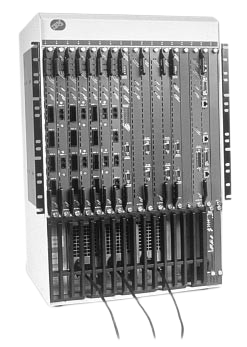
- IBM 8260 Nways Multiprotocol Switching Hub (G221-4047-03)
- IBM 8260 LAN Switch Modules (G224-4488-02)
- IBM 8260 Nways ATM Campus Solutions (G221-4293-03)
- IBM 8260/8265 Nways ATM kit Technical Overview (GA33-0370-01)
- IBM 8260 Nways ATM kit Technical Overview (GA33-0370-00)
- IBM 8260 Nways ATM kit Development Program Agreement (GA33-0372-00)
8260 Microcode Upgrades
| Module | Feature Code | Faceplate | Latest Mcode Upgrade Level | Date |
|---|---|---|---|---|
| ATM Modules: | ||||
| Control Point and Switch (8Meg) | FC 5000 | A-CPSW | Boot: v2.10 Oper: v2.08 FPGA: 9 | 05/96 |
| Control Point and Switch (16Meg) | FC 5100 or FC 5000 + MES 5001 | A-CPSW | NO PNNI Boot: v2.5.2 Oper: v2.5.2 PNNI FPGA: B50 | 06/97
06/97
01/97 |
| 4-Port 100Mbps (MIC) | FC 5004 | A4-FB100 | FPGA: B50 | 01/97 |
| 4-Port 100Mbps (SC) | FC 5104 | A4-SC100 | FPGA: B50 | 01/97 |
| 2-Port 155Mbps Flexible Concentration | FC 5002 | A2-MB155 | FPGA: B50 | 01/97 |
| 3-Port 155Mbps | FC 5003 | A3-MB155 | FPGA: C31 | 01/97 |
| 12-Port 25Mbps Concentration | FC 5012 | A12-TP25 | FPGA: C30 | 01/97 |
| TR/Ethernet LAN Bridge | FC 5204 | A04MB-BRG | IBM LANE: Oper: v1.16 Util: v1.9 ATM Forum: FPGA: B50 | 10/96
06/97
01/97 |
| ATM Carrier | FC 5102 FC 5202 | A-CMU1 A-CMU2 | FPGA: B50 | 01/97 |
| MSS Server | FC 5300 | A-MSS | Conf: v1.1 Oper: v1.1 FPGA: B50 | 04/97 01/97 |
| WAN | FC 5302 | A2-WAN | FPGA: B50 | 01/97 |
| WAN 2 | FC 5602 | A8-WAN | No Upgrade | |
| 1-Port 622 Mbps | FC 5101 FC 5201 | A1-MF622 A1-SF622 | No Upgrade | |
| Video Distribution Module | FC 5008 | A8-MPEG | Oper: v1.01 | 04/97 |
| ATM Firmware Upgrade Kit | MES 5099 | NA | 01/97 | |
| Ethernet Modules: | ||||
| Ethernet 24-Port 10BASE-T Module | FC 1024 | E24PS-6 | Boot: v1.02 Oper: v1.04 | 08/95 |
| Ethernet 36-Port 10BASE-T Module | FC 1036 | E36CS-TP | No Upgrade | |
| Ethernet 20/40-Port 10BASE-T Modules | FC 1020 FC 1040 | E20PS-TP E40PS-TP | No Upgrade | |
| Ethernet 10-Port 10BASE-FB Modules | FC 1110 FC 1210 FC 1310 | E10PS-FB | Boot: v1.00 Oper: v1.05 | 03/95 |
| Ethernet Flexible Concentration Module | FC 1004 | E04M-MOD | Boot: v1.00 Oper: v1.01 | 06/96 |
| Ethernet Network Interconnect Modules | FC 7106 FC 7206 | E06XR | No Upgrade | |
| Ethernet MAC Card | FC 8918 | E-MAC | Boot: v1.01 Oper: v3.00 | 02/97 |
| Ethernet High End MAC Card | FC 8924 | HEMAC | Boot: v1.00 Oper: v2.10 | 02/97 |
| Ethernet Security Card | FC 8915 | E-SEC | Boot: v1.00 Oper: v1.01 | 04/95 |
| Token Ring Modules: | ||||
| Token-Ring 20-Port Passive Media Module | FC 3020 | T20MS | Boot: v1.00 Oper: v1.40 | 02/97 |
| Token-Ring 18-Port Active Per Port-Switching Media Module | FC 3018 | T18PSA | Boot: v1.00 Oper: v1.40 | 02/97 |
| Token-Ring 18-Port Active Per Module-Switching Media Module | FC 3118 | T18MSA | Boot: v1.00 Oper: v1.40 | 02/97 |
| Token-Ring Dual Fiber Repeater Module | FC 3010 | T10R-F | Boot: v1.00 Oper: v1.41 | 02/97 |
| Token-Ring MAC Card | FC 8913 | T-MAC | Boot: v2.00 Oper: v3.02 Chip: v3.00 | 03/97 |
| High End Token-Ring MAC Card | FC 8925 | HTMAC | Boot: v1.01 Oper: v2.00 Chip: v1.00 | 03/97 |
| Token-Ring Jitter Attenuator Card | FC 8914 | T-JIT | No Upgrade | |
| LAN Switch Modules | ||||
| Ethernet 8271 LAN Switch Modules | FC 6212 FC 6312 | E12-LS2 E12-LS4 | Boot: v3.12 Oper: v3.12 | 05/97 |
| 8271 ATM/LAN Switch Modules | FC 5212 FC 5312 | A-E12LS2 A-E12LS4 | No Upgrade | |
| ATM/Ethernet UFC | FC 6988 | Oper: v1.06 | 05/97 | |
| Token-Ring 8272 LAN Switch Modules | FC 6208 FC 6308 | TR8-LS2 TR8-LS4 | Boot: v3.12 Oper: v3.12 | 05/97 |
| 8272 ATM/LAN Switch Modules | FC 5208 FC 5308 | A-TR8LS2 A-TR8LS4 | No Upgrade | |
| ATM/Token-Ring UFC | FC 5076 | Oper: v1.06 | 05/97 | |
| Switching Modules: | ||||
| 12/24-Port 10BASE-T Switching Modules | FC 7312 FC 7324 | SWE12-TP SWE24-TP | Boot : V 1.12 Oper : V 1.10 | 06/97 |
| 10/20-Port 10BASE-FB/FL Switching Modules | FC 7310 FC 7320 | SWE10-F SWE20-F | Boot : V 1.12 Oper : V 1.10 | 06/97 |
| 12-Port 10BASE-T and DAS FDDI Switching Module | FC 7314 | SWE12F2-TPF | Boot : V 1.12 Oper : V 1.10 | 06/97 |
| 10-Port 10BASE-FB/FL and DAS FDDI Switching Module | FC 7412 | SWE10F2-FF | Boot : V 1.12 Oper : V 1.10 | 06/97 |
| 4-Port DAS FDDI Switching Module | FC 7304 | SWF4-F | Boot : V 1.12 Oper : V 1.10 | 06/97 |
| 4-Port 100BASE-Tx Switching Module | FC 7504 | SWE4-TX | Boot : V 1.12 Oper : V 1.10 | 06/97 |
| 4-Port 100BASE-Fx Switching Module | FC 7404 | SWE4-FX | Boot : V 1.12 Oper : V 1.10 | 06/97 |
| LAN Access Switching Module | FC 7016 | SWE16-TP | No Upgrade | |
| PacketChannel/ATM Switching Module | FC 7302 | SWA2-MOD | No Upgrade | |
| Management Modules: | ||||
| Distributed Management Module | FC 1000 | DMM | Boot: v1.01 Oper: v2.30 | 01/96 |
| Distributed Management Module with Ethernet Carrier | FC 1100 | EC-DMM | Boot: v1.01 Oper: v2.30 | 01/96 |
| Distributed Management Module | FC 1200 | DMM | Boot: v1.02 Oper: v4.12 | 02/97 |
| Distributed Management Module with Ethernet Carrier | FC 1300 | EC-DMM | Boot: v1.02 Oper: v4.12 | 02/97 |
| Advanced DMM/Controller Module | FC 1700 | DMM-CTLR | DMM: Boot: v1.02 Oper: v4.12 Controller: | 02/97
02;/97 |
| Redundant Controller Module | FC 8000 | 8000-RCTL | Boot: v1.03 Oper: v1.13 | 02/97 |
It's time to take a look at token-ring switching
By Kevin Tolly
2/26/96
Without a bandwidth boost since 16M bit/sec token ring arrived on the scene in 1988, managers of token-ring networks have been anxiously awaiting a remedy for mounting congestion problems on backbone and server LANs.
In stark contrast to their Ethernet counterparts, designers of token-ring networks had few, if any, choices. For a variety of reasons, fast Ethernet, FDDI and 100VG-AnyLAN technologies are rarely options for token-ring environments. Further, the lack of any fast 802.5 token-ring standard and delays in availability of Asynchronous Transfer Mode gear have left network managers with one hope: token-ring switching.
They need hope no more - token-ring switching is here. At ComNet '96 last month, The Tolly Group released the initial report from our ongoing evaluation of token-ring switches. To sum it up, 1996 will be the year of the token-ring switch. (The report is available without cost via our Web server at http://www.tolly.com and will be updated periodically.)
The numbers look good in many ways. First, the trickle of product that began in early 1995 will become a torrent by second-quarter 1996. Early offerings by Cabletron Systems, Inc. (formerly Standard Microsystems Corp.'s Enterprise Systems Division), Bay Networks, Inc.'s Centillion division and Madge Networks, Inc. have already been joined by products from IBM, Nashoba Networks, Inc., Xylan Corp. and others. Before long, vendors such as 3Com Corp., Olicom USA, Inc. and LanOptics, Ltd. will join the ranks of the shipping. Users looking toward a midyear implementation of token-ring switching will have a plethora of choices.
Second, performance numbers are outstanding. Where five years ago we saw some two-port token-ring bridges effectively collapse under a load of only 3,000 frame/sec, some token-ring switches can forward 25,000 frame/sec across just two ports and others can forward a whopping 40,000 frame/sec. Given that a live production network will rarely, if ever, need to forward more than about 2,000 frame/sec, even the eventual last-place finisher among the token-ring switches will likely deliver more power than most users require.
While controversy surrounds the debate about the merits of cut-through vs. store-and-forward switching, such discussions should be kept in context. When switches are implemented, they almost always displace multiple tiers of older, slower, high-latency bridges. The application latency (that is, delay) caused by those bridges disappears along with them. Users likely will see big performance improvements by simply replacing the old bridges with any switch. The differences between switches, usually measured in microseconds, may be imperceptible except under certain specific application conditions.
Third, the introduction of switching has ushered in unprecedented price/performance gains in the realm of token-ring internetworking. The cost of token-ring equipment, particularly bridges and routers, always has been higher than that of Ethernet equipment. Token-ring modules for the Cisco 7000 series router can cost a user $4,500 per port. The per-port cost of a typical token-ring switch is slightly more than half that amount.
In March 1995, IBM set the industry on its head with the ultra-aggressive $700 per-port price for its 8272 token-ring switch. Now that the product is shipping, other vendors are scrambling to justify per-port prices three times those of IBM.
Thus, we now hear talk of workgroup (cheap) vs. backbone (expensive) switches and other potential differentiators. If vendors are not sufficiently convincing and users vote with their wallets, we could see the entire industry forced to bring prices down closer to IBM's level.
While almost all token-ring switches are lacking in the area of network management, the benefits they deliver are too significant to ignore. Even users who feel that further investment in token-ring technology may be nonstrategic have to realize that token-ring switches will be needed to connect legacy stations to the corporate ATM backbone.
All things considered, deciding to implement token-ring switching may be the best decision you make all year.
Tolly is president of The Tolly Group, a strategic consulting and independent testing firm in Manasquan, N.J. He can be reached at [redacted] or via the Internet at [redacted].
8265 Nways ATM Switch
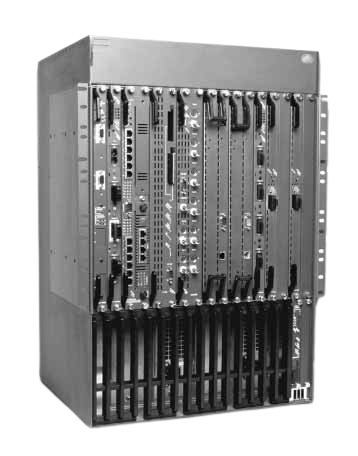
- IBM 8265 Nways ATM Switch (G224-4543-02)
- IBM 8260/8265 Nways ATM kit Technical Overview (GA33-0370-01)
The IBM 8265 Nways® ATM Switch is the most powerful of IBM's growing family of ATM switches, with an open architecture designed to address ATM backbone network requirements for high switching capability, high port density and high reliability.
8270 Nways LAN Switch Family
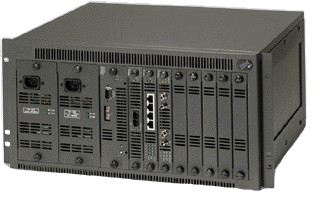
- IBM 8270 Nways LAN Switch Family (G224-4510-02)
- IBM 8270 Nways LAN Switch Family
- IBM 8270 and 8272 Universal Feature Cards
8271 Nways Ethernet LAN Switch
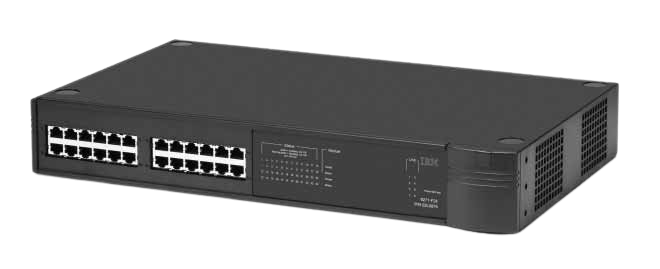
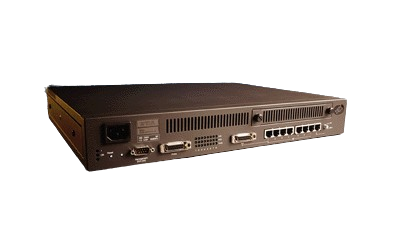
- IBM 8271 Nways Ethernet LAN Switch Models E12, E24, F12 and F24 (G224-4568-01)
- IBM 8271 Nways Ethernet LAN Switch (G224-4425-02)
- IBM 8271 Nways Ethernet UniversalFeature Cards (G224-4438-03)
A mildly confusing series. Some are real IBM units while some are 100% rebadged 3coms -- being a 3com enthusiast I can tell a mile away, I had no idea IBM rebranded them. Probably was a result after the Cisco 1999 deal where they gave up building first party Ethernet appliances later on? In fact, after a few minutes of digging I've confirmed it's a 3Com SuperStack II 3300.
The vestigial spot for the 3com logo even remains:
8272 Nways Token-Ring LAN Switch
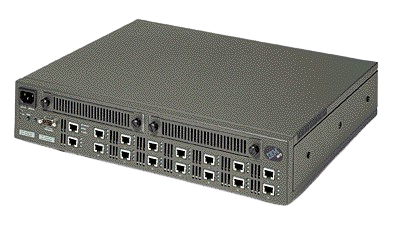
- IBM 8272 Nways Token-Ring LAN Switch (G224-4418-04)
- 8272 Nways Token-Ring LAN Switch Model 108 Boosting Bandwidth with Token-Ring Switching
- IBM 8270 and 8272 Universal Feature Cards
IBM 8272 Nways Token-Ring LAN Switch
The IBM 8272 Nways Token-Ring LAN Switch is a stand-alone, high-speed LAN switch that provides the ability to interconnect up to eight shared or dedicated Token-Ring LAN segments. Depending on traffic patterns, total bandwidth of Token-Ring networks segmented using the 8272 could be expanded by as much as 400% to 800%.
On March 29, 1995 the 8272 Model 108 was named the Grand Winner of the Best of Show Awards at the Networld+Interop trade show in Las Vegas. Features that impressed the judges include adaptive cut-through switching and full duplex transmission at an industry leading price per port. According to the press release, "This product dramatically raises the ante in token-ring switching."
8273 Ethernet RouteSwitch
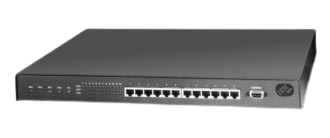
8273 RouteSwitch Software: NP00874
8273 Advanced Routing Software: NP00875
- Nways RouteSwitch Release Notes Version 3.1.5.A (November 7, 1997)
- Nways RouteSwitch User’s Release Notes Version 3.2 Early Announcement Program (July 25, 1997)
- Nways RouteSwitch User’s Release Notes Version 3.0.3 (August 25, 1997)
- Nways RouteSwitch Release Notes Version 3.0.2 8273 and 8274 Series (June 20, 1997)
- Nways RouteSwitch User’s Release Notes Version 2.1.5 (July 30, 1997)
- Nways RouteSwitch Users Release Notes Version 2.1.3 (December 18, 1996)
- Nways RouteTracker Manager Release Notes Version 2.1 for Microsoft Windows 95, Windows NT, Solaris, HP-UX, and AIX (February 27, 1997)
- Nways RouteSwitch Network Manager for Windows 95 and Window NT 4.0 and for Sun Solaris, HPUX, and AIX Version 3.0 Release Notes (June 20, 1997)
- Nways RouteSwitch Network Manager Software Release Notes Version 2.1 for Windows and for SunOS, Solaris, HPUX, and AIX (February 7, 1997)
- Nways RouteMonitor Manager Users Release Notes Version 3.0 Windows 95 and Windows NT 4.0 (June 13, 1997)
8274 Nways LAN RouteSwitch
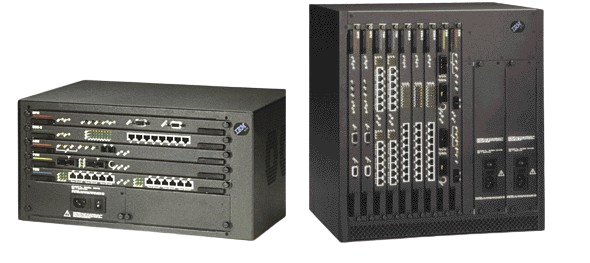
8274 RouteSwitch Software: NP00876
8274 Advanced Routing Software: NP00877
8274 RouteCell Software: NP00878
- Nways RouteSwitch Release Notes Version 3.1.5.A (November 7, 1997)
- Nways RouteSwitch User’s Release Notes Version 3.2 Early Announcement Program (July 25, 1997)
- Nways RouteSwitch User’s Release Notes Version 3.0.3 (August 25, 1997)
- Nways RouteSwitch Release Notes Version 3.0.2 8273 and 8274 Series (June 20, 1997)
- Nways RouteSwitch User’s Release Notes Version 2.1.5 (July 30, 1997)
- Nways RouteSwitch Users Release Notes Version 2.1.3 (December 18, 1996)
- Nways RouteTracker Manager Release Notes Version 2.1 for Microsoft Windows 95, Windows NT, Solaris, HP-UX, and AIX (February 27, 1997)
- Nways RouteSwitch Network Manager for Windows 95 and Window NT 4.0 and for Sun Solaris, HPUX, and AIX Version 3.0 Release Notes (June 20, 1997)
- Nways RouteSwitch Network Manager Software Release Notes Version 2.1 for Windows and for SunOS, Solaris, HPUX, and AIX (February 7, 1997)
- Nways RouteMonitor Manager Users Release Notes Version 3.0 Windows 95 and Windows NT 4.0 (June 13, 1997)
8275 Ethernet Switch Family
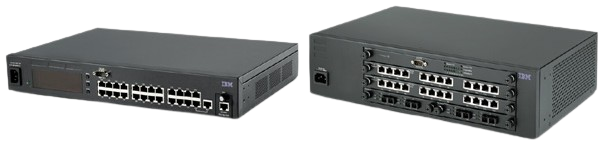
- IBM 8275 High-Performance Ethernet Workgroup Switch Model 416 (G224-4596-00)
- IBM 8275 Ethernet Workgroup Switch Models 217 and 225
- IBM 8275 Fast Ethernet Desktop Switch Model 324
- IBM 8275 Fast Ethernet Workgroup Switch Models 318, 322 and 326
8275 Model 217 (30L7644), shockingly appears to have an integrated VFD as if it's some kind of car stereo or VCR! I have no idea why this was done; it can be vaguely observed in the stock photo above.
With the IBM 8275 Ethernet Switch family, you can build a switched network for nearly any enterprise environment. Featuring desktop and workgroup models, the 8275 product line is feature-rich, scalable and engineered for worry-free performance in everything from a small-office LAN to a mission-critical campus network.
Features and Benefits
Model 416
- 16, 24 or 32 10/100BASE-TX ports providing wire-speed connectivity.
- RMON support for events, alarms, history and statistics.
- High-performance wire-speed Ethernet LAN switching.
- Port-trunking (planned for September 1999) and port-mirroring capabilities.
- Support for 12 000 MAC addresses per switch.
- Available in a convenient rack-mountable desktop unit.
- 802.1p (Priority) and 802.1Q virtual local area network (VLAN) support (planned for software download in August 1999)
- Partial Layer 3 support (self-learning IP) and Gigabit Ethernet support.
Models 318, 322 and 326
- Provides high-speed connectivity between switches to reduce network bottlenecks and increase bandwidth
- Offers Web-based management, which allows HTML and Java™-based management of the switch
- Flexible fiber/copper configurations
Model 324
- Provides a low-end Ethernet switch solution for small- and medium-sized businesses
- Industry-leading price and performance
- Completes the IBM Ethernet end-to-end solutions
- Shipped with 24 10/100BASE-TX Ethernet ports
- Available in a convenient desktop unit
- High-speed low-cost desktop connectivity
Models 217 and 225
Affordable performance to the desktop:
- Features uplink options, Web-based management, Simple Network Management Protocol (SNMP) and Remote Network Monitoring (RMON) management capabilities
- Replaces hubs for desktop connectivity or aggregate hubs, providing high-performance and functionality at a competitive price
- Designed for use in small- and medium-sized workgroups or remote locations that are part of a large network
- Useful in interconnecting local groups of workstations to the campus backbone network
- Provides 10-Mbps connectivity to the desktop or aggregation for shared media in a workgroup network
- Offers a standard 10/100BASE-TX connection for high-speed connectivity to a backbone or server
Switching capabilities:
- Offers store and forward capabilities for Ethernet-to-Ethernet or Ethernet-to-Fast- Ethernet traffic.
- 802.1d Spanning Tree allows creation of redundant paths and protects against cable and equipment failures in mission-critical applications.
8276 Nways Ethernet RoutePort
- IBM 8276 Nways Ethernet RoutePort (G224-4449-00)
- 8276-300 Series Users Release Notes Version 1.0.6 (January 6, 1998)
The IBM 8276 Nways® Ethernet RoutePort works with IBM's powerful 8274 and 8273 RouteSwitches, and the 8271 Ethernet switch to extend the benefits of switching to the desktop. If you'd like the advantages of switching, LAN segmentation, Virtual LANs, routing and increased bandwidth but can't justify 10 Mbps to every desktop, you should consider the 8276.
8276 Nways Ethernet RoutePort at a glance
- Models: 360, 361, 362, 363, 364, 365
- LAN Ports: 36
- Other Ports: One serial port, EIA 232-C, 9-pin D connector, configured as an IBM AT serial port (DTE)
- Memory: 2 MB of flash 1 MB of DRAM
- Data Rate: 10 Mbps
- Maximum Frame Size: 1518 bytes
8277 Nways Ethernet RouteSwitch
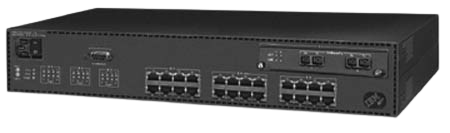
- Nways RouteSwitch User’s Release Notes Version 3.2 Early Announcement Program (July 25, 1997)
- Nways RouteSwitch User’s Release Notes Version 3.0.3 (August 25, 1997)
- Nways RouteSwitch User’s Release Notes Version 2.1.5 (July 30, 1997)
- Nways RouteSwitch Users Release Notes Version 2.1.3 (December 18, 1996)
- Nways RouteTracker Manager Release Notes Version 2.1 for Microsoft Windows 95, Windows NT, Solaris, HP-UX, and AIX (February 27, 1997)
- Nways RouteSwitch Network Manager for Windows 95 and Window NT 4.0 and for Sun Solaris, HPUX, and AIX Version 3.0 Release Notes (June 20, 1997)
- Nways RouteSwitch Network Manager Software Release Notes Version 2.1 for Windows and for SunOS, Solaris, HPUX, and AIX (February 7, 1997)
- Nways RouteMonitor Manager Users Release Notes Version 3.0 Windows 95 and Windows NT 4.0 (June 13, 1997)
The IBM 8277 Nways® Ethernet RouteSwitch and companion software is ideal for small-to-mid size workgroups. The RouteSwitch uses advanced hardware architecture to provide high-speed switching between a fixed number of Ethernet ports, and an uplink for high-speed server and backbone access.
8281 Nways ATM LAN Bridge
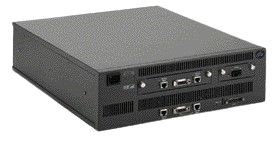
IBM 8281 Nways ATM LAN Bridge
The IBM 8281 Nways® ATM LAN Bridge delivers relief for overloaded local-area-networks (LAN). Asynchronous transfer mode (ATM) is the technology that allows LAN growth and gives users access to new applications based on data, voice, and image. The ATM Bridge provides the link between traditional LANs and an ATM network.
8282 Nways ATM Workgroup Concentrator
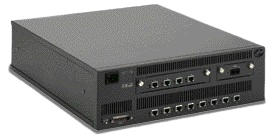
The IBM 8282 Nways® ATM Concentrator brings ATM to the desktop. Using an ATM network that includes the 8282, you can provide up to 25 Mbps of dedicated throughput to each workstation and continue to use your current LAN applications over ATM. You can also access other workstations that are in the ATM network.
8285 Nways AM Workgroup Switch
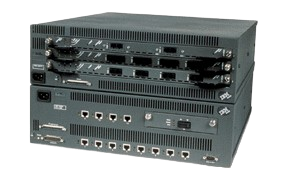
8285 Microcode Upgrades
8285 Base Unit
The IBM 8285 is an ATM Workgroup Switch for small ATM configurations. The Base Unit integrates the ATM Control Point and the FC LAN Emulation Server (LES) and offers 12 ATM ports at 25Mbps through RJ45 connectors. An optional high speed (155Mbps) link allows the connection to a local server or a larger ATM network.
Files
- 8285 Base Unit/Expansion Unit Installation and User's Guide, Download a 3M Adobe Acrobat *.pdf file.
- README
The README contains the following information:
- Date of last upgrade
- Module Description
- Code Version
- Pre/Co-requisites
- Download package information (number and type of files...)
- Download package file size
- Zipped Download Package
- Unzip EXECS for Various Platforms
- OS/2
- DOS
- AIX
8285 Expansion Unit
The 8285 Expansion Unit provides three slots for additional 8260 Nways ATM media modules. The following 8260 modules are available:
- ATM 4-Port 100Mbps Module MIC connector (FC 5004)
- ATM 4-Port 100Mbps Module SC connector (FC 5104)
- ATM 155Mbps Flexible Concentration Module (FC 5002)
- ATM 3-Port 155Mbps Module (FC 5003)
- ATM 12-Port 25Mbps Concentration Module (FC 5012)
- ATM TR/Ethernet LAN Bridge Module (FC 5204)
- ATM Carrier Modules (FC 5102 or 5202)
- ATM WAN Module (FC 5302)
- Video Distribution Module (FC 5008)
- ATM Firmware Upgrade Kit (MES 5099)
8371 Multilayer Ethernet Switch
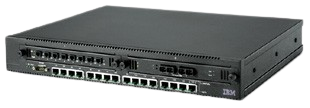
In conjunction with the MSS server in the ATM network, the 8371 Ethernet switch provides local, wirespeed Internet Protocol (IP) and Internet Packet Exchange (IPX) routing between Fast Ethernet ports on the same module and MPOA virtual one-hop routing over the ATM backbone network. The 8371 is designed to connect a variety of high-speed Fast Ethernet, ATM backbones and server links that will meet the high-performance IP routing requirements of today's and tomorrow's campus network environment.
9729 Optical Wavelength Division Multiplexer
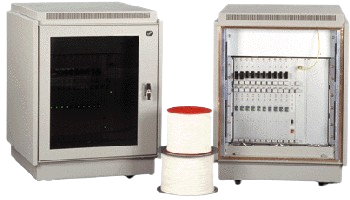
9729 Optical Wavelength Division Multiplexer
The 9729 Optical Wavelength Division Multiplexer lets you expand your network to include remote locations up to 50 km (31 mi.) apart. Instead of having to rent a pair of fibers for every 2-way connection between sites, you can get up to 10 of these connections simultaneously, all on a single fiber.
IBM 9729 Optical Wavelength Division Multiplexer Downloads
Subagent Code
This file contains instructions for installing and configuring your subagent. README.TXT
AIX Subagent Code muxsnmp (161K)
Windows Subagent Code muxsnmp.exe (236K)
OS/2 Subagent Code muxsnmp.exe (135K)
NetView Application
9729.tz (699K)
SystemView Applications
Download the SystemView Application for your operating system from the SystemView web site.
IBM 9729 Optical Wavelength Division Multiplexor Provides Cost-Effective, High-Capacity Fiber Links
October 8, 1996
Announcement Number: 196-230
At a Glance
The 9729 offers you a brilliant way to meet a wide spectrum of connectivity needs including:
- Improved operations of mission-critical applications across multiple data centers.
- Remote site backup for 24-hour-per-day/7-day-a-week operations.
- Running dim or lights-out mode data centers.
- Remote tape archiving and DASD "farms."
- Mirroring data from multiple client/server installations.
- Interconnecting ES/9000(R) processors, S/390(R) Parallel Enterprise Servers, S/390 G3 Enterprise Servers, and the S/390 Multiprise 2000, as well as ESCON directors. The 9729 Multiplexor can also be used between the Sysplex Timer(R) and the attached processors/servers.
- Managing data center consolidations and reorganizations.
- Multiprotocol network interconnects; for example, high-speed LAN interconnection.
- Delivering video on demand to cable company head-ends, and serving other emerging high-bit-rate applications.
- Implementing all these flexibilities quickly.
Overview
Using revolutionary new technology that divides a single leased fiber optic line into as many as 20 separate channels, the IBM 9729 Optical Wavelength Division Multiplexor dramatically reduces line costs while delivering fast, reliable fiber optic connections between two sites separated by a maximum of 50 kilometers.
The 9729 Multiplexor's pioneering optical wavelength division technology -- the most significant breakthrough in optical networking since the field began 10 years ago -- lets you begin to take advantage of the immense, untapped bandwidth in today's fiber optic networks and replaces multiple, high-speed serial links between sites with a single fiber.
Nothing compares with optical networking for speed, flexibility, and reliability. But until now, the advantages of optical networking carried a high price: a separate leased optical fiber for each communications link would be required. And with monthly leasing costs often ranging from $150 to $300 per mile, per strand, optical networking was priced out of reach for many applications. The 9729 Multiplexor helps make optical networking affordable by providing the same capacity supplied from a bundle of fibers while paying only for a single strand.
The 9729 Multiplexor meets a variety of connectivity needs, including:
- Improved operations of mission-critical applications across multiple data centers
- Remote site backup for 24-hour-per-day/7-day-a-week operations
- Running dim or lights-out mode data centers
- Remote tape archiving and DASD "farms"
- Mirroring data from multiple client/server installations
- Interconnecting Enterprise System/9000(R) processors, ESCON(R) directors, and I/O controllers
- Managing data center consolidations and reorganizations
- Multiprotocol network interconnects, for example, high-speed LAN interconnection
- Delivering video on demand to cable company head-ends, and serving other emerging high-bit-rate applications
- Implementing all these flexibilities quickly
Intended Customers
Customers who have or plan to have multiple data centers.
Key Prerequisites
The key prerequisite to purchasing a 9729 is a network that currently uses, or is planning to use, fiber to transmit data point-to-point. The 9729 unharnesses bandwidth existing within a single fiber strand, reducing fiber costs. The 9729 can currently attach ESCON or FDDI devices.
Planned Availability Date
October 11, 1996
973X IDNX Multiplexer
| Item | Part Number/ Machine Type | Model / Feature | Price (US $) | Availability |
|---|---|---|---|---|
| Non-Redundant Common Equipment (NRCE) (no trunk) | 9736 | 303/ 1550 | $0 | 1/97 |
| NRCE Data Only | 9736 | 303/ 1551 | $7210 | 1/97 |
| NRCE Analog Voice and Data | 9736 | 303/ 1552 | $7210 | 1/97 |
| NRCE Analog with Compression and Data | 9736 | 303/ 1553 | $12 360 | 1/97 |
| NRCE Digital Voice and Data | 9736 | 303/ 1554 | $7210 | 1/97 |
| NRCE Digital Voice with Compression and Data | 9736 | 303/ 1555 | $12 360 | 1/97 |
| Redundant Common Equipment (RCE) (no trunk) | 9736 | 403/ 1560 | $0 | 1/97 |
| RCE Data Only | 9736 | 403/ 1561 | $10 300 | 1/97 |
| RCE Analog Voice and Data | 9736 | 403/ 1562 | $10 300 | 1/97 |
| RCE Analog Voice with Compression and Data | 9736 | 403/ 1563 | $16 480 | 1/97 |
| RCE Digital Voice and Data | 9736 | 403/ 1564 | $10 300 | 1/97 |
| RCE Digital Voice with Compression and Data | 9736 | 403/ 1565 | $16 480 | 1/97 |
| Trunk-3 Front Card Bundle | 9736 | 203, 403/ 2627 | $0 | 1/97 |
| Optional Trunk-3 NRCE 20S Bundle | 9736 | 103, 303/ 2628 | $1520 | 1/97 |
| Trunk-3 T1 DSX Interface Card Bundle | 9736 | 103, 203, 303, 403/ 2636 | $0 | 1/97 |
| Trunk-3 E1 Interface Card Bundle | 9736 | 103, 203, 303, 403/ 2638 | $0 | 1/97 |
| Trunk-3 STI V35 Trunk Interface Bundle | 9736 | 103, 203, 303, 403/ 2639 | $0 | 1/97 |
| Trunk-3 STI Trunk Interface Bundle | 9736 | 103, 203, 303, 403/ 2640 | $0 | 1/97 |
| Upgrade Nonvolatile RAM (NVRAM) ISDNX 128Kx8 | 9733, 9736, 9738, 9739 | 108, 908/ 5163; 101, 102, 103, 201, 202, 203, 303, 403/ 5163; 110, 120, 130, 140, 210, 220, 230, 240, 250, 260, 270, 280, 090/ 5163 | $155 | 1/97 |
| PX3-8-Port Front Card | 9733, 9736, 9738, 9739 | 108, 908/ 5647; 101, 102, 103, 201, 202, 203, 303, 403/ 5647; 110, 120, 130, 140, 210, 220, 230, 240, 250, 260, 270, 280, 090/ 5647 | $8855 | 1/97 |
| PX3-4-Port Front Card | 9733, 9736, 9738, 9739 | 108, 908/ 5648; 101, 102, 103, 201, 202, 203, 303, 403/ 5648; 110, 120, 130, 140, 210, 220, 230, 240, 250, 260, 270, 280, 090/ 5648 | $6575 | 1/97 |
TURBOWAYS ATM Adapter Products

- IBM TURBOWAYS Family of ATM Adapters
- ATM Host Gateway: IBM TURBOWAYS 100 ATM Adapter for the 3172 Interconnect Controller Model 3 (G224-4437-00)
- Installing the TURBOWAYS 100 MC OS/2 Classical IP Driver
- Installing the TURBOWAYS 100 MC OS/2 LAN Emulation Driver
- Installing the TURBOWAYS 155 MC OS/2 Classical IP Driver
- Installing the TURBOWAYS 155 MC OS/2 LAN Emulation Driver
- Installing the TURBOWAYS 155 MC NetWare LAN Emulation Driver
IBM TURBOWAYS ATM Adapter Products
The IBM Turboways ATM Adapters provide solutions for a range of applications, if you're building a network, requiring high speed and bandwidth.
TURBOWAYS 25 ATM Adapter at a glance
Part Number 42H0525 (Quantity 1)
42H0526 (Quantity 5)
System Requirements PC workstation with 486 or higher processor ISA bus supporting busmaster adapter with one available 16-bit slot and 4 MB (DOS) or 8 MB (Windows and OS/2) minimum system memory
Drivers PC DOS 6.3 or higher;
MS-DOS 6.2 or higher;
OS/2 2.11 or higher or OS/2 Warp 3.0;
Windows 3.1 or Windows NT 3.5
Standards Support Support for ATM Forum UNI Specification V3.0 and 3.1 for switched virtual circuits AAL-5 adaptation layer interface; NDIS 2.01 network device interface specification.
Cabling and Connector STP or UTP (category 3, 4, or 5) wiring with RJ-45 connector
Network Utility
The IBM Network Utility (server model and transport model) is for customers with SNA applications that must accommodate increasing IP user connections. It is a simple, scalable and cost effective way for companies to increase the number of user connections without disrupting data center operations.
The powerful Network Utility TN3270E Server (Model TN1) supports up to 16,000 user sessions with an industry-leading price per session.
The Network Utility Transport (Model TX1) supports high-density DLSw, Enterprise Extender, and APPN (R) network concentration, single S/390 (R) channel attach, and Network Dispatcher to distribute to multiple IP servers.
Because the Network Utility models are custom-built for specific networking functions, they are easy to install, with many parameters preconfigured.
Network Utility at a glance
Models
- Network Utility TN3270e Server (Model TN1)
- Network Utility Transport (Model TX1)
System Card
- PowerPC“ 604E 200-MHz processor, 256 MB RAM, and 512 KB of L2 cache
Adapters
- 1-port Parallel Channel
- 1-port ESCON Channel
- 2-port Token Ring
- 2-port 10-Mbps Ethernet
- 1-port 10/100-Mbps Ethernet
- 8-port EIA 232/V.24
- 6-port V.35 or V.36
- 8-port X.21
- 1-port 155-Mbps Multimode fiber ATM
- 1-port, 155-Mbps Single-Mode Fiber ATM
- 1-port FDDI
- 1-port HSSI
Capacity
- 2 slots available for communication adapters
Wide Area Connector
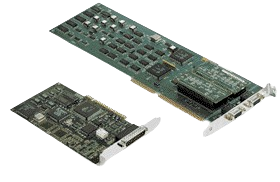
Install the latest IBM Wide Area Connector (WAC) adapter--PCI version--in any PC, workstation or server with a PCI-bus slot and you're ready to take advantage of the technology for ease of installation and faster data-transfer bus speeds than ever before.
Nways Manager (Software)
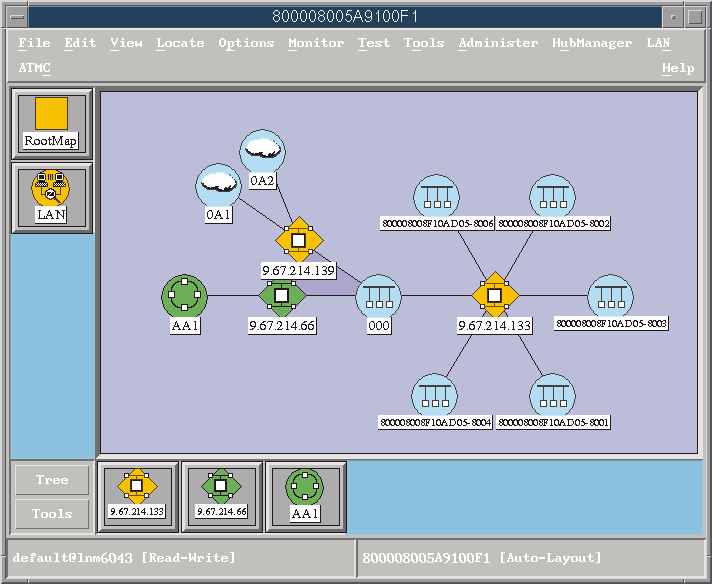
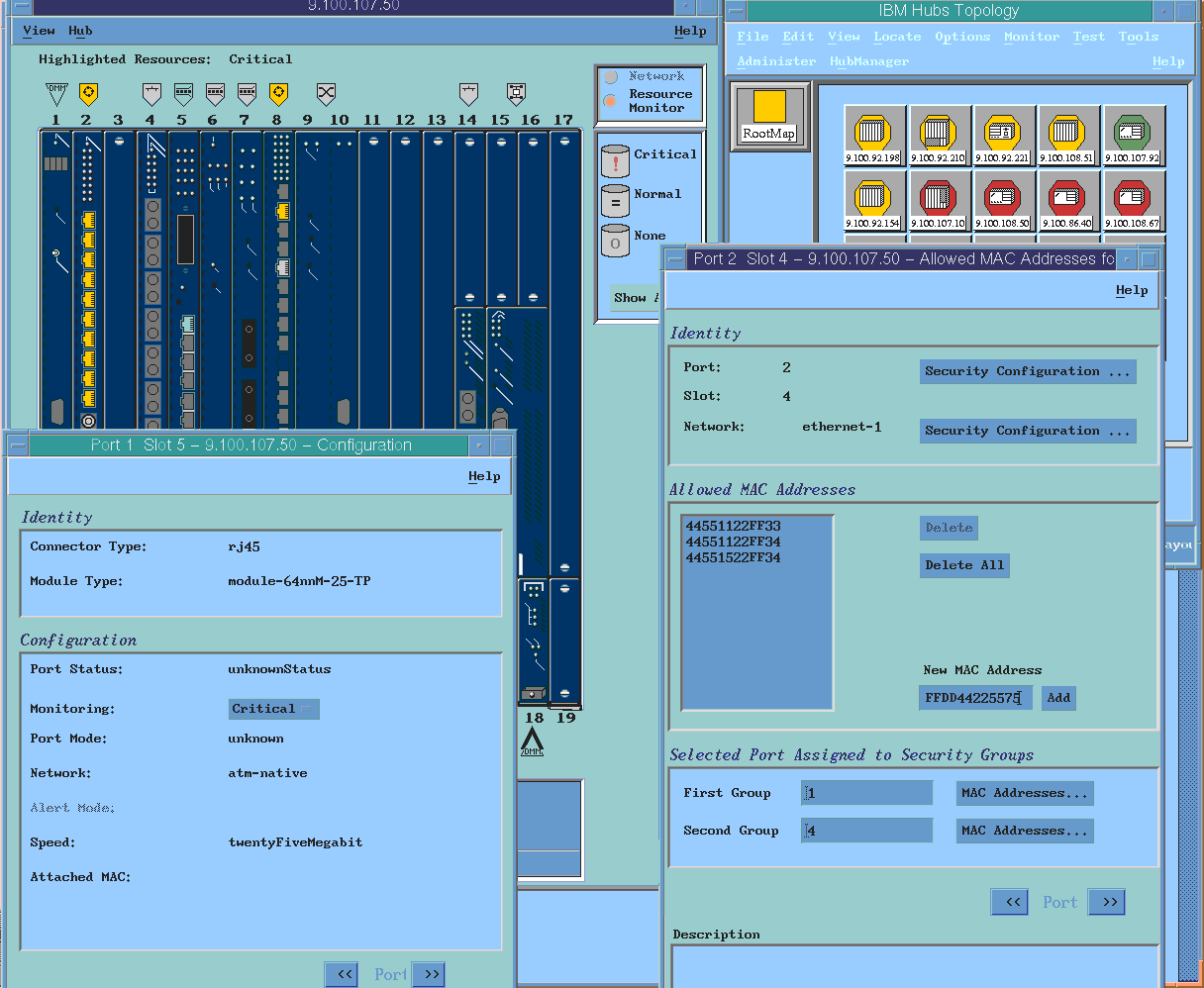
This section contains everything pertaining to the Nways "management solutions" which are sometimes closely related to one another, and were released on Windows, OS/2, AIX, HP-UX, and possible Solaris and IRIX support:
- Nways Campus Manager LAN for AIX, HP-UX
- Nways Campus Manager ATM for AIX, HP-UX
- Nways Campus Manager Remote Monitor for AIX, HP, and Windows
- Nways Campus Manager Suite for AIX
- Nways Wide Area Element Manager for HP OpenView
- Nways Manager for Windows
- Nways Enterprise Manager
- LNM Network Manager for OS/2 Version 2
- Nways RouteSwitch Network Manager
- Nways RouteTracker Manager
- IBM Delivers Java-Based Management Applications
- IBM Nways Workgroup Manager for Windows NT IBM Nways Workgroup Remote Monitor for Windows
- IBM Nways Workgroup Manager for Windows NT FAQ
- IBM Nways Management Solutions for Campus and Enterprise Networks Fact Sheet
- IBM Nways Manager for AIX Version 1.2 (G224-4531-01)
- Nways Campus Managers for AIX (G224-4531-00)
- IBM Nways Campus Managers for HP-UX
- Nways Manager for Windows, Version 2 (G325-3634-01)
- IBM's Java Web-Based Network Management: Easy Manageability -- From Anywhere
- Trouble-shooting Nways Mgr for AIX V1.2
- Nways Manager Installation Process Overview (This online document contains the general steps required to install Nways Manager for AIX V1.2)
- Token-Ring Media Management with the IBM MultiProtocol Switched Services (MSS) Client
- IBM Networking Campus Overview Fact Sheet
- Nways Managers Fact Sheet
- IBM Enhanced Nways LAN Switching Solutions Fact Sheet
- Price and Availability Date Summary Fact Sheet for Campus Products Announced 11 March 1997
- IBM Networking Campus Overview Fact Sheet
- Proactive Management Solutions for Campus and Wide Area Networks
- Management Options of IBM Networking Devices
- IBM Solutions for the Expanding Campus Network Fact Sheet
- Router and Bridge Manager Version 2 FAQ
- IBM NetView for Windows Version 2
- IBM Networking Enterprise Overview Fact Sheet
- IBM Nways Enterprise Manager Release 1 Fact Sheet
- LAN Network Manager for OS/2 Version 2 is available!
Nways® Manager applications offer a comprehensive suite of network management solutions for the networking infrastructure. Whether you have a small workgroup or a wide-area-network to manage, IBM has an Nways product to give you comprehensive management support.
The Nways® Manager family of network management products offer network management solutions to intelligently harness your networking resources. IBM Networking Hardware and Nways Manager software can help you manage anything from a small-office LAN to an enterprise-class system. Nways® Manager Version 2 offers new applications for targeted, cost-effective networking and enhancements to our existing management solutions.
Nways Element Manager (Version 2): Essential network management and performance monitoring for IBM routers, switches, and hubs. The Element Manager provides a web-based architecture, distributed monitoring, new Ethernet and IP support, and new levels of integration with systems management platforms in Version 2. The IBM Nways® Element Manager provides essential SNMP management for IBM routers, hubs, and switches. The Element Manager Version 2.0 program package includes the Java Performance Monitor for historical trending and analysis, a TN3270 Response Time Monitor, and a new Nways IP Route Manager as well as enhanced platform support for the 8265 Nways ATM Switch and support for IBM's new Ethernet product line. Element Manager may be purchased separately or as part of the Nways Manager Suite.
Advanced Remote Monitor (Version 2): New RMON2 support in a repackaging of our Traffic and Remote Monitor products. The Advanced Remote Monitor provides RMON and RMON2 performance monitoring, trend analysis, traffic views and reports. The RMON-directed component provides MAC-address-through-network-layer address translation and MAC-layer packet capture plus new RMON2 probe configuration and protocol distribution support. The RMON2 component supports graphical monitoring and analysis of Ethernet, IP, FTP, Lotus Notes, or other network or application layer traffic.
Nways Manager Suite (Version 2): Targeted management for cost-effective networking. The Suite offers a Deployment Manager for distributing microcode and configurations to 2000 routers at once, a VPN Manager for validating Virtual Private Networking policies and tunnels, and an ATM Manager featuring new support for ELANs, Super ELANs, and Private Network Node Interfaces. Version 2 includes all Element Manager function. The IBM Nways® Manager Suite offers the most complete network management available from IBM. The Suite includes all products in the IBM Nways Element Manager plus specialized applications for managing ATM networks, Virtual Private Networks, and even administrator workload with mass deployment of microcode to 2000 routers with an action.
Nways RouteVision Campus Manager for Windows NT/95 (Version 3.5): Management for the 8274 Gigabit Route Switch (GRS) and assorted other switching products. Configuration, diagnostics, statistics, and event management for campus switching The RouteVision Campus Manager is a complete management and diagnostic tool designed to support the IBM 8274 Gigabit Route Switch, 8277 Ethernet RouteSwitch, 8273 Ethernet RouteSwitch, 8274 LAN RouteSwitch and RouteCell platforms, and the 8276 Nways Ethernet RoutePort Switch. The RouteVision Campus Manager provides health, module, port, and VCC statistics in a graphical environment. A customizable hardware discovery process supports definable regions, subnet names, and descriptions as well as logical mapping of the switch network. RouteVision supports policy-based VLAN capabilities. Hardware and Software Requirements The Nways RouteVision Campus Manager Version 3.5 is available on Windows 95/NT. It requires the following: – Pentium II 233 MHz – 128 MB RAM – 16-Bit Color Capable Video Card – 1024 x 768 Resolution – 300 MB free disk space – Microsoft Windows NT 4.0 with Service Pack 4 or – Microsoft Windows 98 or – Microsoft Windows 95 OSR 2.1 with DCOM and WinSock2 (DCOM and WinSock2 installation are included as part of the RouteVision installation setup) – CD-ROM Drive – Network Interface Card – TCP/IP Stack The latest service packs for Windows and Windows NT should be installed.
| For Small to Medium-Sized Networking Environments | For Medium to Large-Sized Networking Environments | For Wide Area Networks (WAN) |
|---|---|---|
| Nways Workgroup Manager & Workgroup Remote Monitor | Nways Campus Manager LAN for AIX, HP-UX | Nways Enterprise Managers |
| Nways RouteSwitch Network Management Suite | Nways Campus Manager ATM for AIX, HP-UX | Nways Wide Area Element Managers |
| Nways Campus Manager Remote Monitor for AIX, HP, and Windows | ||
| Nways Campus Manager Suite for AIX | ||
| Nways RouteSwitch Network Management Suite |
Reliable State-of-the-Art management solutions for the Networking Infrastructure
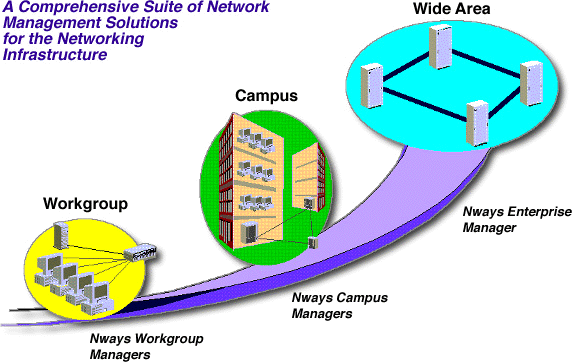
MANAGEMENT SOLUTIONS FOR SMALL TO MEDIUM SIZED NETWORKING ENVIRONMENTS
Products:
- Nways Workgroup Manager & Workgroup Remote Monitor
- Nways RouteSwitch Network Management Suite
Positioning
- Small-to-medium sized networks
- Autonomous workgroup environments
- Requirement for PC-based management
- Ready-to-run out of the box solutions
Operating Environment
- Microsoft Windows - 3.1x and NT
Functions
- Fault, performance, & configuration management - LANs, VLANs, ATM
- Full RMON Support - Ethernet & Token Ring LAN segments
- Graphical device management - routers, hubs, switches, ...
Hardware Supported
- For specific hardware supported with Nways Workgroup Manager & Workgroup Remote Monitor go here.
- Nways RouteSwitch Network Managers supports 8273 & 8274 LAN switches
MANAGEMENT SOLUTIONS FOR MEDIUM TO LARGE NETWORKING ENVIRONMENTS
Products:
- Nways Campus Managers
- Nways Campus Manager LAN for AIX, HP-UX
- Nways Campus Manager ATM for AIX, HP-UX
- Nways Campus Manager Remote Monitor for AIX, HP, and Windows
- Nways Campus Manager Suite for AIX
- Nways RouteSwitch Network Management Suite
Positioning
- Medium to large networks
- Requirements for Unix-based management
Operating Environment
- TME-10 NetView for AIX
- HP OpenView
- Sun Solaris (RouteSwitch Network Managers only)
Functions
- Fault, performance, & configuration management - LANs, VLANs, ATM
- Full RMON & RMON2 Support - Ethernet & Token Ring LAN segments
- Graphical device management - routers, hubs, switches, ...
- Topology & policy-based VLAN management
- Network performance monitoring - IBM and non IBM devices
Hardware Supported
- For specific hardware supported by Nways Campus Managers go here.
- Nways RouteSwitch Network Managers supports the 8273 & 8274 LAN switches
MANAGEMENT SOLUTIONS FOR WIDE AREA NETWORKS (WAN)
Products:
- Nways Enterprise Managers
- Nways Wide Area Element Managers
Positioning
- Wide area networking (WAN) environments
- UNIX based solutions
Operating Environment
- TME-10 NetView for AIX and TMN Netview (Enterprise Manager)
- HP OpenView for Solaris (Wide area element manager)
Functions
- Fault, configuration and security management
- Euro-ISDN and Q.SIG management
- Performance monitoring
- Graphical device management
Hardware Supported
- Nways Enterprise Manager supports networks with IBM 2220 family of switches, routers and 3746 controllers
- Nways Wide Area Element Manager supports networks with IBM 2219, 2225 and 2230 Nways Wide Area Switches
IBM Nways RouteSwitch Network Manager PTFs
CURRENTLY THERE ARE NO PTFS AVAILABLE VIA THE WEB FOR THIS PRODUCT Access to Nways RouteSwitch Network Manager PTFs requires an IBM issued ID and password. This ID and password is available to licensed users of the products. Any code you obtain is made available subject to the terms of your existing license for the relevant product. By downloading the ptf, you accept this requirement. Contact your local IBM Service for instructions on how to obtain an ID and password. There are two ways to access the Nways RouteSwitch Network Manager 2.0 and 2.1 PTFs, web browsers and FTP.
- For AIX Release 2.0
- If your Internet browser supports "forms", RNA0 PTFS
- If your browser does not support "forms", you can link to the PTF home page by specifying the following URL ftp://myid:mypassword@networking.raleigh.ibm.com/%2F/pub/products /RNA0/RNA0ptf.html replacing "myid" and "mypassword" with the appropriate ones.
- For AIX Release 2.1
- If your Internet browser supports "forms", RNA1 PTFS
- If your browser does not support "forms", you can link to the PTF home page by specifying the following URL ftp://myid:mypassword@networking.raleigh.ibm.com/%2F/pub/products /RNA1/RNA1ptf.html replacing "myid" and "mypassword" with the appropriate ones.
- For HPUX Release 2.0
- If your Internet browser supports "forms", RNH0 PTFS
- If your browser does not support "forms", you can link to the PTF home page by specifying the following URL ftp://myid:mypassword@networking.raleigh.ibm.com/%2F/pub/products /RNH0/RNH0ptf.html replacing "myid" and "mypassword" with the appropriate ones.
- For HPUX Release 2.1
- If your Internet browser supports "forms", RNH1 PTFS
- If your browser does not support "forms", you can link to the PTF home page by specifying the following URL ftp://myid:mypassword@networking.raleigh.ibm.com/%2F/pub/products /RNH1/RNH1ptf.html replacing "myid" and "mypassword" with the appropriate ones.
- For SunOS Release 2.0
- If your Internet browser supports "forms", RNO0 PTFS
- If your browser does not support "forms", you can link to the PTF home page by specifying the following URL ftp://myid:mypassword@networking.raleigh.ibm.com/%2F/pub/products /RNO0/RNO0ptf.html replacing "myid" and "mypassword" with the appropriate ones.
- For SunOS Release 2.1
- If your Internet browser supports "forms", RNO1 PTFS
- If your browser does not support "forms", you can link to the PTF home page by specifying the following URL ftp://myid:mypassword@networking.raleigh.ibm.com/%2F/pub/products /RNO1/RNO1ptf.html replacing "myid" and "mypassword" with the appropriate ones.
- For Sun Solaris Release 2.0
- If your Internet browser supports "forms", RNS0 PTFS
- If your browser does not support "forms", you can link to the PTF home page by specifying the following URL ftp://myid:mypassword@networking.raleigh.ibm.com/%2F/pub/products /RNS0/RNS0ptf.html replacing "myid" and "mypassword" with the appropriate ones.
- For Sun Solaris Release 2.1
- If your Internet browser supports "forms", RNS1 PTFS
- If your browser does not support "forms", you can link to the PTF home page by specifying the following URL ftp://myid:mypassword@networking.raleigh.ibm.com/%2F/pub/products /RNS1/RNS1ptf.html replacing "myid" and "mypassword" with the appropriate ones.
- For Windows Release 2.0
- If your Internet browser supports "forms", RNW0 PTFS
- If your browser does not support "forms", you can link to the PTF home page by specifying the following URL ftp://myid:mypassword@networking.raleigh.ibm.com/%2F/pub/products /RNW0/RNW0ptf.html replacing "myid" and "mypassword" with the appropriate ones.
- For Windows Release 2.1
- If your Internet browser supports "forms", RNW1 PTFS
- If your browser does not support "forms", you can link to the PTF home page by specifying the following URL ftp://myid:mypassword@networking.raleigh.ibm.com/%2F/pub/products /RNW1/RNW1ptf.html replacing "myid" and "mypassword" with the appropriate ones.
January and February PTFs
- Jan 26 Nways Workgroup Manager Program Package for Windows NT version 1.1.3
- Feb 25 Nways Manager for AIX version 1.2.3
- Jan 26 Nways Manager for HP/UX Element Manager Program Package version 1.2.1
Enhancements listed by router or switch
The 8265 Nways ATM Switch:
- s manageable over a Windows NT or HP/UX platform.
- Supports hierarchical PNNI viewing and drill-down through the Nways Manager AIX - ATM component
- Is directly accessible through Tivoli Inventory.
The 8260 Nways Multiprotocol Switching Hub is directly accessible through Tivoli Inventory.
Nways Manager support for the 8210 Multiprotocol Switched Services (MSS) Server provides for:
- LAN Emulation Configuration Server (LECS) auto-replication and LAN Emulation Client (LEC) autodiscovery
- Super ELAN bridge viewing, detection, and statistics
Nways Manager offers beta support for the 8371 Multilayer Ethernet Switch and 8371 blade in the 8265.
The 8275 Fast Ethernet Desktop Switch Model 324 is managed for the first time.
The following devices feature updated management:
- 2210 Nways Multiprotocol Router
- 2212 Access Utility Models 40F and 40H
- 2216 Nways Multiaccess Connector Model 400
Nways Manager support for the 8239 Token-Ring Stackable Hub provides for segmentation and features significant performance improvements.
Nways Manager support for the 8271 Nways Ethernet LAN Switch Models E12/24 and F12/24 is upgraded from static to dynamic graphical access.
The configuration program features a streamlined launch.
Nways Manager is foundation-level Tivoli certified and AIX-ready.
IP TraceRoute phase 1 tabulates IP path information for end-to-end IP route management.
Traffic Monitor supports RMON2 as defined in RFCs 2021 and 2074. Remote Monitor supports a subset of the RMON2 MIBs.
Traffic Monitor integrates the Informix database and upgrades reporting capabilities to include postscript and HTML
How to order the new versions of Nways Manager
Try-and-buy packages are available for free or at low cost as follows:
Nways Workgroup Manager Program Package for Windows NT and Remote Monitor: order SK2T-0417-04 through IBM puborder at www.elink.ibmlink.ibm.com/pbl/pbl or, in the USA, by calling 1 800 879 2755). The try and buy price is $14.75.
Try and buy version of Nways Manager - AIX: part number 4300293, or SK2T-0420-04 through puborder for $16.75.
Try and buy version of Nways Manager for HP/UX Element Manager program package: part number 04L6294, or SK2T-0432-01 through puborder for $26.50.
Try and buy packages time out after 60 days. Orderable versions of Nways Manager carry the following part numbers:
For Windows NT
- Nways Workgroup Manager Program Package for NT version 1.1.3: part number 4300226
- Nways Manager Remote Monitor: part number 4300225
For AIX
- Nways Manager AIX - LAN license use certificate (provides device management):
- part number 4300291 PLUS 4300293 (order both part numbers unless you already have the new try and buy 4300293)
- Nways Manager AIX - ATM license use certificate: 4300288
- Nways Manager AIX - Traffic Monitor license use certificate: 4300286
- Nways Manager AIX - Remote Monitor license use certificate: 4300287
For HP/UX
- Nways Manager for HP/UX Element Manager Program Package: part number 04L6295
- Nways Manager for HP/UX ReMon orderable part number: 04L6297
Nways Manager for NT V 1.2
Nways® Manager for NT provides an SNMP management platform and a suite of graphical device management applications that bring integrated, heterogeneous SNMP management to the Windows NT Version 4.0 environment.
It provides fault, performance, configuration, accounting and security management for SNMP-enabled workstations, hubs, routers, bridges, switches and adapters.
Nways Manager for NT Requirements
Hardware Requirements
- 200 MHz Pentium II
- 128MB memory
- estimated minimum free disk space: NTFS 180 MB free disk space - Actual requirements depend on the allocation size
- 150 MB paging space
- 256 colors
- Video Display 1024 x 768
- CD-ROM drive
Software Requirements
- Windows NT Version 4, Service Pak 3
- J.D.K. 1.1.6 (Only if using Distributed Intelligent Agent - DIA)
- Any web browser which supports JDK 1.1.5 or higher
Nways Manager for AIX
The IBM Nways® Manager for AIX is a member of the IBM Nways family of network management programs, all of which provide the ability to manage heterogeneous networks including Token-Ring, Ethernet, FDDI, and ATM.
Nways Manager for AIX is the best (and most effective) way to manage medium-to-large, LAN-based campuses, including high-speed backbones built with ATM and LAN switches. The Nways Manager for AIX takes advantage of Tivoli TME 10 NetView for the management of LAN topologies, fault and event recording, and error logging.
Nways Manager for AIX Version 1.2.3 Requirements
Hardware Requirements
- RS6000
- Memory: 512 Mb minimum for all components, 768 Mb recommended
- 1.5 Gb disk space
- 100 MHz processor minimum; 166 MHz recommended
- 256 colors
- Video Display 1280 x 1024
- CD-ROM drive
Software Requirements
Operating System
- AIX Version 4.1.5 with latest APARs/PTFs or
- AIX Version 4.2.1 with latest APARs/PTFs or
- AIX Version 4.3.1 with latest APARs/PTFs or
- AIX Version 4.3.2 with latest APARs/PTFs
Management Platform
- NetView/AIX v4.1.2 with latest APARs/PTFs or
- NetView/AIX v5 with TMF 3.2 with latest APARs/PTFs
Other
- JDK 1.1.6 with latest APRs/PTFs
- Any web browser which supports JDK 1.1.5 or higher
Nways Manager for HP-UX V1
The IBM Nways® Manager for HP-UX is a suite of management applications that provide an easy-to-use, cost-effective, comprehensive network management solution for IBM networking devices in medium-to-large Ethernet, FDDI, and Token-Ring networks.
With Java“-based management support, you can manage your devices from your intranet, the Internet, and from your local HP-UX workstation.
Nways Manager for HP-UX Requirements
Hardware Requirements
- HP9000
- Minimum 512 Mb memory
- 1.5 Gb disk space
- 100 MHz processor minimum; 200 MHz recommended
- 256 colors
- Video Display 1280 x 1024
- CD-ROM drive
Software Requirements
- HP-UX Version 10.20
- May/June 98 HP/UX extension software for 10.20
- should include PHSS-1066, PHSS-10687 and PHSS-15043 or their replacements
- JDK 1.15.05
- You can download the JRE for this level at: Hewlett-Packard's Enterprise Computing site.
- Any web browser which supports JDK 1.1.5 or higher
| Product | Part Number | Version | Description |
|---|---|---|---|
| Nways Element Manager Server | 41L1045 | 2.0 | NWAYS MGR WIN - NT V2.0 ELEMENT MANAGER |
| Nways Element Manager Server | 41L1054 | 2.0 | NWAYS MGR WIN - NT V2.0 ELEMENT MGR SVR UPG FROM PRIOR NWAYS MGT PRODUCT |
| Nways Element Manager Server | 41L1069 | 2.0 | NWAYS MGR WIN - NT V2.0 ELEMENT MANAGER 1 MANAGED NODE |
| Nways Element Manager Server | 41L1070 | 2.0 | NWAYS MGR WIN - NT V2.0 ELEMENT MANAGER 1 MANAGED NODE UPGRADE |
| Nways Element Manager Server | 41L1657 | 2.0 | NWAYS MGR WIN - NT V2.0 ELEMENT MANAGER 1 SERVER INSTALL |
| Nways Element Manager Server | 41L1658 | 2.0 | NWAYS MGR WIN - NT V2.0 ELEMENT MANAGER 1 SERVER INSTALL UPGRADE |
Nways RouteSwitch Network Manager
The IBM Nways® RouteSwitch Network Manager works with our Ethernet and LAN RouteSwitch products to allow advanced routing and high-speed switching.
Nways RouteTracker Manager
The IBM Nways® RouteTracker Manager (NRTM) is a powerful graphical application you can use to create and manage policy-based virtual LANs.
The RouteTracker Manager allows you to manage the RouteSwitch product family, including IBM 8277 Ethernet RouteSwitch, IBM 8273 Ethernet RouteSwitch, IBM 8274 LAN RouteSwitch, and RouteCell platforms.
LAN Network Manager for OS/2
The IBM LAN Network Manager (LNM) for OS/2 provides generic physical media management of Token-ring networks and Ethernet networks (through bridges), supporting multiple segments in those networks.
It allows you to manage multi-segment Token-Ring and Ethernet networks either locally from a workstation or centrally from host NetView* or from the LAN Network Manager for AIX.
Nways 2220 Switch Manager for AIX
The IBM Nways® 2220 Switch Manager allows you to manage a network of switches, routers and controllers on one management workstation.
Part of the Nways family of products, this management application handles a TCP/IP network comprising routers, bridges and a 3746 controller. It also handles IBM 2220 Nways BroadBand Switches with ATM applications.
Nways 2220 Switch Manager for AIX at a glance
Systems
- 1 RS/6000 workstation
Software and Operating Systems
- AIX V 4.1.5 or 4.2
- TME NetView for AIX V 4 or 5 or TMN Support Facility for AIX (TMN/6000) V 2.2
Hardware Requirements
- CD-ROM drive
- One Ethernet link to be connected to one of the Nways switches
System Disk Space
- At least 64 MB of memory to manage a small network (fewer than 3 nodes)
- Additional memory (minimum of 64 MB) for each additional operator
- At least 2 GB of disk space
- Additional disk space (over 1 GB) for keeping an accounting file that must be moved periodically for some billing application switches.
Networking Products
- IBM Nways ATM Solutions Fact Sheet
- WORLDSPAN Takes Off with IBM (G224-7055-00)
- NETtalk north america Issue 3, Volume 1, August 1997 (DIDA42)
- IBM Nways Manager Suite Version 2.0 (G224-7014-00)
- An Overview of IP Switching Technology
- IBM 3270 Emulation Adapters
- Migration to IBM eNetwork Personal Communications and Communications Server (G325-3711-00)
- 10 Reasons to Use the IBM Communications Server for AIX
- Communications Server for AIX with SNA Client Access (G325-3723-00)
- SNA Client Access for AIX Version 1.2 (G325-3488-00)
- Communications Server for AIX (G325-3572-02)
- Communications Server (G325-3565-02)
- Communications Server for OS/2 Warp Windows Access Feature (G325-3566-00)
- Communications Server for OS/2 Warp OS/2 Access Feature (G325-3568-01)
- Communications Server for OS/2 Warp (G325-3596-01)
- IBM Communications Server for OS/2 WARP
- Communications Server, Release 2 for MVS/ESA (G325-3668-01)
- 10 reasons to buy Communications Server for Windows NT (G325-3683-00)
- Communications Server for Windows NT (G325-3684-00)
- Use your SNA network for Internet access
- Communications Server for OS/390 Release 3 (G325-5206-01)
- IBM Communications Server Family: Energize your business network. (G325-5207-01)
- VTAM, Version 4 Release 4 for MVS/ESA (G325-6574-01)
- IBM* Communications Server White Paper "Energize your business network"
- IBM Communications Server Product Line Overview
- eNetwork™ Communications Suite (G325-1193-00)
- IBM Ethernet LAN Adapter Family (G221-4074-09)
- Networking Hardware Division - 1997 (SNA) Benchmarking
Gigabit Ethernet: Can it save the day?
Speed, pure speed
For networks with serious bottlenecks, the answer may be Gigabit Ethernet. With its relative low cost of implementation and generous data transfer rates, the protocol could prove to be the salvation of many network administrators.
But, as has been well-publicized, Gigabit Ethernet is not merely Fast Ethernet times ten. There are some difficult issues to contend with when evaluating a migration to Gigabit Ethernet. Cabling media, cable run lengths and server speed are among the most contentious obstacles Gigabit Ethernet deployments face.
Emerging protocol standards
But in the past few months, standards bodies have come to agreement on solutions for these problems. Still, Quality of Service (QoS) can deter the effectiveness of Gigabit Ethernet, at least when compared to other fast networking topologies such as Asynchronous Transfer Mode (ATM).
When cost is a factor for networking environments without multimedia requirements, ATM's QoS may not be as important. Nonetheless, IBM has rolled out QoS standards for Gigabit Ethernet that make the protocol even more attractive for multi-use networks.
Boost bandwidth from server to desktop
At present, Gigabit Ethernet has found a home connecting servers and switches. The IBM Nways 8274 Ethernet RouteSwitch Model GRS is ideally positioned for just such an implementation. Featuring layer-3 hardware-based switching for Gigabit Ethernet, Fast Ethernet and Ethernet protocols, the 8274 makes sense for Ethernet networks in need of a speed boost.
To port data from server to switch, consider the IBM Netfinity Gigabit Ethernet SX adapter. With plug-and-play, full-duplex transmission and fault-tolerance capabilities, the Netfinity Gigabit Ethernet SX Adapter can eliminate server-to-switch bottlenecks.
Look to IBM Networking Hardware for more Gigabit Ethernet solutions in the near future.
Websphere Host Integration Solution
The WebSphere Host Integration Solution can take your legacy applications to the Web, quickly! It extends host applications to the Web and provides software for creation and deployment of new host access e-business applications, without requiring any changes to the existing applications themselves. Whether you need simple Web page delivery, putting a new face on a legacy application, or creating sophisticated Java solutions, the IBM WebSphere Host Integration Solution allows you to quickly and flexibly integrate critical enterprise data with the Web.
Features at a glance: Quickly extends host applications to the Web without changing the existing applications. Allows the creation and deployment of new host access e-business applications with a strong set of APIs and Java programming tools and WebSphere Application Server Advanced Edition. Supports Java, HTML, and XML delivery of host data from multiple sources, such as S/390, AS/400, VT and JDBC databases. Works with WebSphere Transcoding Publisher to enable the delivery of host data to pervasive devices such as smartphones or personal digital assistants.
Operating systems
WebSphere Host Integration Solution runs on AIX, DOS, Linux, NetWare, OS/2, OS/390, OS/400, Solaris, Windows 2000, Windows 95, Windows NT and Windows 98.
Domino email for AS/400
Increase connectivity, secure connections, lower WAN cost, and provide Internet access
Linking branch offices and remote workers securely and reliably without jeopardizing existing network investments can be a challenge.
IBM's Lotus Domino email solution is designed to handle mushrooming network traffic, easily tie together multiple locations, provide access to remote workers and enable Internet access.
Combining IBM's AS/400 servers, Domino software and 2210 Multiprotocol routers, the Domino email solution delivers scalable, high-performance interconnectivity and reduces costs.
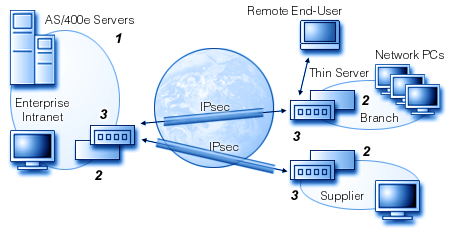
| Server | Ethernet | Token Ring |
|---|---|---|
|
1. AS/400e Models 170, S20, S30, S40 Domino IBM Firewall |
2. Hubs 8242, 8245 2. Switches 8275, 8271 3. Access Utility/Router 2210, 2212 NEW Model! |
2. Hubs 8239 2. Switches 8270 3. Access Utility/Router 2210, 2212 NEW Model! |
The award-winning 2210 Multiprotocol router enables Virtual Private Networks (VPNs), providing secure access to protected data such as email or critical corporate e information among multiple offices and remote users.
Visit our VPN solution guide to see how IBM VPN solutions can work for you. Also, read the white paper on VPNs to understand the security and savings your company can achieve with VPN connections.
If you are migrating to Domino email from an existing AS/400 installation, see the e-business Internet solution.
Download the Domino email for AS/400e brochure.
DLSw Routers: Scaling to New Heights
By David Newman, Brent Melson, and Siva S. Kumar
DLSw Routers: Scaling to New Heights
Tests indicate that routers with data link switching can handle thousands of SNA sessions
Top Performers
Cisco Systems Inc.
The Cisco 4700 simply breezed through our tests. It handled the 4,000 SNA sessions we threw at it, and its CPU utilization statistics indicated even heavier loads wouldn't be a problem. Better yet, response time remained very low and consistent under all conditions, with sessions always being serviced an order of magnitude faster than we required. The 4700 also made short work of prioritizing multiple protocols.
IBM
The IBM 2210 Nways Multiprotocol Router fielded nearly 3,000 SNA sessions in our tests (and may be capable of handling yet higher levels in live production networks), while turning in stellar results in our prioritization tests. The big plus is price: At $5,545, it's the least expensive router we tested.
Separate, unequal, and expensive: When it comes to managing an SNA network, that pretty much sums it up. SNA not only has its own protocols and set of acronyms--it also runs on its own backbone net since it can't be routed over the TCP/IP networks that dominate the corporate landscape.
That's where data link switching (DLSw) is supposed to help, since it encapsulates SNA traffic into TCP/IP packets. Trouble is, no one really knows whether DLSw-equipped routers can handle the hundreds or thousands of sessions that typically are active at any one time in an SNA network, or just how high a DLSw net can scale.
Until now. Along with National Software Testing Laboratories Inc. (NSTL, Conshohocken, Pa.), Data Comm ran the largest test of DLSw scalability ever conducted. We offered traffic from up to 4,000 SNA sessions through three routers under test--a level more than 10 times higher than that used in previous evaluations. We also tested protocol prioritization, a key capability if SNA traffic is to share bandwidth with other protocols.
And our results should give SNA network managers plenty to be hopeful about. All the routers we evaluated either approached or exceeded the 1,000-session mark, and none exceeded our threshold of unacceptably high response times. In our prioritization tests, none of the routers allowed SNA sessions to fail when other protocols were present.
The strongest performer was the Cisco 4700 from Cisco Systems Inc. (San Jose, Calif.), which not only accommodated 4,000 sessions with ease, but also delivered impressively low and consistent average response times. The IBM 2210 Nways Multiprotocol Router approached the 3,000-session mark, and while it didn't scale as high as the Cisco box it does offer excellent value for money. Both products earned Tester's Choice awards.
But even the most modest of the three routers we tested, the Amazon from Advanced Computer Communications (ACC, Santa Barbara, Calif.), handled close to 1,000 SNA sessions at a clip. All of which makes the message of this test clear: DLSw has what it takes to deal with huge quantities of SNA traffic.
Essential SNA
SNA takes a lot of grief for being a tired old technology, but it remains the most prevalent protocol on corporate nets. IBM estimates there are 50,000 mainframe-based networks and more than 400,000 networks with AS/400 minicomputers, all using SNA. For industries like retailing, banking and insurance, it's almost the only way to go: Some 95 percent of their mission-critical traffic still runs over SNA.
But the networks linking those revenue-related systems increasingly are based on TCP/IP--and therein lies the problem. SNA lacks a network layer that routers can use, which means it can't be routed across TCP/IP backbones. As a result, corporate net managers often have to maintain two infrastructures--one for routable traffic and another for unroutable SNA--with the attendant high costs for WAN lines.
There have been various attempts at transporting SNA over TCP/IP backbones, but none has served as a magic bullet. Source route bridging (SRB) offers limited scalability and virtually no control over broadcast traffic. SNA gateways can scale, but they're expensive and can be difficult to configure and manage. And frame relay is a terrific technology on paper, but most router implementations offer very limited congestion control.
DLSw to the Rescue
DLSw addresses these problems. SNA, Netbios, and all other LAN protocols can run over a single backbone made up of routers. (Although our test involved SNA and not Netbios, many of the challenges posed by SNA also apply to Netbios, which can't be routed in its native form.) SRB and Netbios broadcast traffic is reduced, since routers limit broadcasts to local subnetworks. And because DLSw is based on APPN Implementors Workshop (AIW) and Internet Engineering Task Force (IETF) standards, gear from different vendors should interoperate. The IETF has codified DLSw in two Requests for Comment (RFC) documents: RFC 1434, which describes basic DLSw theory, and RFC 1795, which describes communications between devices that use DLSw and adds flow control and prioritization functions.
A device using DLSw essentially terminates the data-link layer portion of an SNA or Netbios session and then encapsulates "unroutable" traffic into TCP/IP packets for routing. DLSw is most often used on pairs of routers, with SNA or Netbios found on either side of the routers and TCP/IP used for the router-to-router link. Typically, SNA traffic is on the LAN side and TCP/IP is used over a wide-area link, but this isn't a requirement (see DLSw to the Desktop).
Because LLC2 sessions are terminated on the local side of the routers, the router must "spoof" the management traffic each end-station expects to receive from its session partner.
DLSw also streamlines the TCP/ IP part of the link. It stuffs multiple SNA or Netbios frames (which typically have payloads of 256 bytes or less) into each TCP/IP packet, and then it multiplexes all LLC2 sessions onto one TCP circuit between routers.
While moving all data across one backbone network sounds great, DLSw routers on that backbone face a couple of challenges. First, DLSw implementations must be robust enough to scale up to hundreds or thousands of SNA or Netbios sessions.
Mapping sessions to a TCP circuit is resource-intensive, and the router must be powerful enough to keep track of each session's state, to perform local acknowledgment of LLC2 traffic, and to route TCP/IP traffic--all without degrading response time.
There's also a scalability question on the TCP/IP side, but that question is beyond the scope of this test. In order to locate and route among all SNA or Netbios devices, DLSw requires a TCP circuit (or two circuits in older implementations) to be established between every pair of DLSw-capable routers. Our tests were conducted between just two routers, so we can't say whether TCP circuit maintenance would be a problem in large networks.
There also has to be a mechanism for ensuring that SNA traffic (in particular) gets the WAN bandwidth it needs--specifically, protocol prioritization. The need for prioritization arises from design goals of the protocols themselves. SNA was intended for low-speed circuits; accordingly, it tries to use as little bandwidth as possible. TCP/IP and IPX, in contrast, were designed for use on LANs, where bandwidth is essentially "free." Thus they try to grab as much bandwidth as they can.
Run all these protocols together and SNA sessions are at risk of bandwidth starvation. That's exactly what we saw when we offered routers roughly equivalent amounts of SNA, IP, and IPX traffic with no prioritization enabled: The percentage of bandwidth used by SNA plummeted as IP and IPX sessions were started, and eventually some SNA sessions failed.
Router vendors offer various prioritization schemes to ensure that SNA gets the bandwidth it needs. These range from simple bandwidth reservation to complex algorithms that dynamically alter the amount of bandwidth available to each protocol.
Prioritization schemes should also be able to distinguish different streams using the same protocol. For example, both SNA and Web search traffic may be contained in TCP/IP packets, but their priorities might differ. So in this case, it's necessary to prioritize on TCP port number.
Table 1: Selected Vendors of Routers With DLSw Support
| Vendor | Product | Hardware/software version tested | CPU | Interfaces supported | Maximum token ring ports | RFC 1434/1795 support | DLSw for SNA and Netbios | Load balancing across WAN interfaces | Routing protocols supported | Configuration methods | Price |
|---|---|---|---|---|---|---|---|---|---|---|---|
| Advanced Computer Communications Santa Barbara, Calif. 805-685-4455 http//www.acc.com |
Amazon | M/8.1 | Motorola 68040 | Ethernet, token ring, serial, ISDN BRI and PRI | 3 | Yes/no | Yes | Yes | Appletalk, DECnet, IP, IPX/SPX, XNS | Out-of-band telnet; out-of-band console via serial port; out-of-band serial via modem | $7,700 |
| Cisco Systems Inc. San Jose, Calif. 408-526-4000 http://www.cisco.com |
Cisco 4700 | Not applicable / 11.0(7) | 133-MHz MIPS | Ethernet, token ring, FDDI, 155-Mbit/s ATM, serial, ISDN BRI and PRI | 4 | No/yes | Yes | Yes | Appletalk, DECnet, IP, IP multicast, IPX/SPX, OSI, Vines, XNS | Out-of-band telnet; out-of-band console via serial port; out-of-band serial via modem; in-band | $21,000 |
| IBM Contact local sales office 404-238-1234 http://www.ibm.com |
IBM 2210 Nways Multiprotocol Router | Model 24T/Release 3.0 | Motorola 68040 | Ethernet, token ring, serial, ISDN BRI and PRI | 3 | Yes/yes | Yes | Yes, using OSPF | Appletalk, DECnet, IP, IP multicast, IPX/SPX, OSI, Vines | Out-of-band telnet; out-of-band console via serial port; out-of-band serial via modem; in-band | $5,545 |
1. Price for chassis, IP and IPX routing software, 2 token ring interfaces, 4 serial interfaces, 1 V.35 cable, and documentation BRI = Basic-rate interface OSPF = Open shortest path first DLSw = Data link switching PRI = Primary-rate interface
To the Test
The basic aim of our tests was to determine how many SNA sessions a pair of DLSw-equipped routers can support without significantly degrading response time. We did this with SNA Session Generator, a new application from Wandel & Goltermann Technologies Inc. (W&G, Research Triangle Park, N.C.) that emulates a very large mainframe environment. We also evaluated protocol prioritization by offering a mixture of SNA, IP, and IPX traffic and measuring how close the routers came to delivering target levels of each.
In the scalability tests, we placed a stack of eight W&G Domino LAN analyzers on the LAN side of each router (see Test Methodology). One of the Domino stacks emulated an IBM mainframe while the other mimicked a set of SNA terminals. Each Domino emulates up to 500 terminals, so with eight Domino LANs we could simulate up to 4,000 SNA Physical Unit Type 2 (PU2) terminals. For all tests, we used one Logical Unit (LU, the basic unit representing one SNA session) per PU. It's important to note that we didn't simulate a WAN link between the routers; instead, TCP/IP traffic flowed over a middle 16-Mbit/s token ring, which functioned as our "WAN." That's hardly a real-world setup, since links to many corporate headquarters run at T1 (1.536 Mbit/s) or less, and branch-office link speeds are more likely to be in the neighborhood of 56 kbit/s or less. However, some of our scalability tests involved traffic that would overload T1 links--at which point we'd be testing router buffering capabilities and not DLSw scalability. That's why we used token ring.
In this prerelease version of the W&G software, there is one limitation: The largest payload--or Request/ Response Unit (RU)--it supports is just 198 bytes. Interactive terminal applications typically use RU sizes of 128 or 256 bytes, and file transfers may use RU sizes as large as 1,920 bytes. We used an RU size of 128 bytes for all our tests.
We did, however, alter the frame rate--the number of SNA frames associated with each session. Interactive SNA traffic tends to have a much lower frame rate, typically measured in seconds per frame, than LAN traffic, where hundreds or even thousands of frames per second are common. That's because many SNA applications transmit data only when an entire screen is updated. As a result, rates may range as low as one frame every 30 or 60 seconds. In our tests, we used frame rates of 60, 30, and 2 seconds between each SNA frame.
Scalability Results
We began our tests by initiating 500 sessions on one pair of Domino analyzers. We then noted the amount of sessions established, the aggregate frame rate, and the average response time across all sessions. We considered two seconds to be the highest acceptable response time.
When each batch of 500 sessions was established, we would bring up the next batch and again note frame rate and response time. If session failures or response times were unacceptably high within any batch of 500 sessions, we'd try again with fewer sessions.
We either approached or exceeded the 1,000-session mark with all the routers (see Figure 1). Obviously, frame rate is a key factor in determining the number of sessions each pair of routers can support. At one SNA frame every two seconds, we established 900 sessions through the Cisco 4700 routers, 438 through the IBM 2210s, and 50 through the ACC Amazons.
Figure 1: Session Scalability
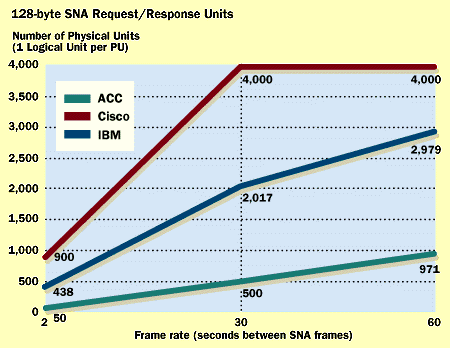
However, we think this level might be a limitation of the test gear and not of the routers. In capturing samples of network traffic, we observed a high number of LLC2 reject frames from the Domino analyzers emulating terminals. These indicate that a particular frame in a sequence hasn't been received, and that the mainframe should resend it. The mainframe is supposed to retransmit as quickly as possible; what we encountered were delays of one second or more. Often the retries took long enough for the mainframe to send traffic with the polling bit set, asking whether the terminal was still present. It's possible that the test software simply wasn't retransmitting quickly enough.
Lowering the traffic rate to one frame every 30 seconds dramatically increased the number of sessions each router could support. Here, the Cisco 4700s sustained 4,000 SNA sessions, the most we were able to offer. The IBM 2210s supported 2,017 sessions and the ACC Amazons sustained 500.
The 4700s again supported 4,000 sessions when rates were lowered to one frame every 60 seconds. IBM's routers handled nearly 3,000, and the ACC routers approached the 1,000 mark.
We believe IBM's results might have been adversely affected by the test software. Again there were a lot of reject frames present, with some delay in recovering from each. And the first session in every batch of 500 wouldn't come up with the IBM routers. IBM says these problems are attributable to problems with W&G's implementation of LLC2 routines, and W&G at press time was working on a solution. IBM also says it saw some corruption of SNA header information during a visit to W&G's labs, but we did not observe this on our test bed.
As it turned out, we shouldn't have worried about response time exceeding the two-second mark. For the Cisco routers, the average was less than one-tenth that, regardless of the number of sessions offered or the frame rate. Neither of the other routers got near the 2-second response time; the highest was 1.2 seconds, reported by the IBM routers when handling nearly 3,000 sessions at a rate of one frame per 60 seconds.
We expected to see response time increase moderately as more sessions were added, but that held true only for the IBM routers. (It's important to note that there were many reject frames on the wire, and these almost certainly degraded response time to some degree.) Response time for the Cisco routers actually declined as sessions were added, perhaps because the lower frame rates placed less of a processing burden on the routers.
As for the Amazon, the response-time curve made no sense. Requests made every 30 seconds took less time to service than those made when the rate was 2 or 60 seconds between frames. As with the IBM routers, there were significant numbers of reject frames. It's possible that the number of reject frames was not predictable, leading to variations in response time. Indeed, response time readings fluctuated more for the ACC routers than any others.
Practical Prioritization
When it came to protocol prioritization, results were generally favorable. None of the routers put SNA traffic in any danger of session loss, and the Cisco and IBM products came quite close to hitting our targets (see Figure 2).
Figure 2: Prioritizing IP, IPX, and SNA
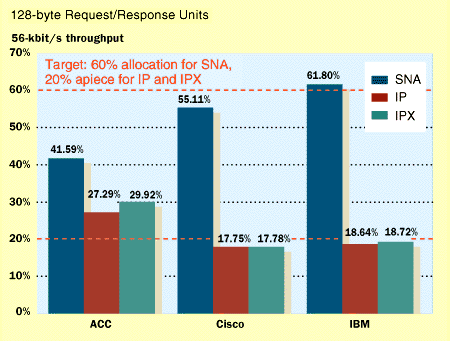
Our goal was to fill a 56-kbit/s link with 60 percent SNA traffic and 20 percent each of TCP/IP and IPX. We chose 56 kbit/s because it's the rate typically used to connect branch offices.
We began by baselining individual streams of SNA, IP, and IPX traffic on a local token ring to determine the amount of bandwidth each would consume. In these tests, we found that we always offered more than the 60/20/20 distribution we sought, so in effect we were forcing the routers to prioritize. (It took about 40 SNA sessions to exceed our goal of 60 percent utilization of a 56-kbit/s link.)
Then we disabled prioritization on all the routers and took another baseline measurement, this one with all three protocols being used. With these baselines in place, we enabled prioritization on the routers and offered the same streams again, measuring the percentage of each protocol delivered to the destination token ring and comparing the results with our 60/20/20 target.
The results? All the routers delivered adequate bandwidth to SNA and none caused session loss. The percentages delivered by the Cisco and IBM routers were virtually perfect, with IBM proving capable of allocating slightly more bandwidth to SNA.
Cisco and IBM address traffic prioritization differently. Cisco's default scheme is Weighted Fair Queuing, in which bandwidth is allocated on a per-session basis. For example, if the router is offered 50 IP sessions, 49 IPX sessions, and one SNA session, SNA will be allocated 1/100 of available bandwidth.
But when a protocol has to be guaranteed more bandwidth, Cisco has a couple of options. One is Priority Queuing, in which traffic is shunted into high-, medium-, normal-, or low-priority queues. Traffic in the high-priority queue is always routed first, which can ultimately lead to bandwidth "starvation" of lower-priority queues. Custom Queuing is used for this problem; it allows definition of up to 16 queues, with each assigned a fixed number of bytes.
We found that altering the depth of Custom Queues had a significant impact on bandwidth allocation. Initial test runs gave only 6 percent of the 56-kbit/s pipe to SNA; with a few tweaks, we got the level close to the desired 60 percent level.
IBM's approach combines the Bandwidth Reservation System (BRS) and Priority Queuing. BRS reserves a fixed amount of bandwidth for each protocol, but only when the offered load exceeds 100 percent of link speed. At other times, any protocol is free to use as much bandwidth as needed. IBM's Priority Queuing can also lead to bandwidth starvation, in which case a combination of Priority Queuing and BRS can be used as a solution.
ACC's routers at first appeared to deliver the same amounts of bandwidth regardless of whether prioritization was enabled. The vendor suggests that the TCP buffers fill before they overload the WAN link, which in turn kicks off the flow-control mechanism defined in the DLSw specs. In effect, DLSw performs a type of backpressure, reducing the rate at which sending stations offer traffic. The ACC routers only perform prioritization when the WAN link is congested, and the full TCP buffers prevent the link from becoming congested in the first place. A plausible explanation, maybe, but other routers did allow us to get closer to our target levels.
David Newman is the director of the Data Comm test program. His e-mail address is [redacted]. Brent Melson is a senior programming analyst and Siva S. Kumar is a senior analyst at National Software Testing Laboratories Inc. (NSTL, Conshohocken, Pa.).